

English
Overview of financial information in eZmax (eZmax for agents)
Overview of financial information in eZmax
- From Main menu >> Finance.
List of Tax Slips
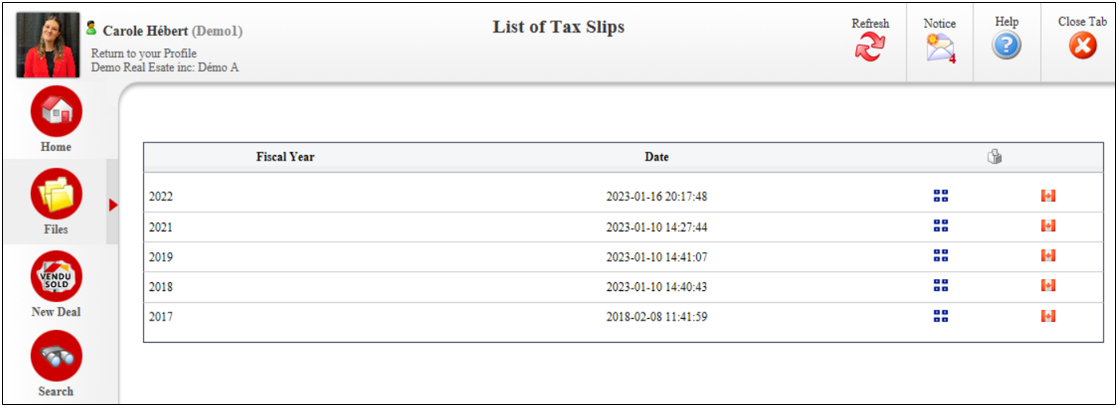
- Access to your T4A.
Financial Report
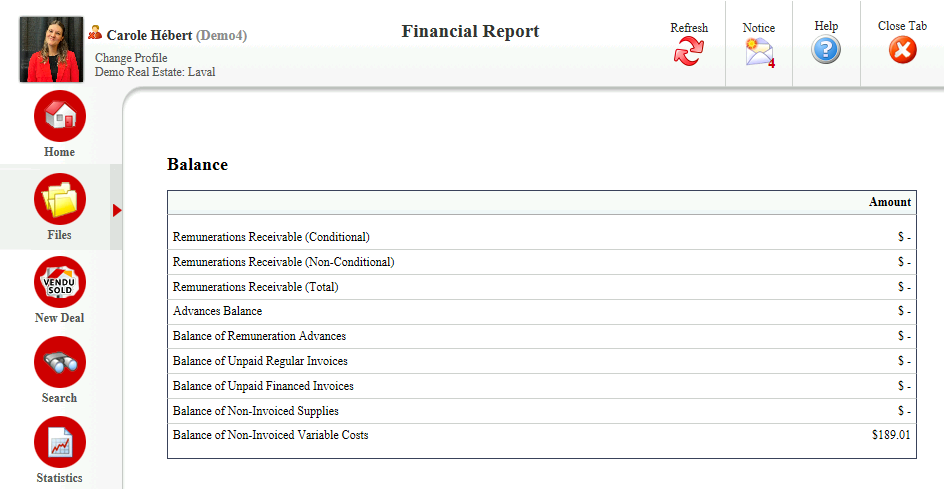
- Shows you a balance of all your commission receivables and all your invoices that are due.
Transaction Report
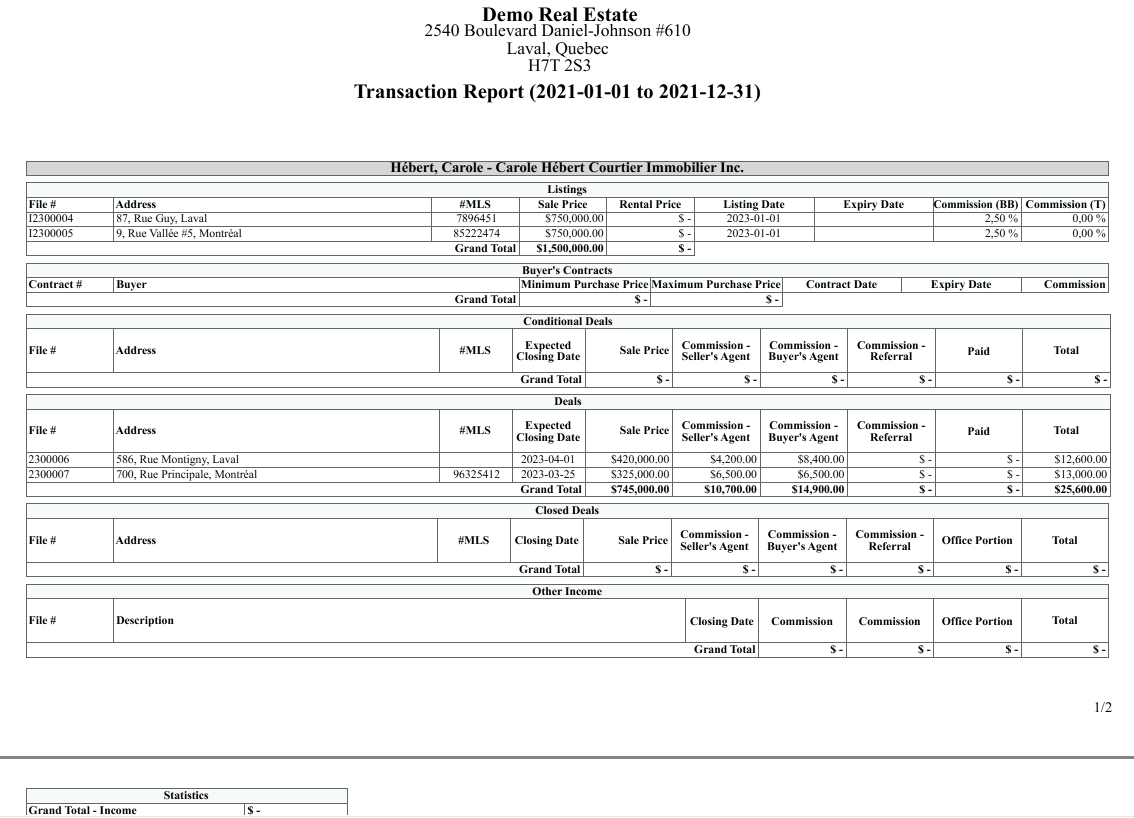
Shows you all your numbers for a complete year for your listings, conditional deals, buyer’s contracts, closed deals, etc.
At the bottom of this report, you will see the Grand Total - Income.
Transaction Report by Step(previously named "Transaction Statistics")
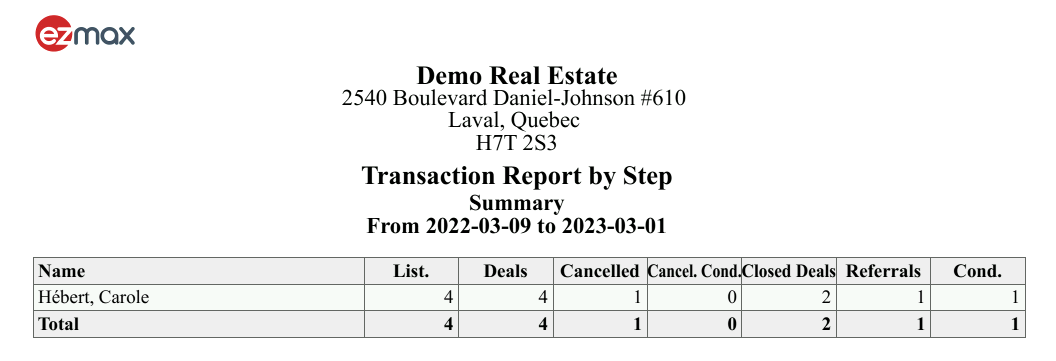
- For a given time interval, you can see, for example, the number of listings that you have and the total amount of new deals, cancelled deals and new closed deals, if applicable.
Commission Report
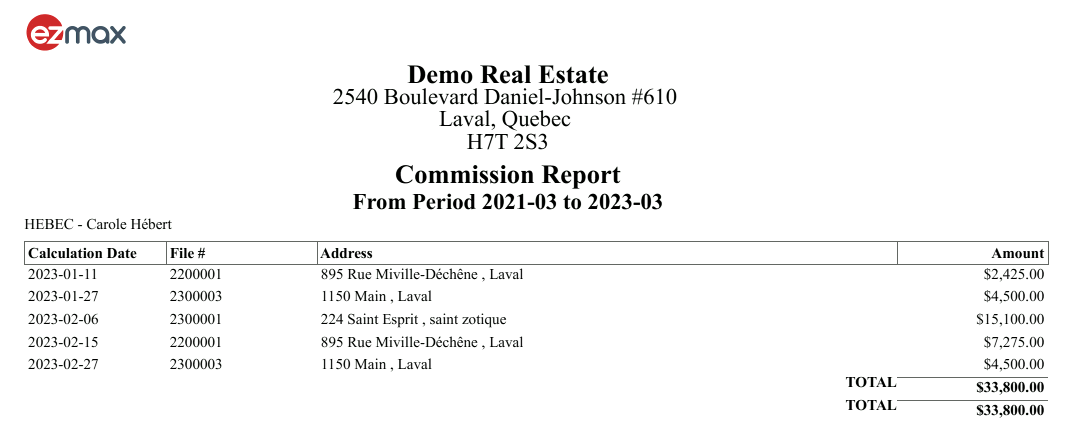
- For a given time interval, you will see all your commission amounts.
Deduction Report - Commission Fees(previously named "Commission Deduction Report")
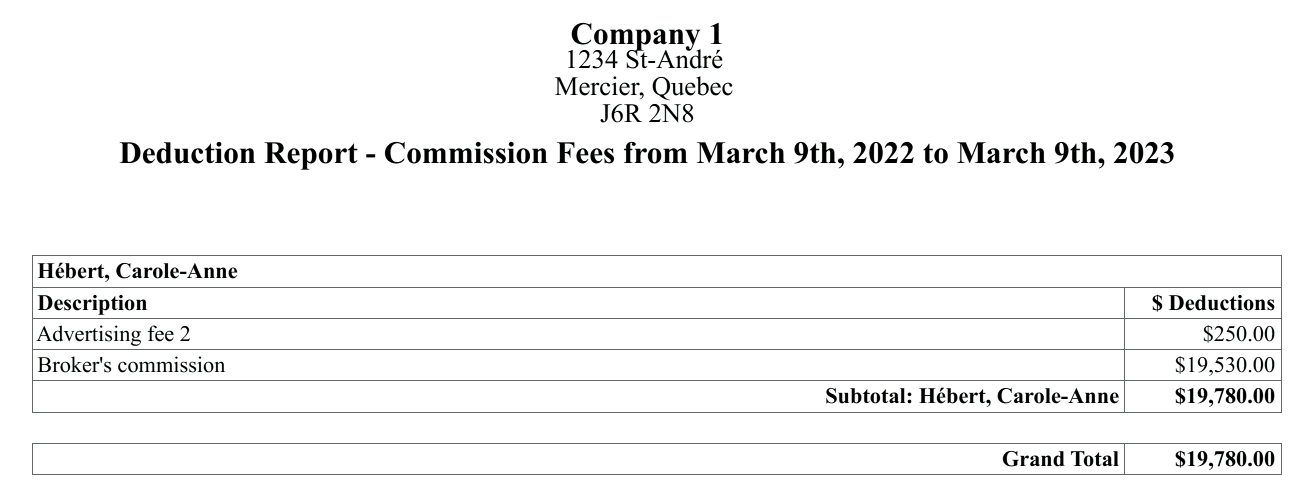
- For a given time interval, you will see all the brokerage fees on each one of your transactions.
Agent Earnings Forecast Report (previously named "Report of Income Forecasts - Agent")
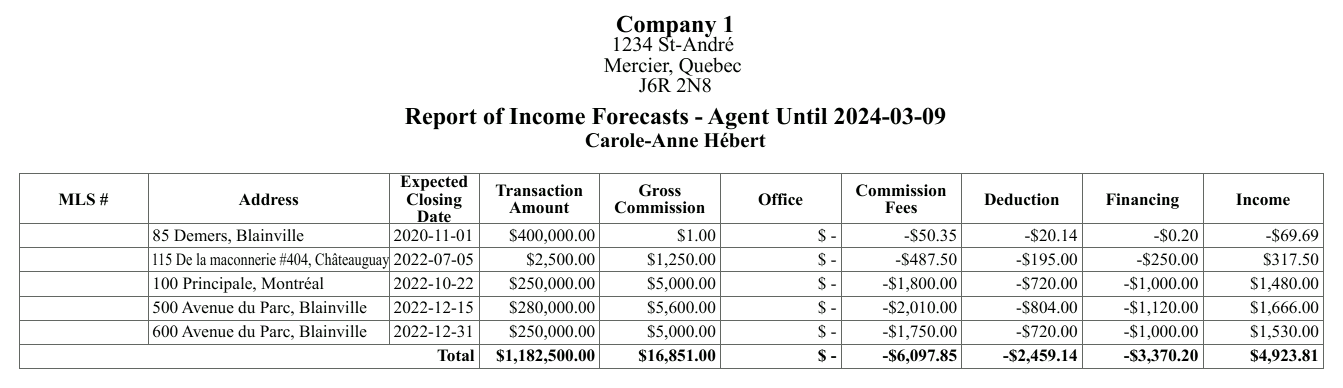
- For a given time interval, you will see any incomes that are coming up for closed deals and conditional deals. The report takes in consideration all your brokerage fees and the deductions that will be applicable to these payouts.
Earnings and Payments Report(previously named "Agent Earnings and Payments Report")
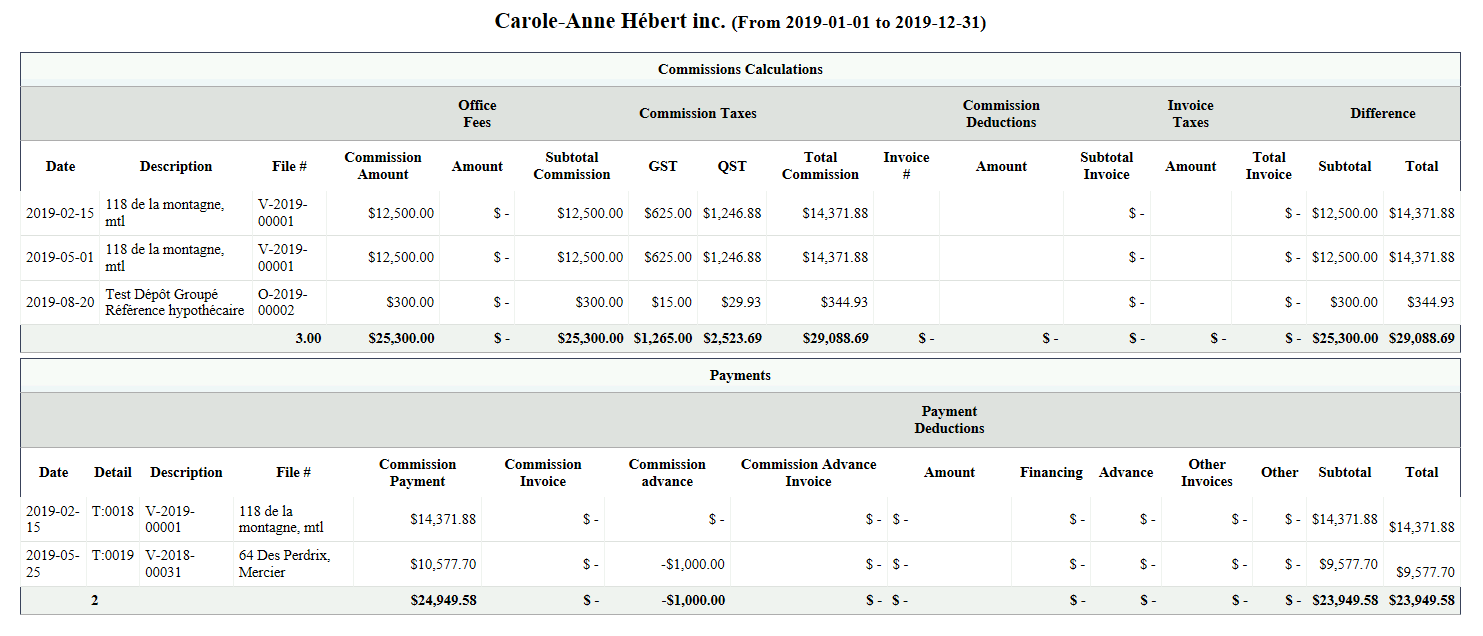
- For a given time interval, you will see the full detailed list of earnings. The report takes in consideration all the deductions, the invoices that have been taken from these payouts and the payments that have been actually done.
Agent Tax Report
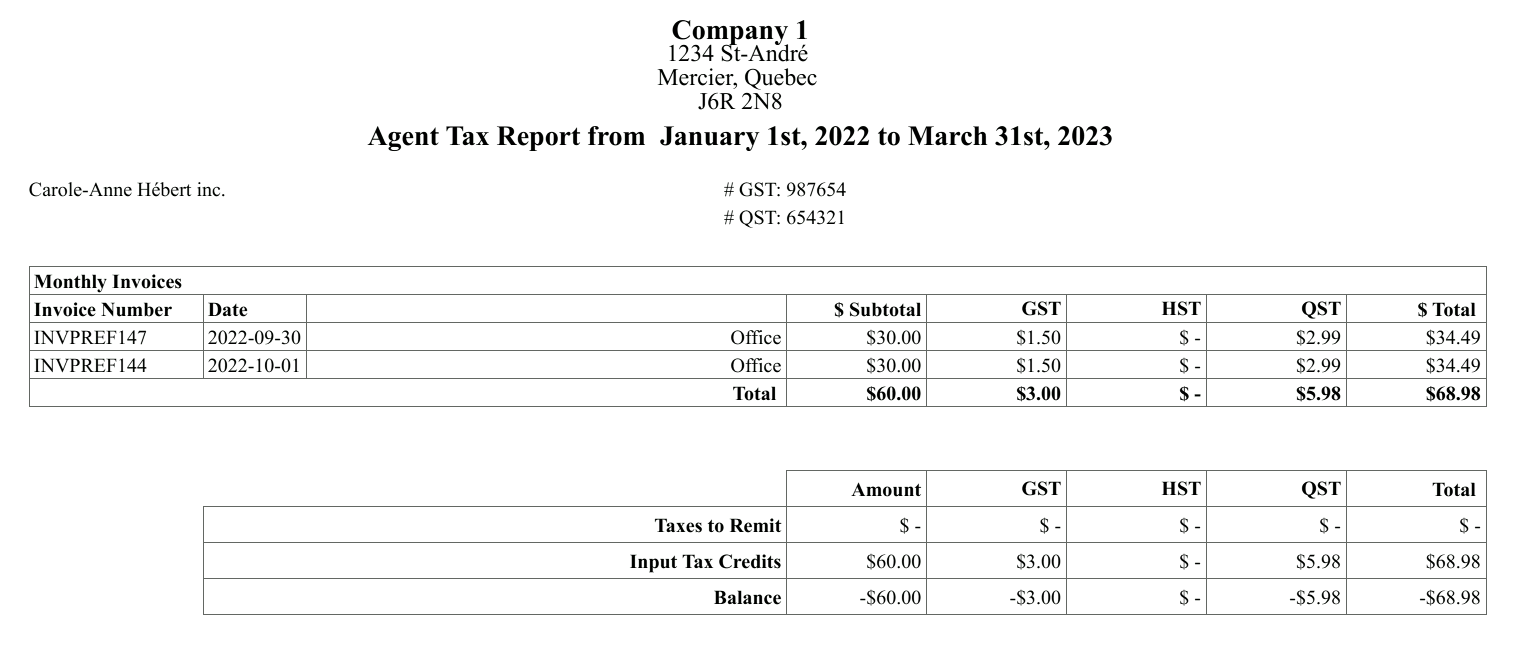
For a given time interval, you will see all your revenues and expenses.
You can generate this report in an Excel sheet.
List of Cheques Receivable
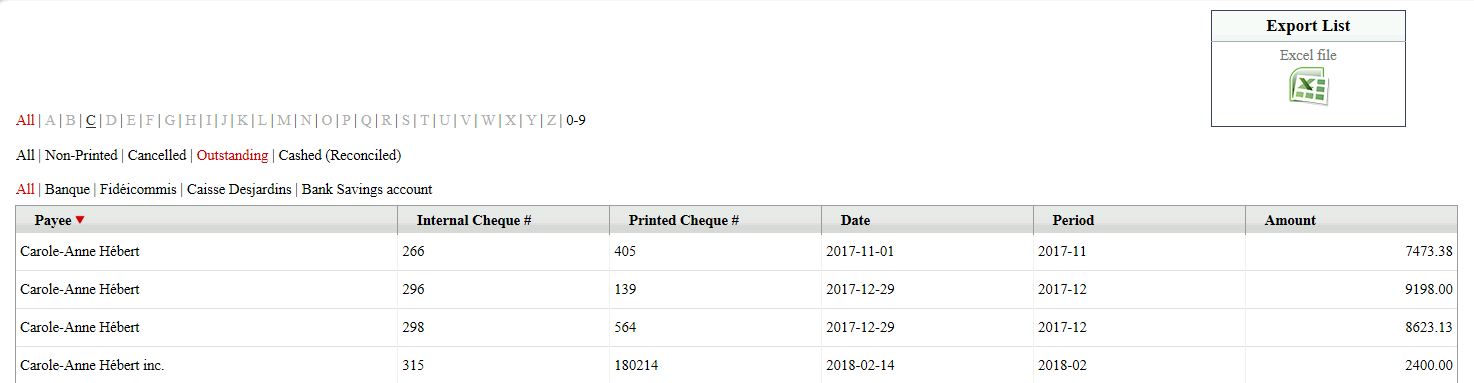
- Shows you all the amounts of outstanding payments (cheques and EFT).
List of Invoices
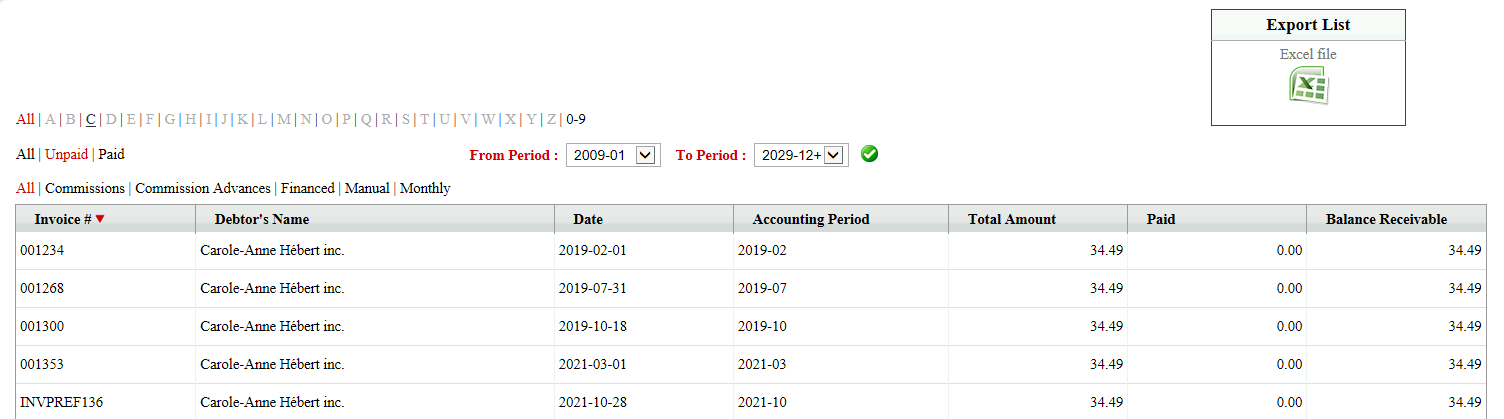
- Shows you all the amounts of paid or unpaid invoices (commissions, commission advances, financed, etc.).