English
Signatory No Longer Wants to Sign: Complete Prematurely the Document
Signatory No Longer Wants to Sign: Complete Prematurely the Document
Here’s how to proceed in eZsign:
If one of the signers decides not to sign the document, but you would like to retain the signatures already collected, you must complete the document prematurely.
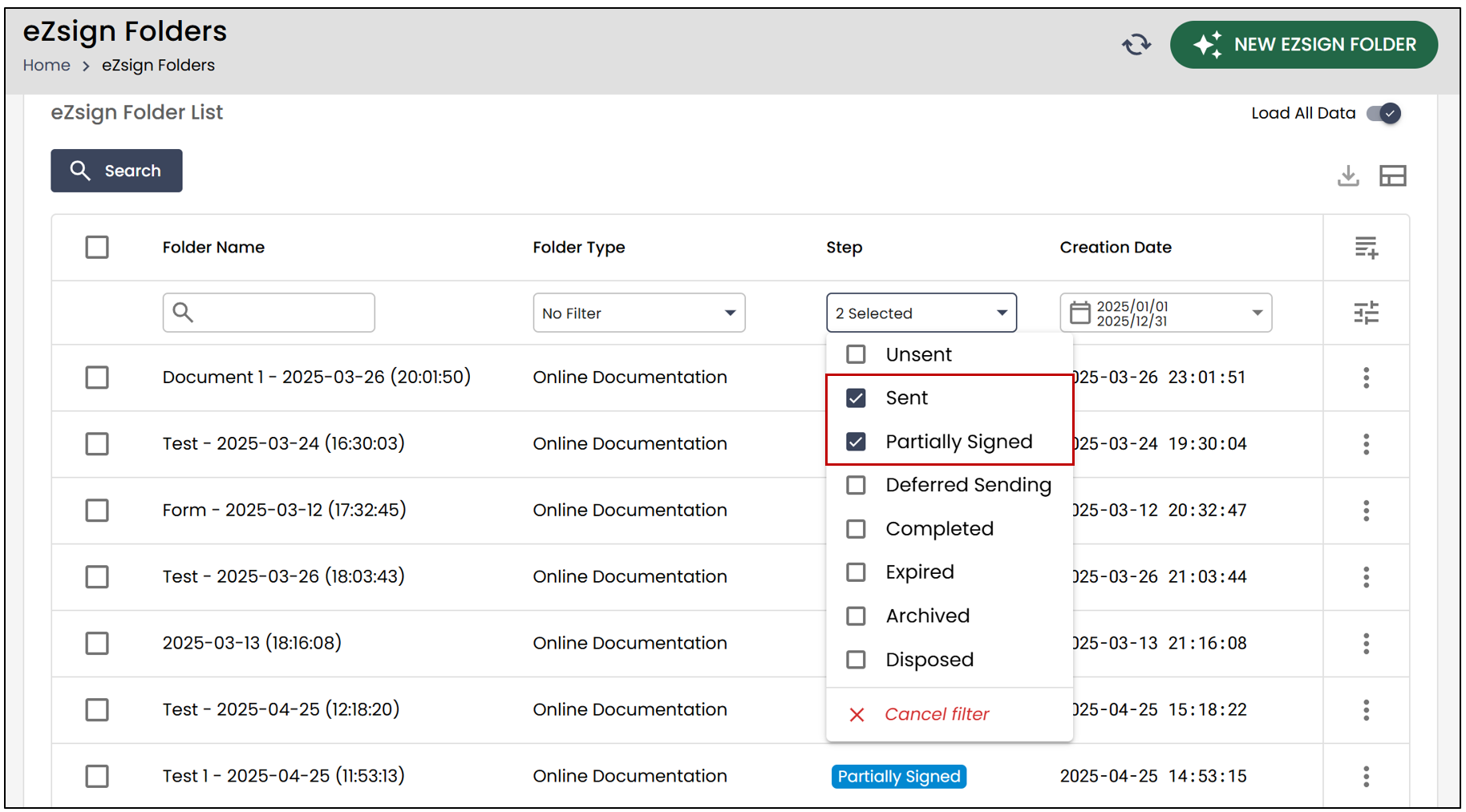
- From the eZsign Folder List , apply the Sent or Partially Signed filter in the Step section.
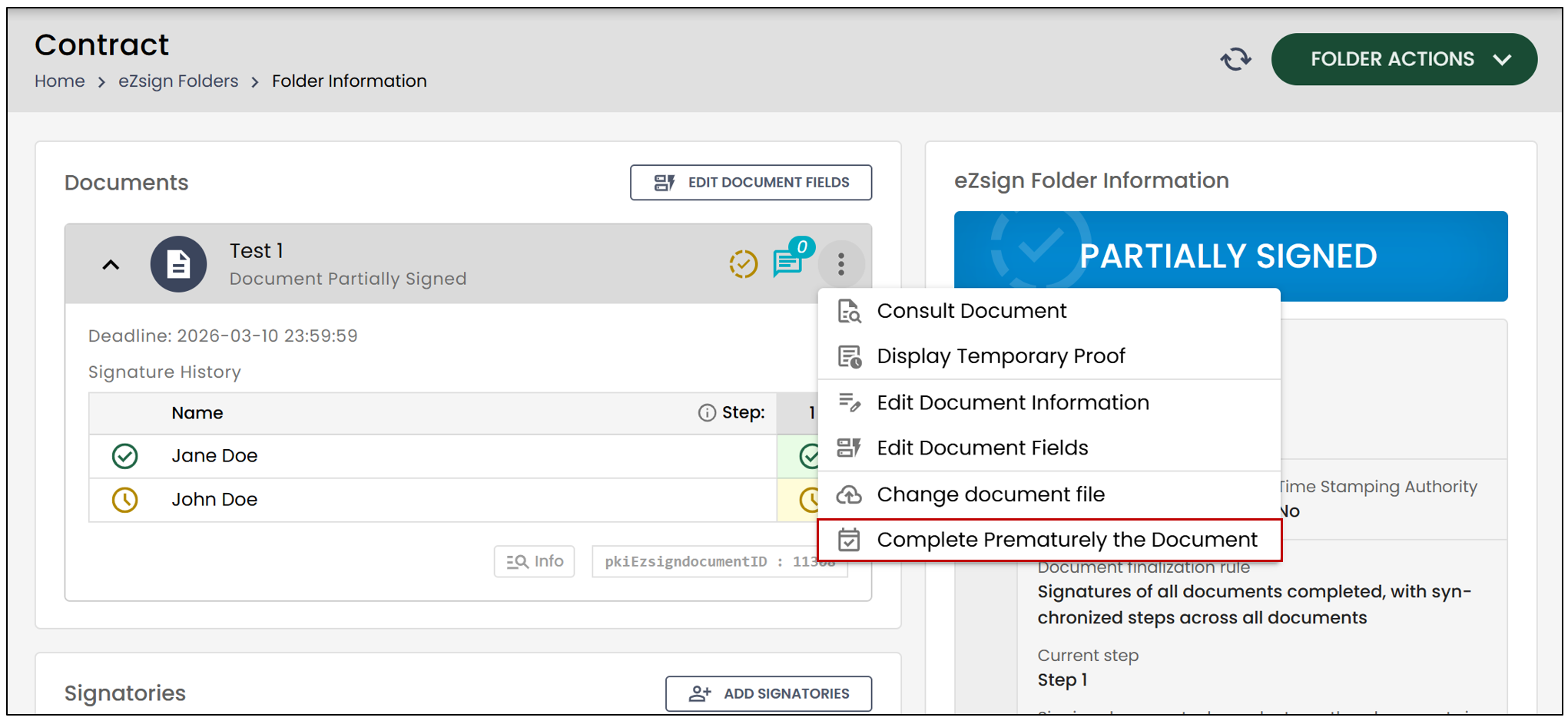
- To prematurely complete one of the documents, click on the three vertical dots, then select Complete Prematurely the Document.
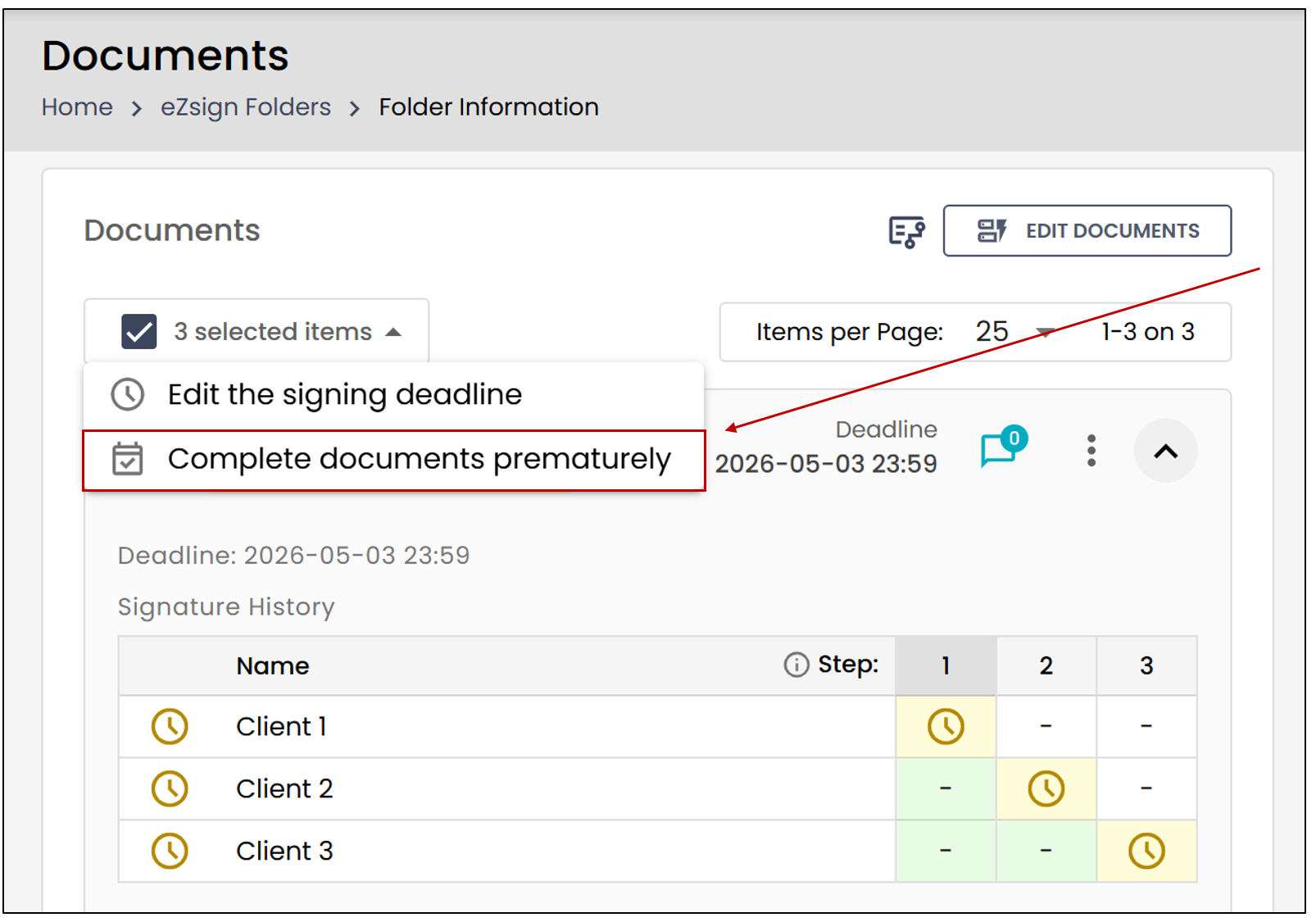
Thanks to the new Bulk Actions feature, you can now perform actions on one or multiple incomplete documents at the same time.
- Check the box to the left of each desired document or click Select All.
The following message will appear:
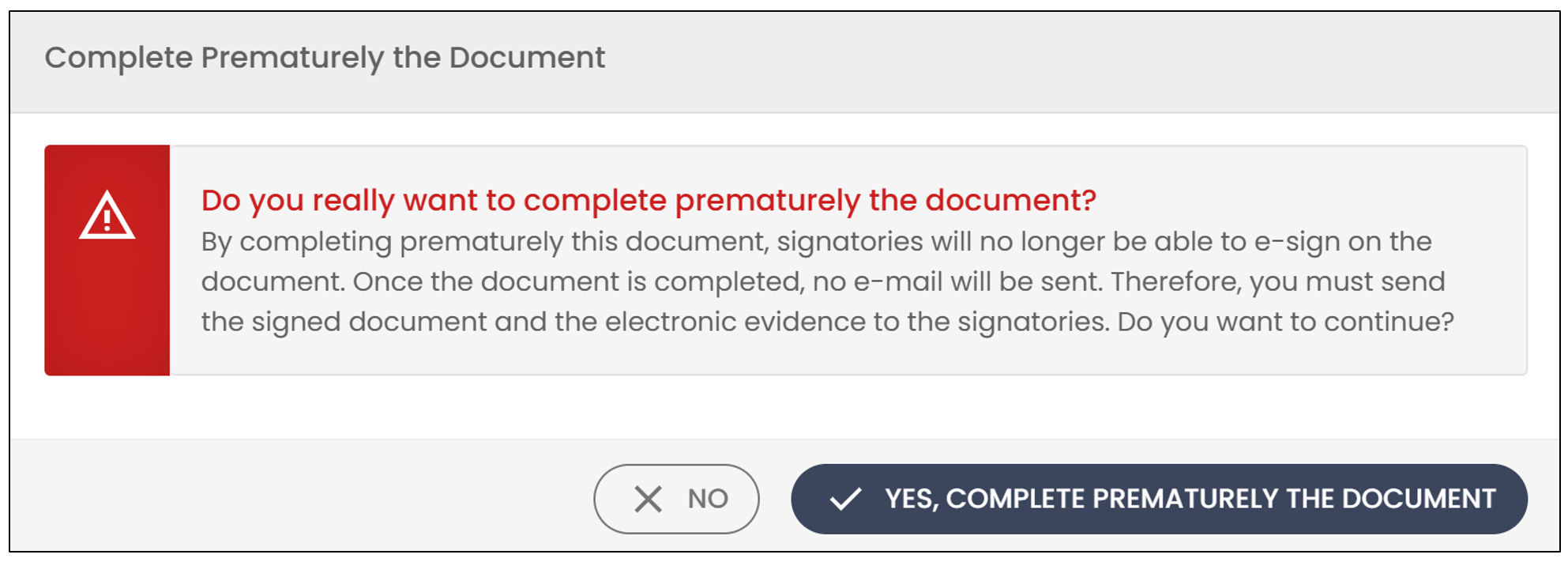
If you wish to proceed, click Yes, complete prematurely the document.
To prematurely complete all documents in a file, click on Folder Actions , then select Complete Prematurely All Documents.
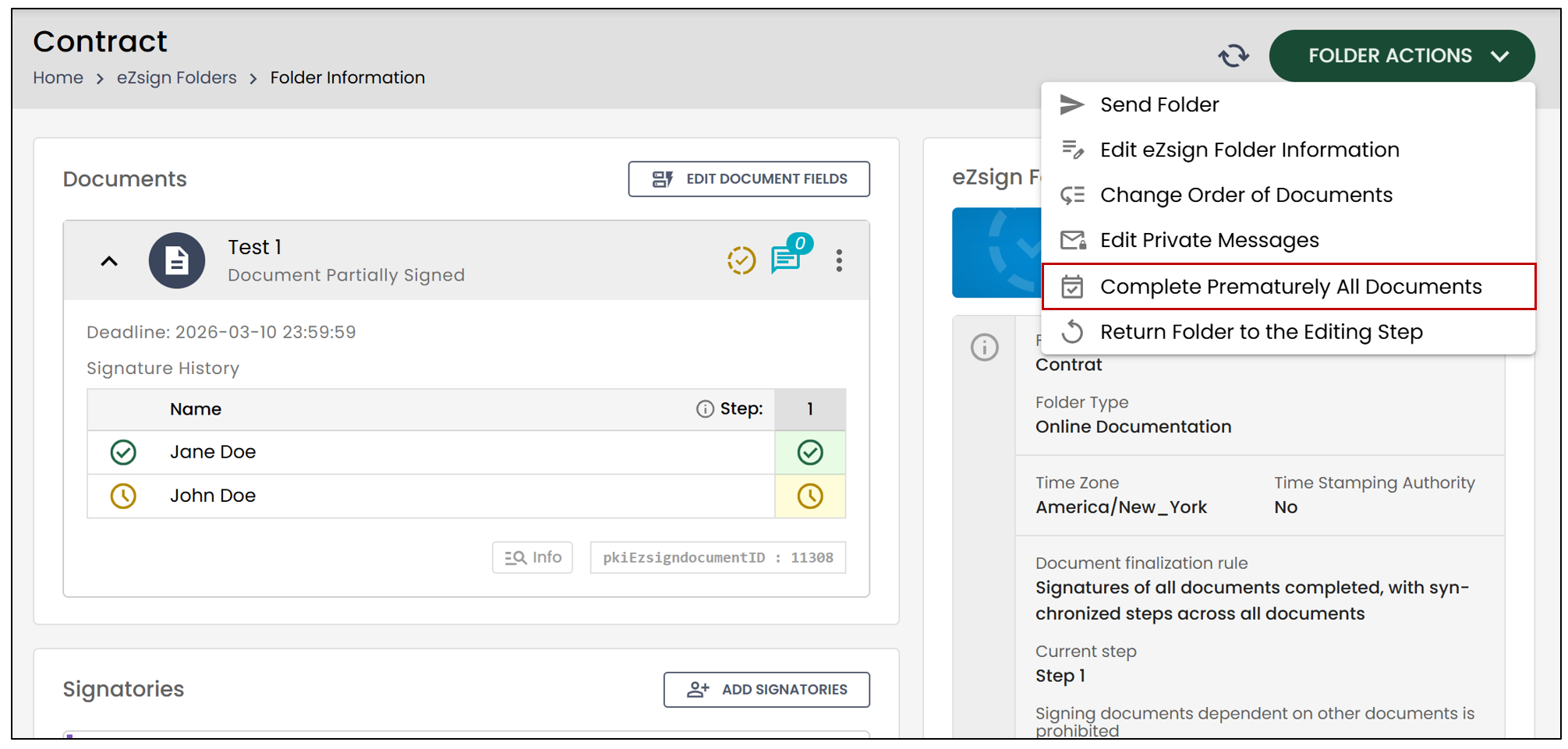
The following message will appear:
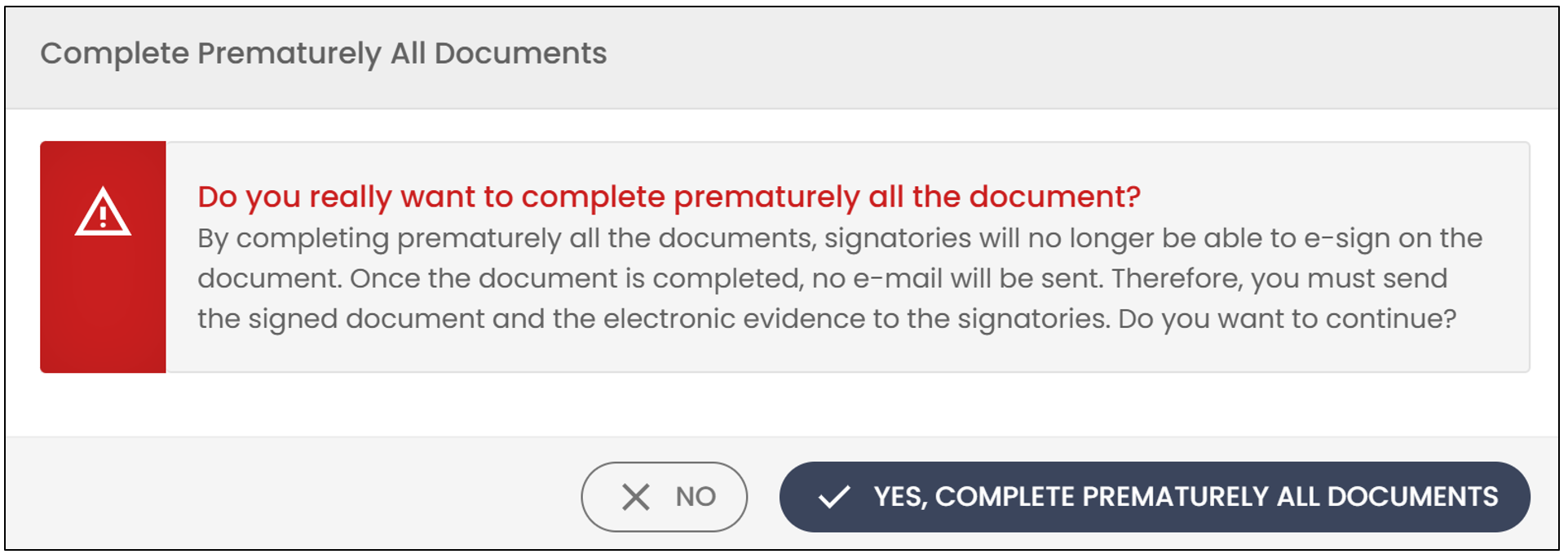
- If you wish to proceed, click Yes, complete prematurely all documents.
NOTE: The full temporary evidence, as well as any signatures already applied, will be retained, if applicable.
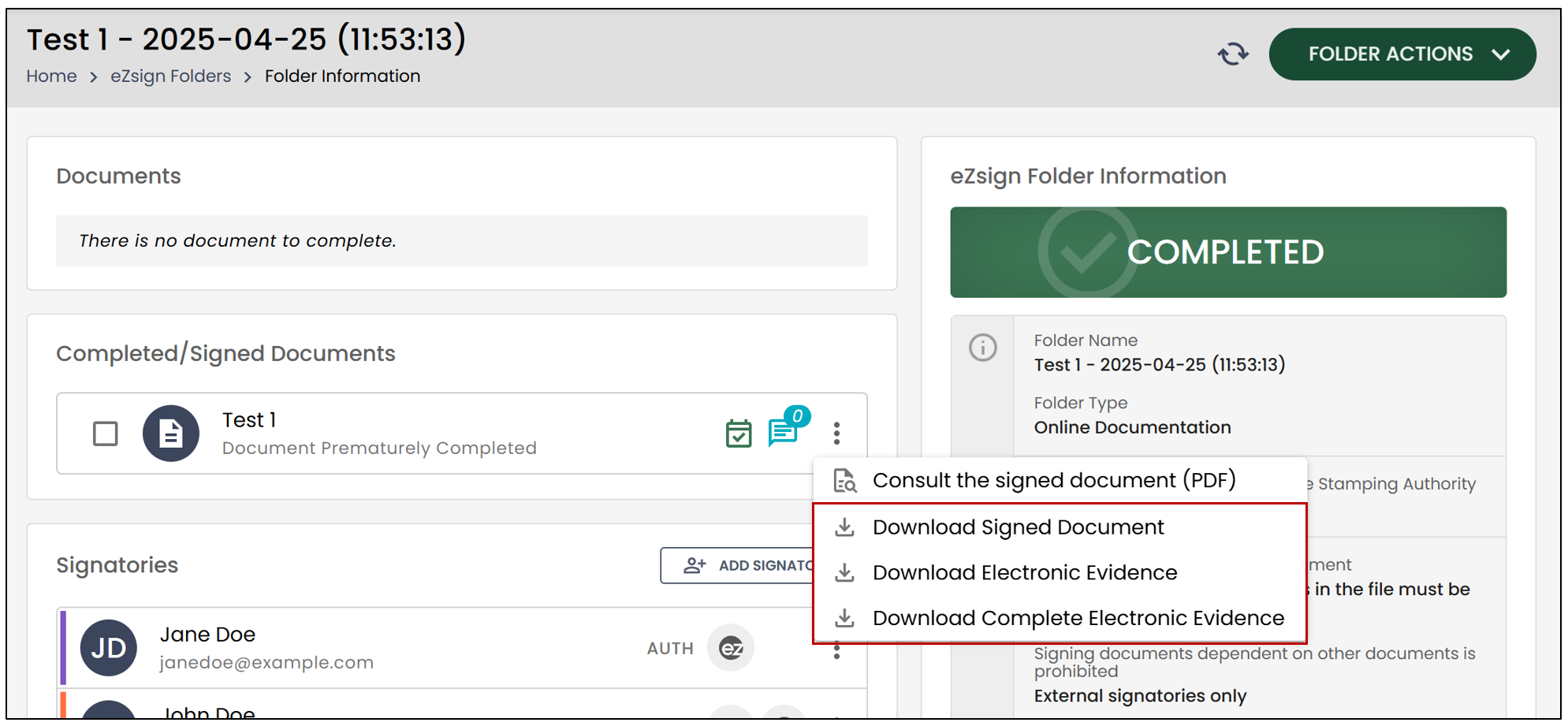
- You will notice that the file will move to the Completed stage, and it will indicate that your document was completed prematurely.
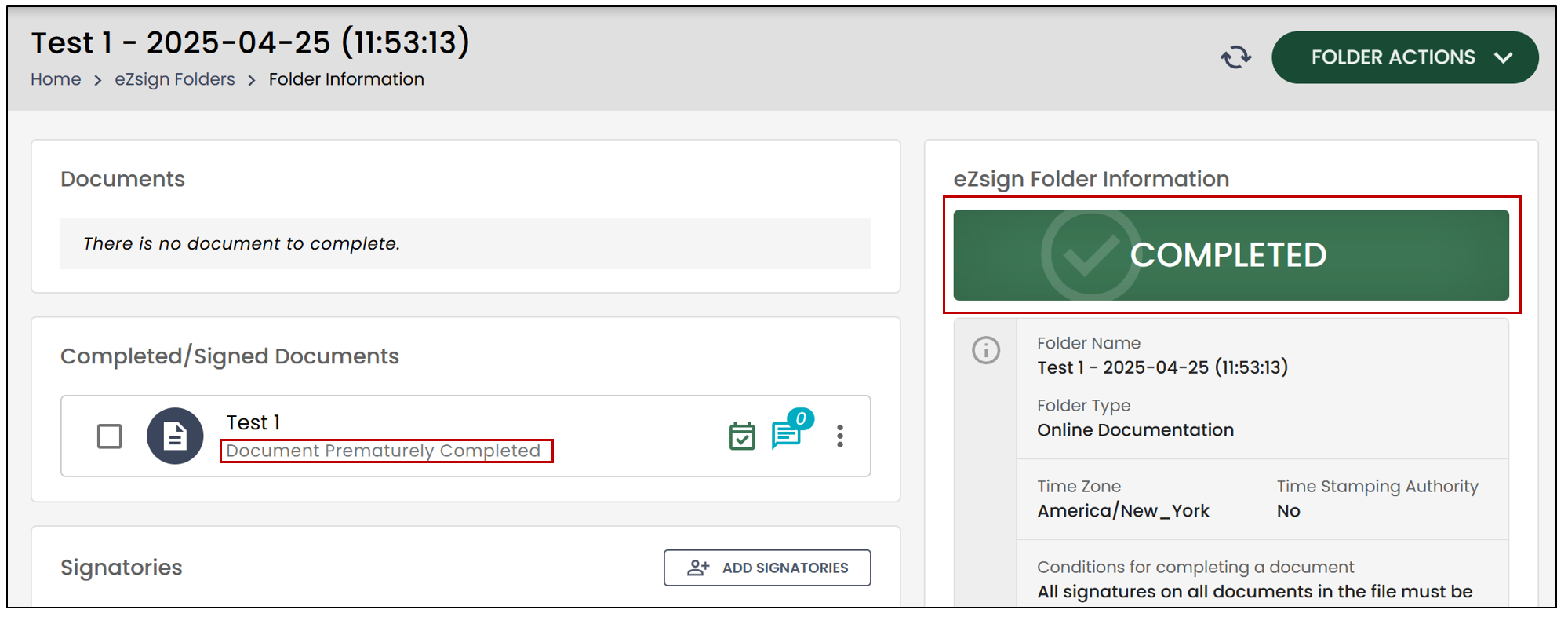
- By clicking on the three vertical dots to the right of the document, you will be able to download it.