

English
How to Complete a Deal Report When Annex R Applies
When an Annex R is attached to a promise to purchase, particular attention must be paid to the amount entered in the deals report.
Which amount should you enter?
When an Annex R is attached to a promise to purchase, the price indicated in section 4.1 of the promise to purchase must not be used as the transaction amount in eZmax.
Instead, you must enter the amount indicated in Annex R under “Sum payable to the SELLER.”
This is essential to ensure that the remuneration percentages are calculated correctly in the sales report.
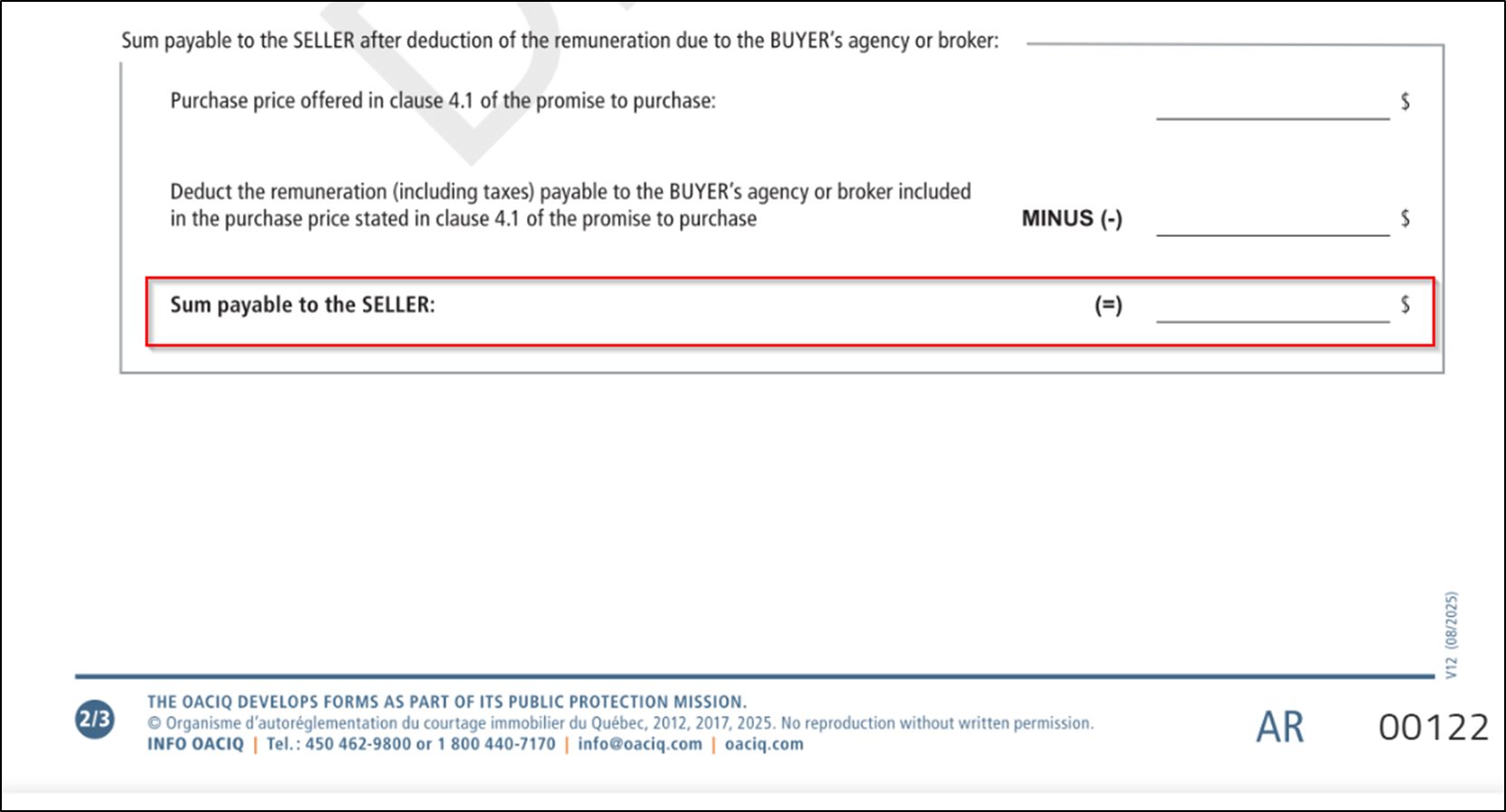
Procedure to follow
When completing the sales report:
- Refer to the Annex R associated with the transaction.
- Locate the “Sum payable to the SELLER” section.
- Enter this amount in the “Transaction amount” field of the sales report.
- Do not use the amount indicated in section 4.1 of the promise to purchase.
Important
When an Annex R is present, the transaction amount must always correspond to the Sum payable to the SELLER to ensure that the remuneration is calculated correctly.
Upcoming developments
We are currently evaluating different options to better clarify the difference, in the deals report, between the amount indicated in section 4.1 of the promise to purchase and the sum payable to the seller.
Discussions are ongoing with the various parties involved in this change. We will provide further details and updates as soon as more information becomes available.
In the meantime, please follow the procedure outlined above for all transactions involving an Annex R.