English
Downloading Multiple Signed Documents Into a Single PDF
With the unified working document download feature (enabled by folder type), you can now download multiple signed documents as a single PDF. Please note, however, that this operation converts the signature into an image, invalidating it: the resulting file is therefore not a legally valid signed version, since merging the documents alters their original content and invalidates the electronic signatures. A watermark can be added to indicate this status.
NOTE: This feature is available for all Individual Accounts and for all Business and Enterprise Accounts.
Warning
The grouping feature must be enabled by folder type, and, as the client, you are responsible for keeping the signed originals separate so as not to lose the genuine signature.
Enable Downloading Multiple Signed Documents as a Single PDF
From the main menu >> Administration >> Folder Types.
- Select the desired folder type, then click Edit Folder Type.
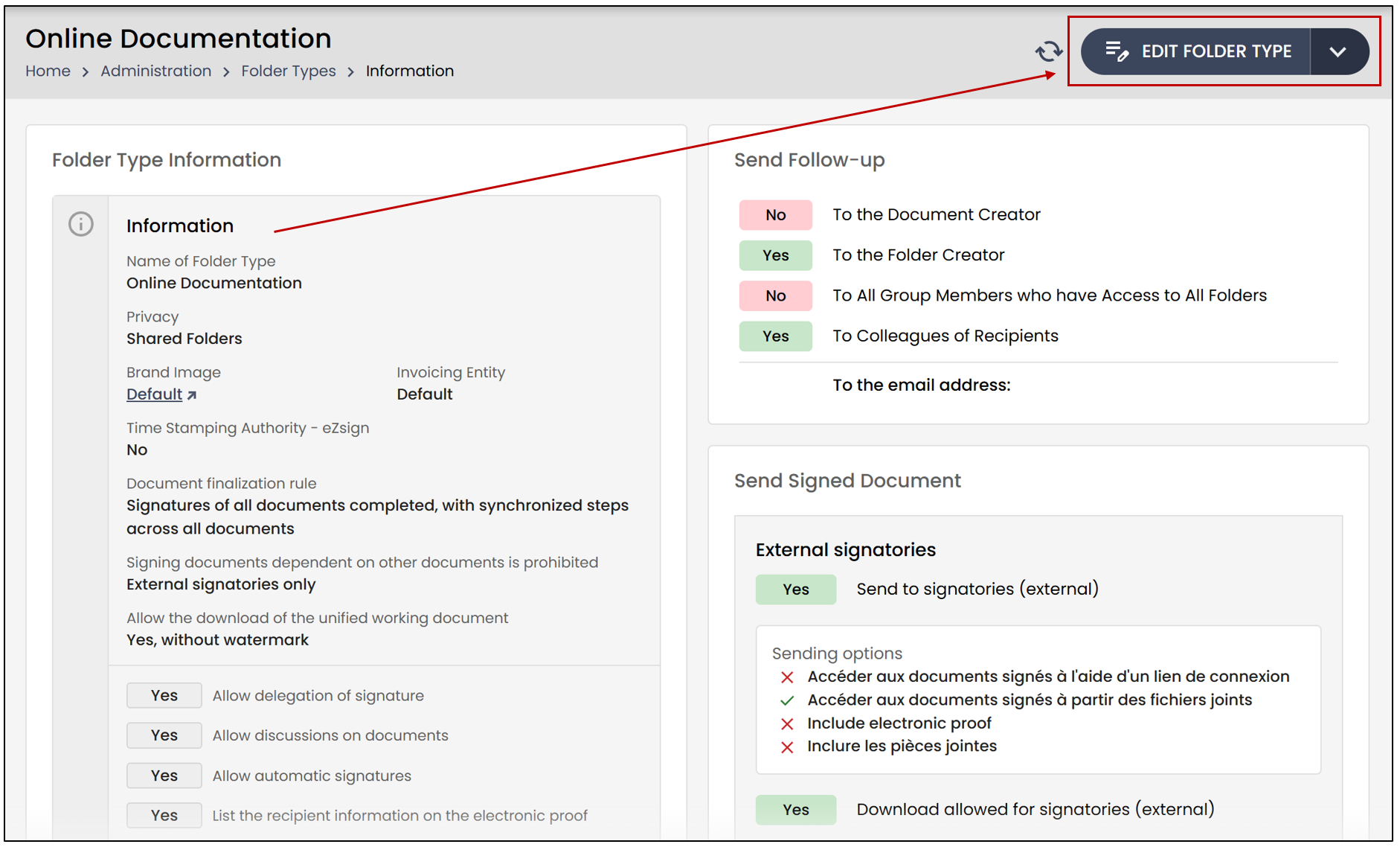
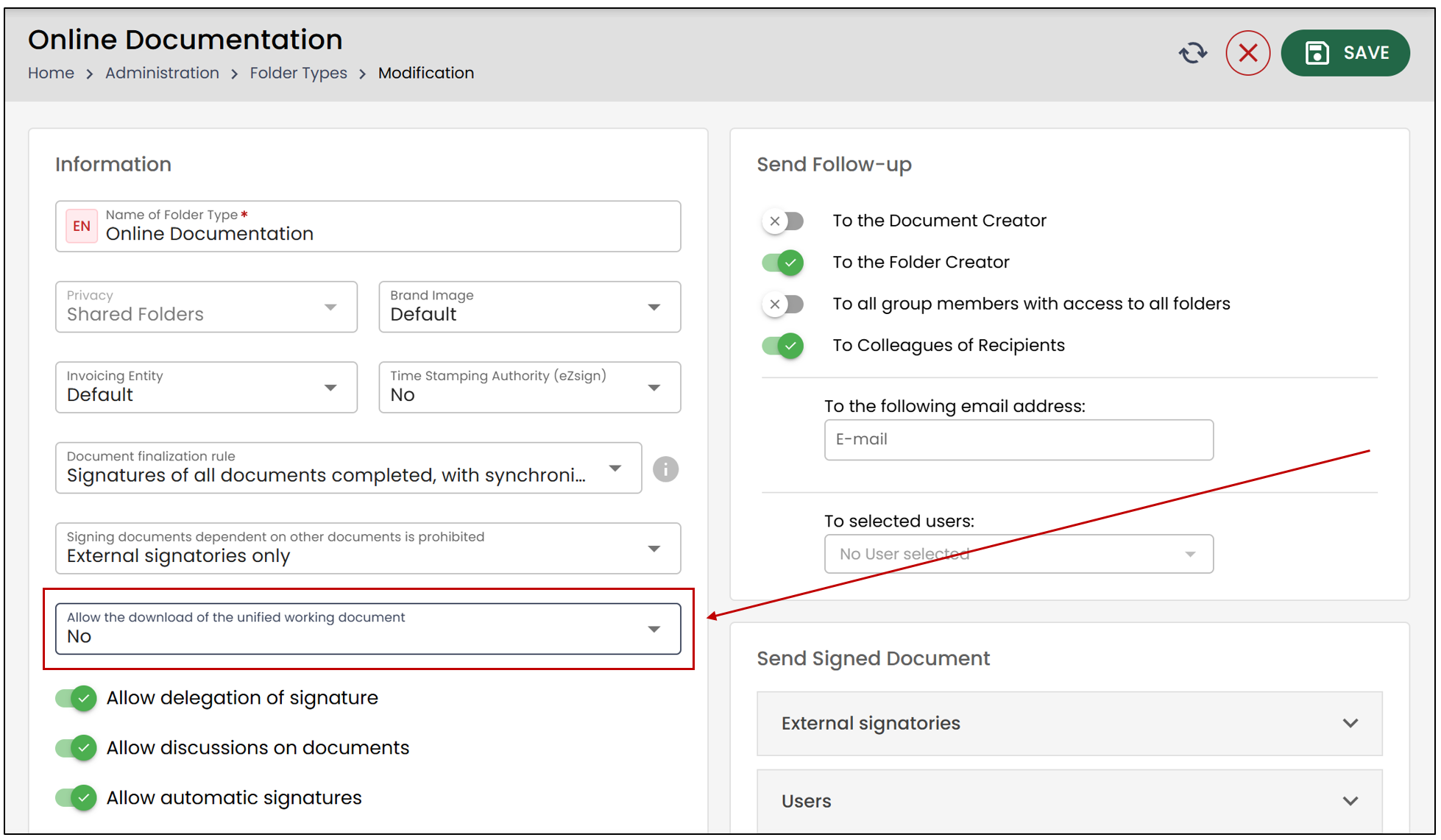
In the Information section, under Allow the download of the unified working document , you will have the option to click on:
No
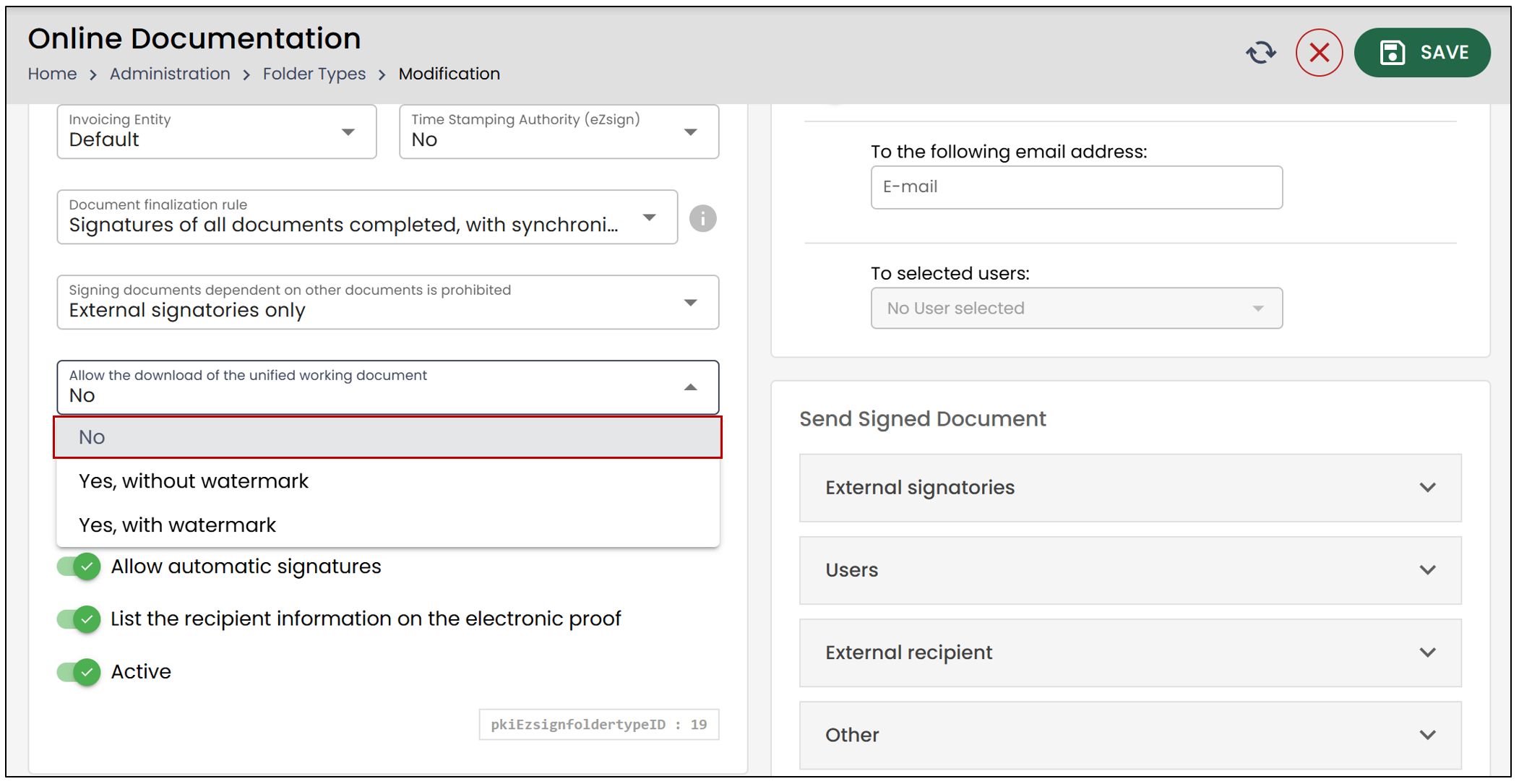
If you click "No ", this option will not be displayed when downloading documents from a folder.
Yes, with watermark
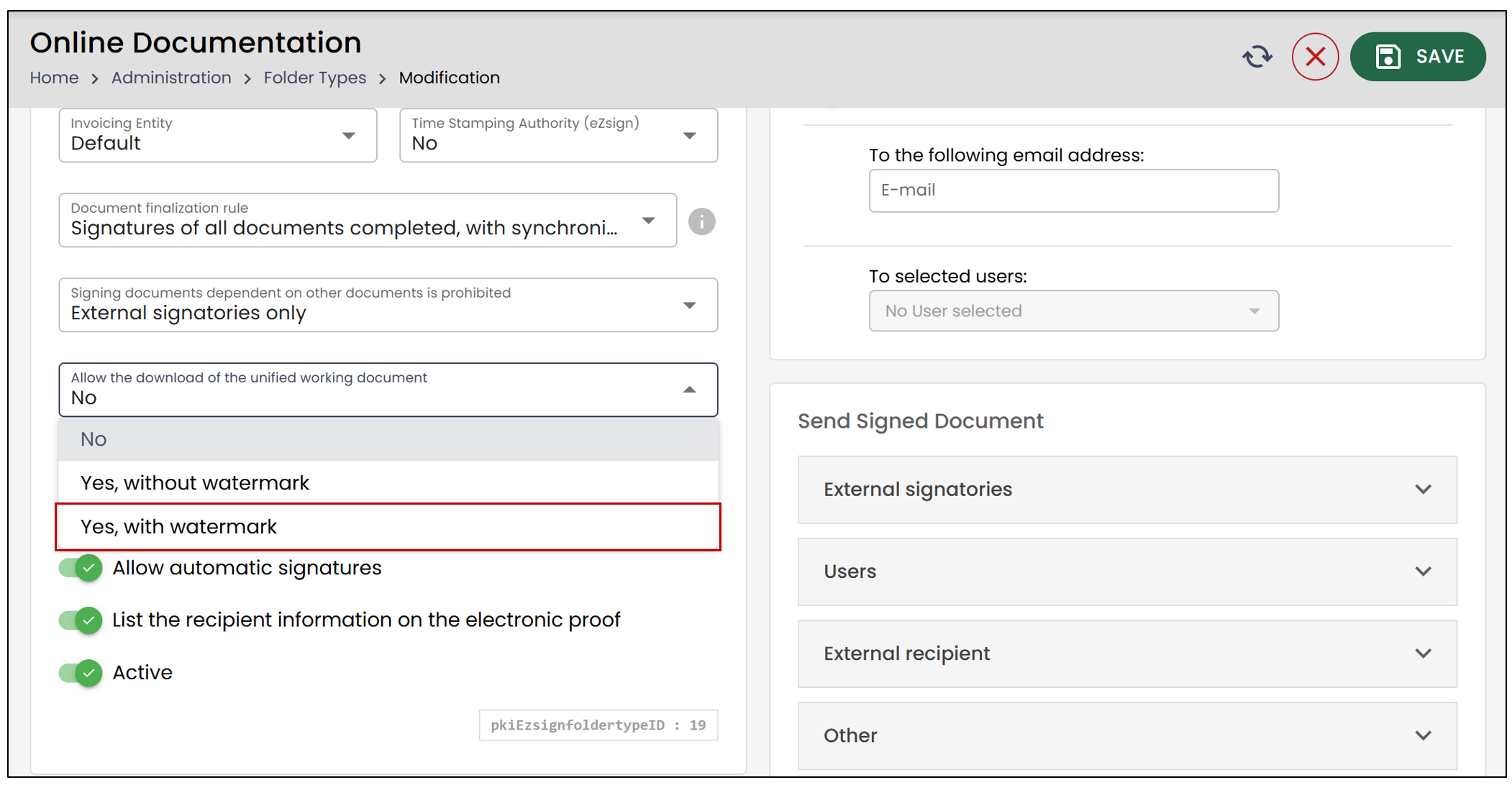
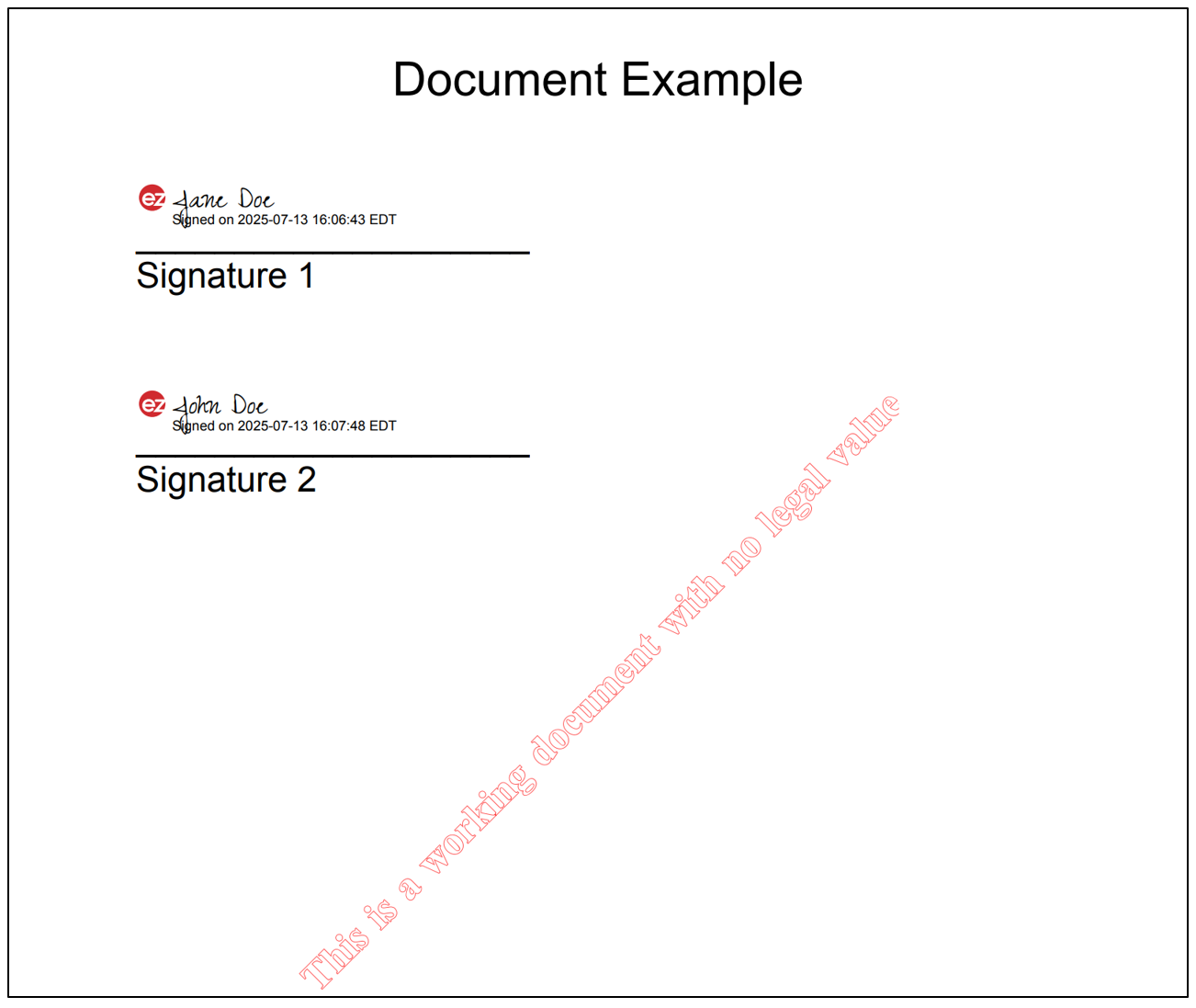
If “Yes, with watermark ” is selected, a watermark will be added to indicate that the document is a working document with no legal value. This option is useful for grouping documents, but it invalidates electronic signatures , since the document is modified and converted into an image.
From the main menu >> eZsign Folders >> Select the desired folder.
- Check the completed/signed documents you wish to include, then click Download Documents.
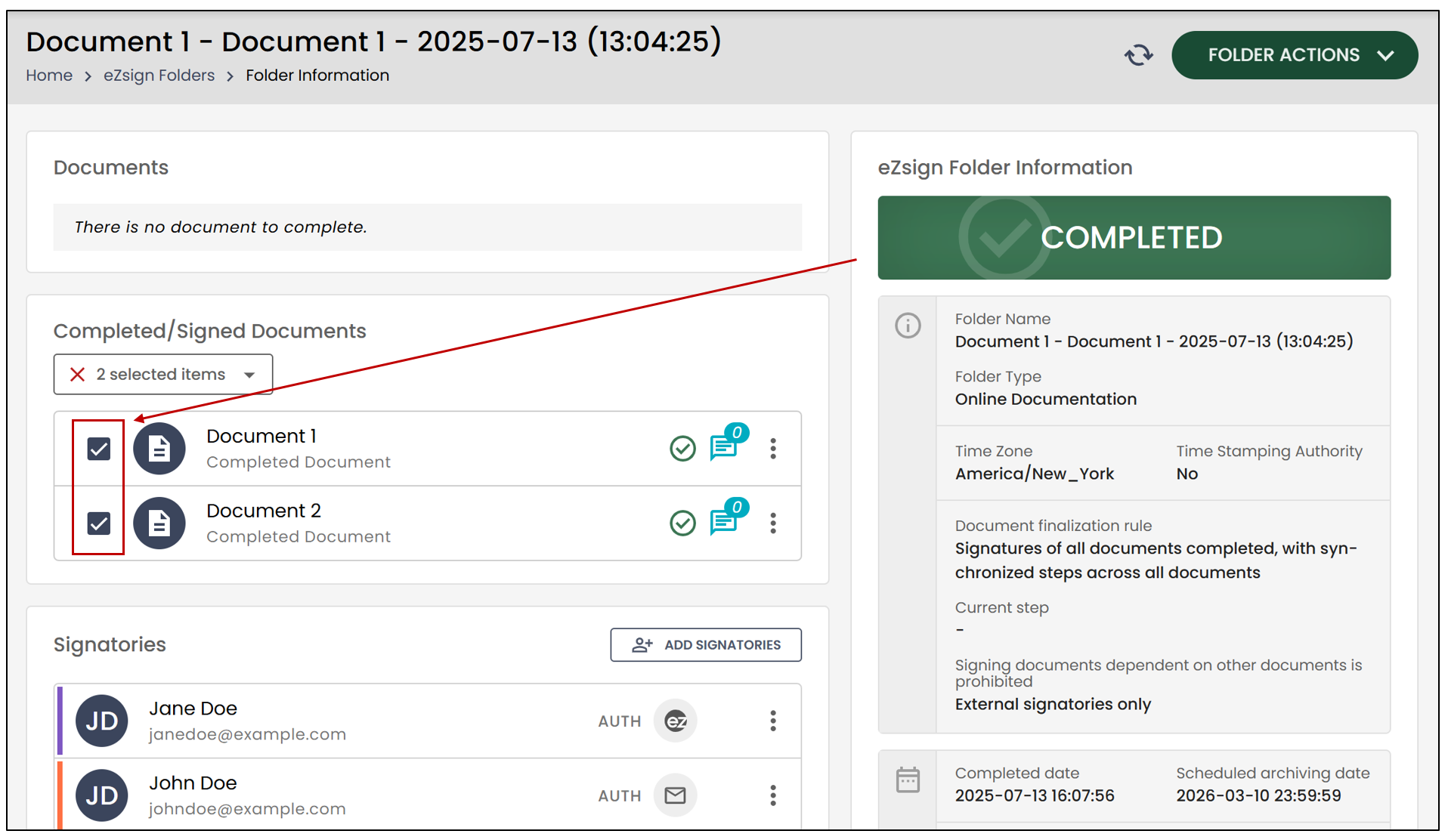
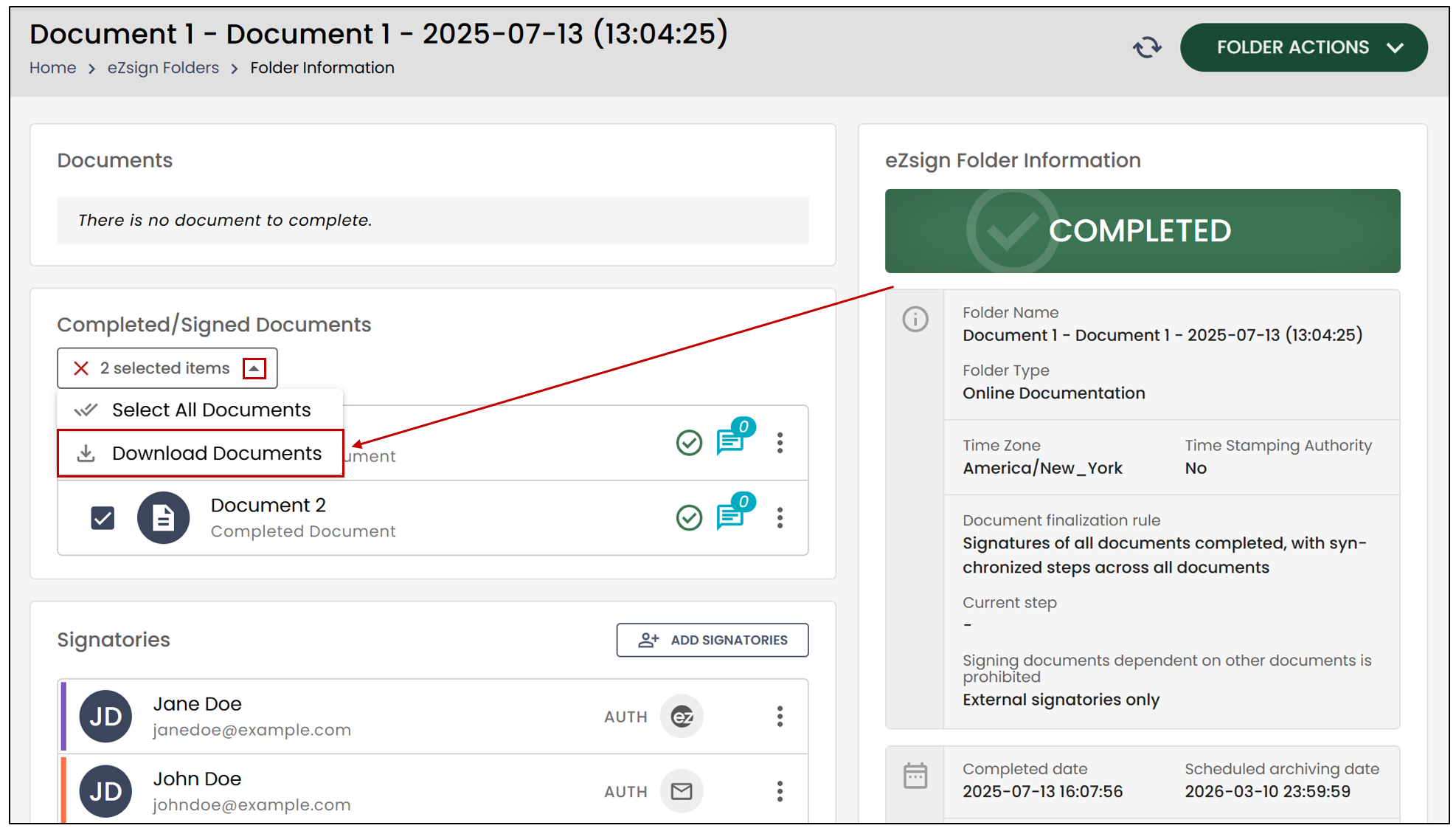
- Enable the Download the files into a unified working document option, then select the files you wish to include in the download by checking their boxes.
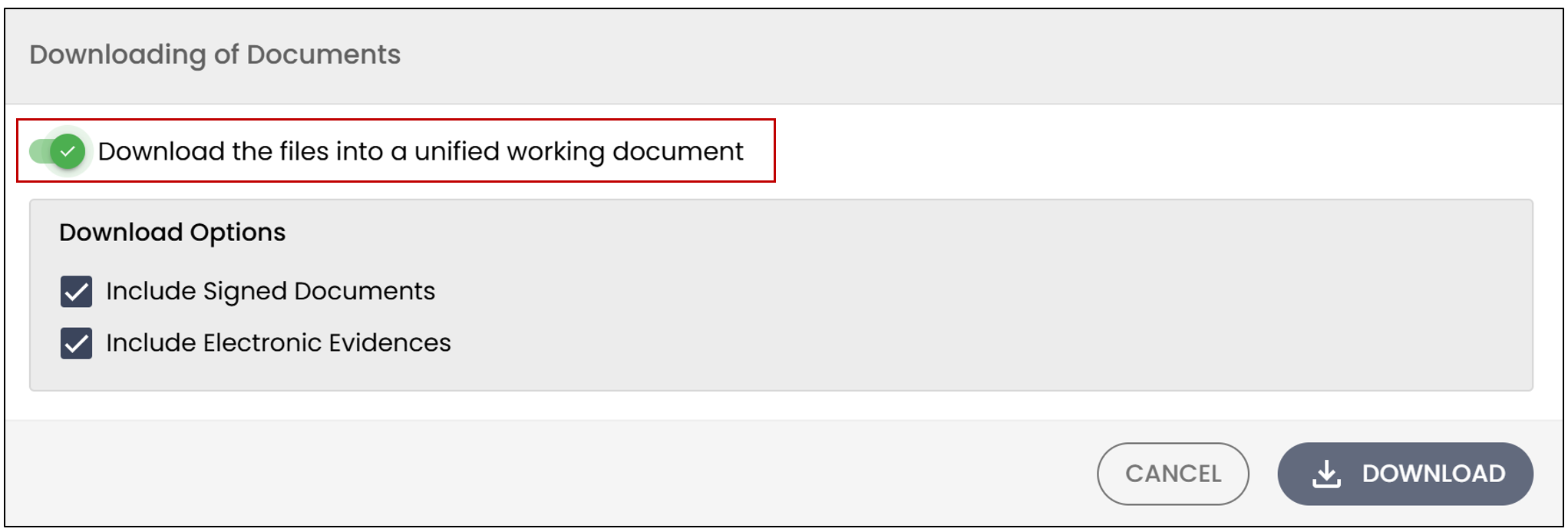
- Click on Download.
The downloaded PDF will include a watermark, in accordance with your selection of the "Yes, with watermark " option.
Yes, without watermark
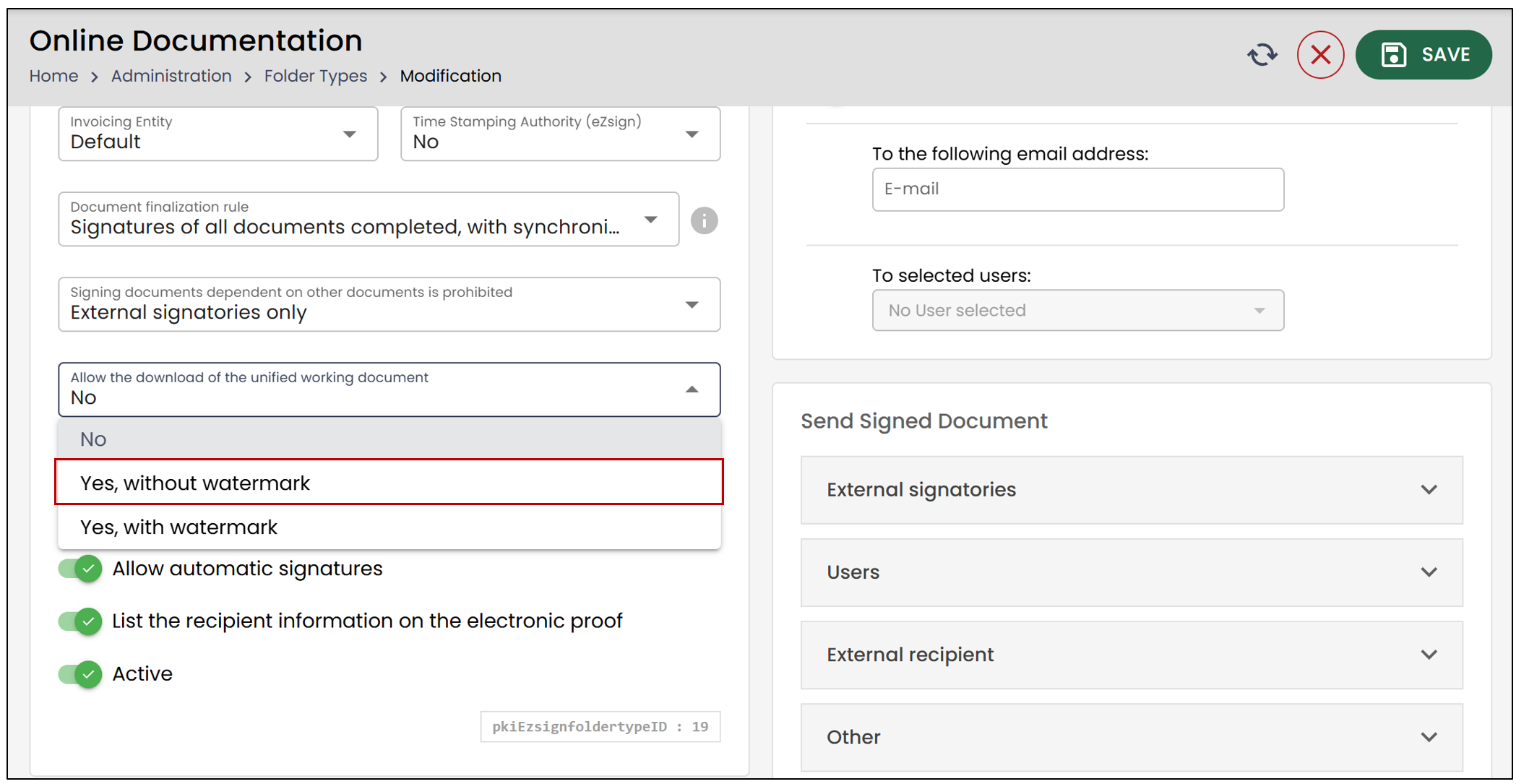
If the "Yes, without watermark " option is selected, no watermark will appear on the downloaded document. This option allows you to combine multiple files into a single PDF, but it invalidates electronic signatures , as the documents and their signatures are converted into images.
From the main menu >> eZsign Folders >> Select the desired folder.
- Check the completed/signed documents you wish to include, then click Download Documents.
- Enable the Download the files into a unified working document option, then select the files you wish to include in the download by checking their boxes.
- Then click Download.
In accordance with your selection of the**** "Yes, without watermark " option, the downloaded PDF will not contain a watermark. However, it is important to note that even without a watermark, the generated file is not a legally valid signed version , as the merging process alters the original content and invalidates the electronic signatures.