English
Signatory No Longer Wants to Sign: Complete Prematurely the Document (eZsign Web Version)
Signatory No Longer Wants to Sign: Complete Prematurely the Document
Here’s how to proceed in eZsign:
If one of the signers decides not to sign the document, but you would like to retain the signatures already collected, you must complete the document prematurely.
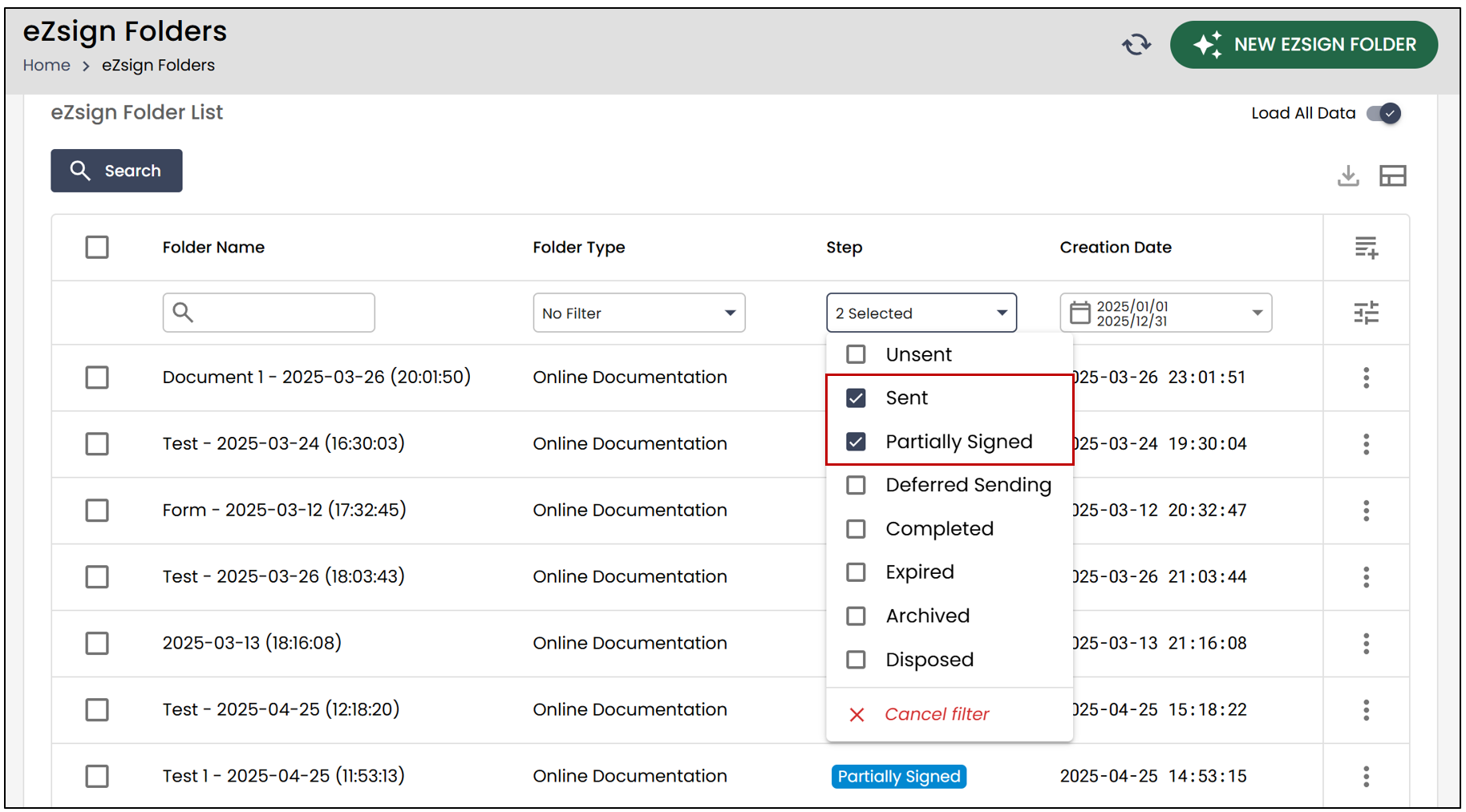
- From the eZsign Folder List , apply the Sent or Partially Signed filter in the Step section.
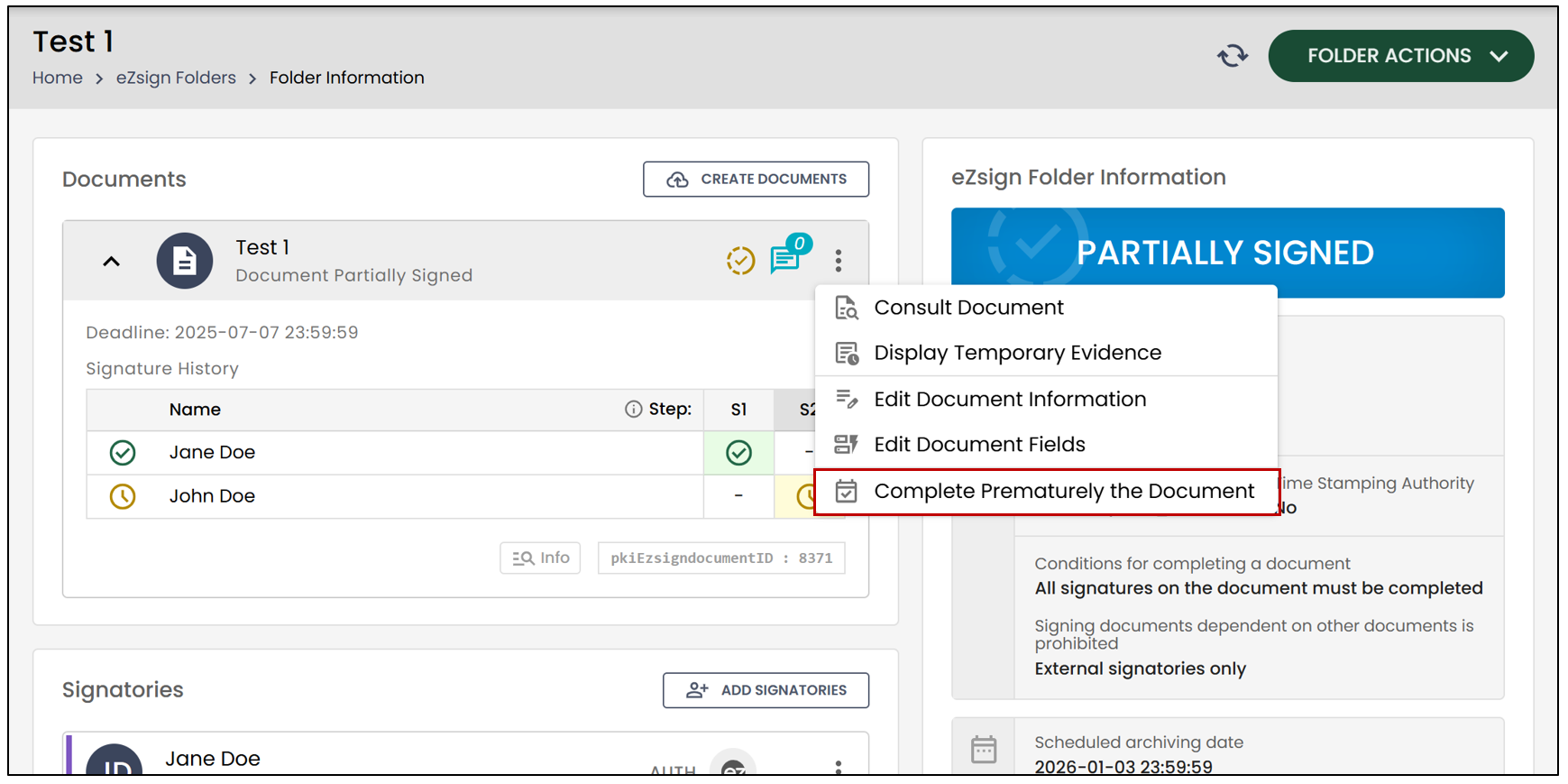
- To prematurely complete one of the documents, click on the three vertical dots, then select Complete Prematurely the Document.
The following message will appear:
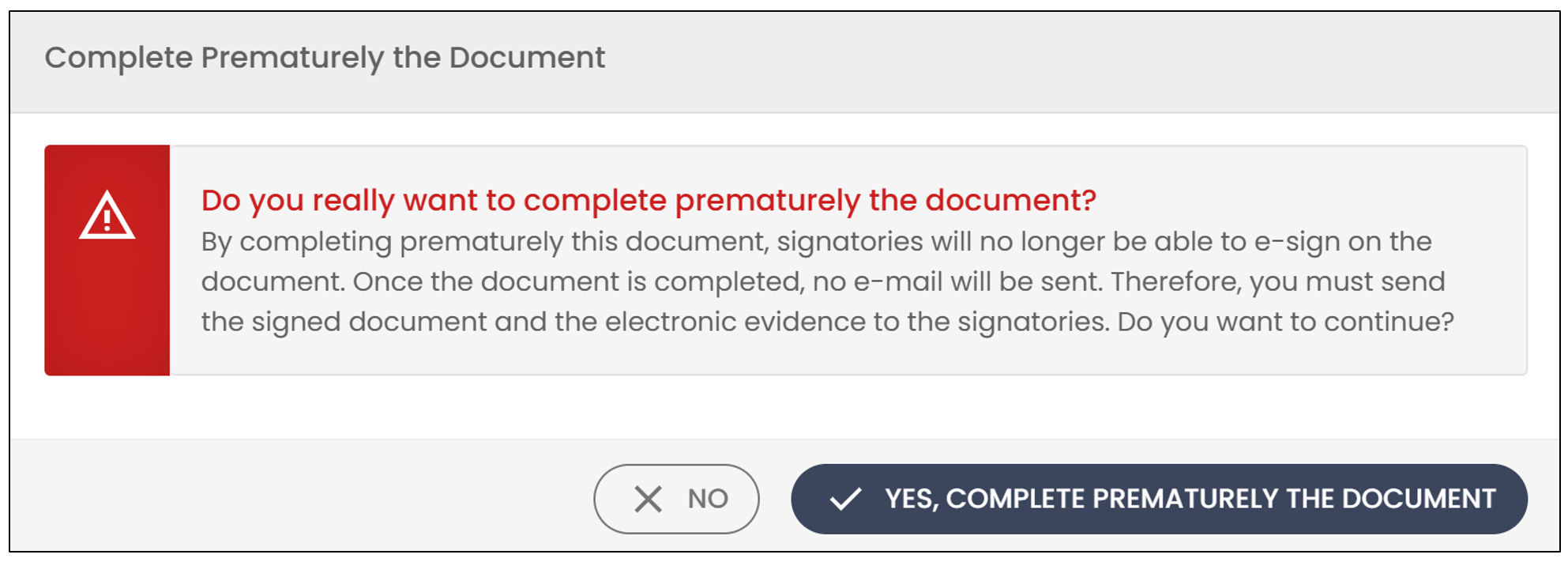
If you wish to proceed, click Yes, complete prematurely the document.
To prematurely complete all documents in a file, click on Folder Actions , then select Complete Prematurely All Documents.
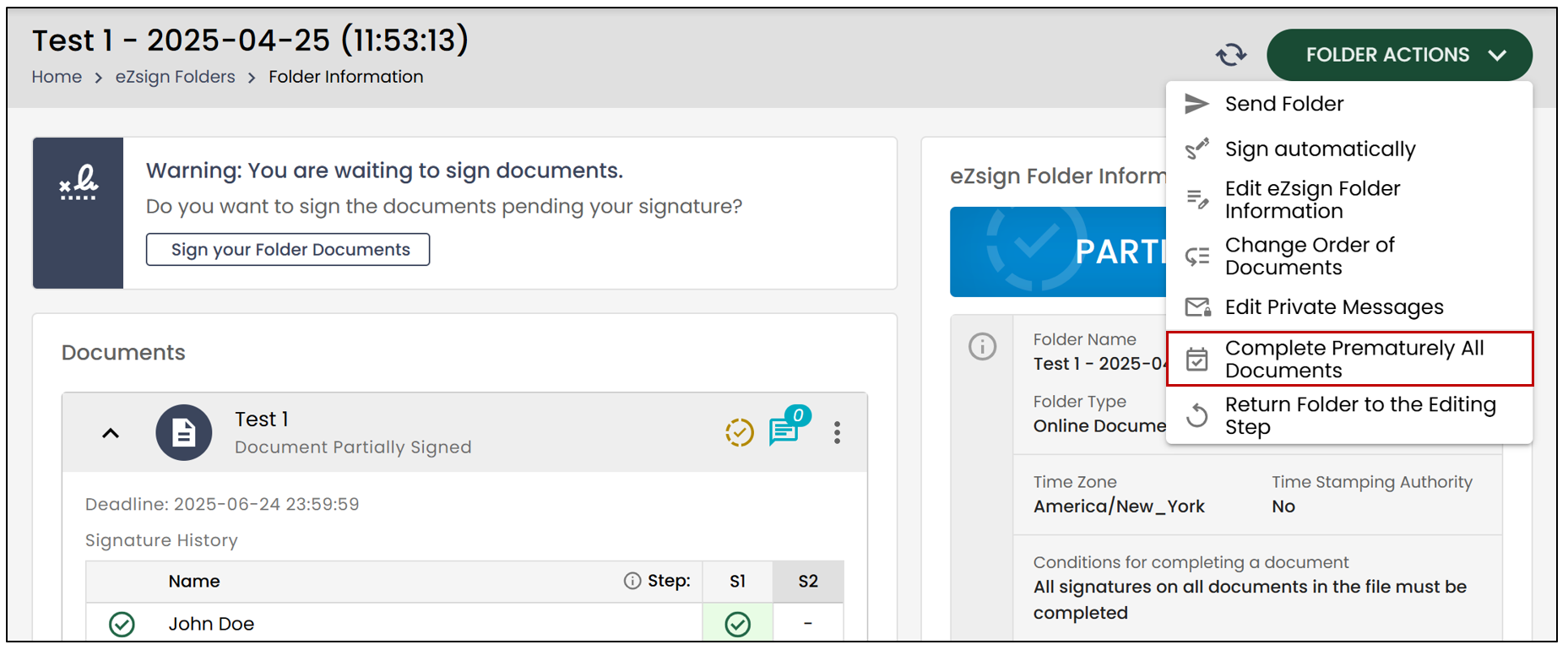
The following message will appear:
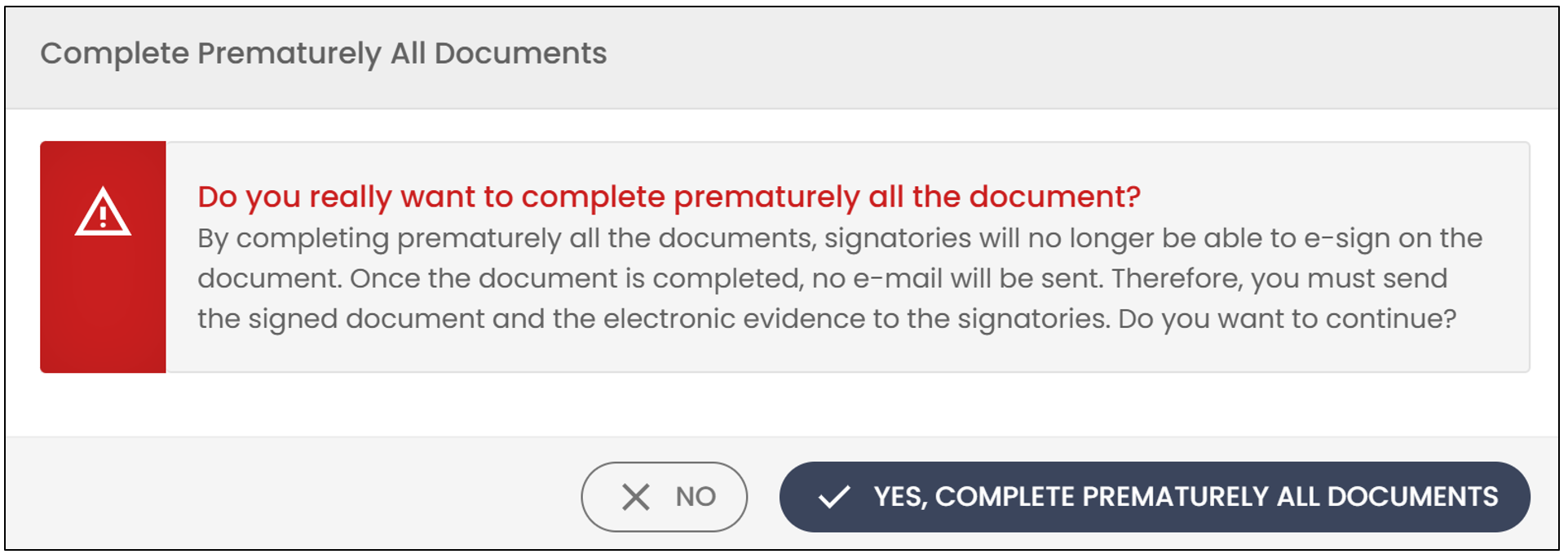
- If you wish to proceed, click Yes, complete prematurely all documents.
NOTE: The full temporary evidence, as well as any signatures already applied, will be retained, if applicable.
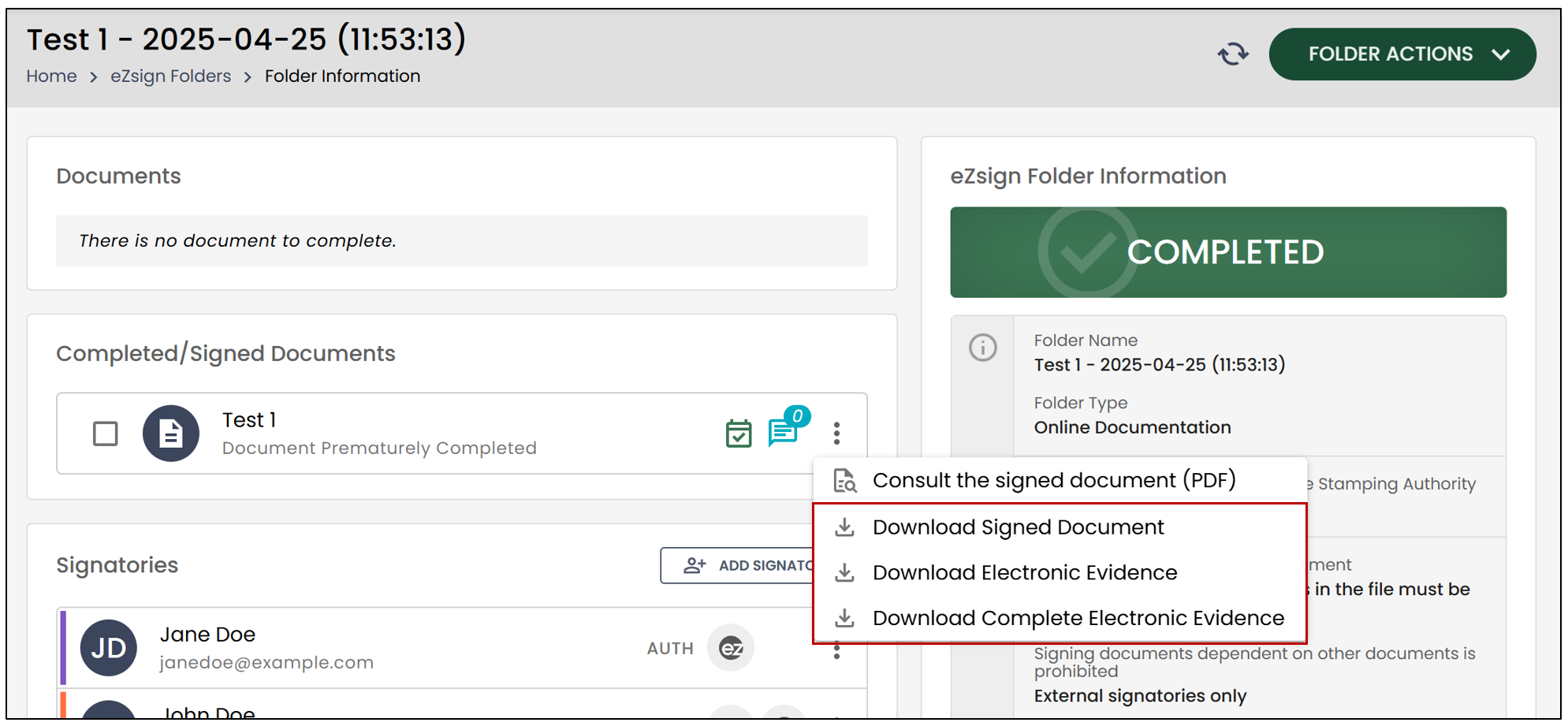
- You will notice that the file will move to the Completed stage, and it will indicate that your document was completed prematurely.
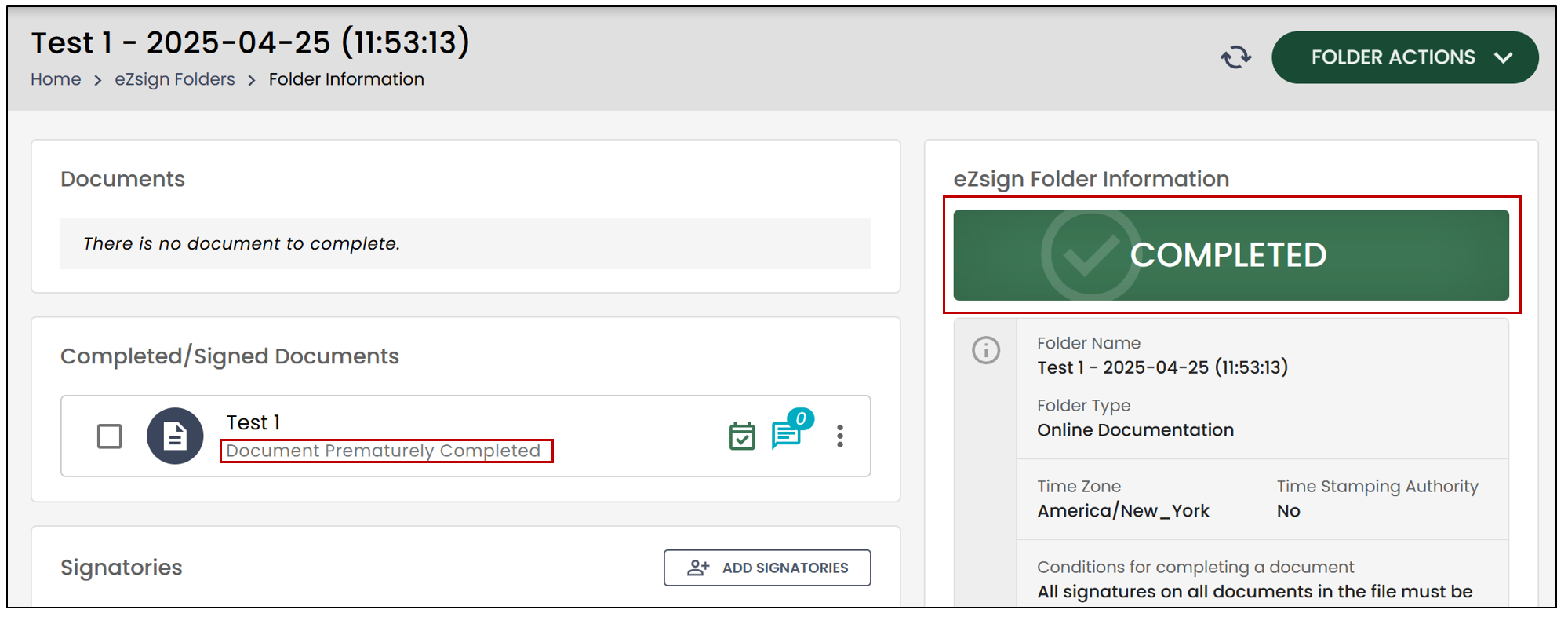
- By clicking on the three vertical dots to the right of the document, you will be able to download it.