

English
Premature Completion of an eZsign Folder (eZsign Web Version)
In the case of a sent or partially signed folder (personal or shared), you have the option to complete prematurely all the folder. This means that you can stop the signing process of the documents in the folder while maintaining the signatures already completed.
This feature is practical in the following situations:
- You have added a field for a signatory who doesn’t need to sign.
- One of the signatories no longer wants to e-sign and would rather sign manually.
From the main menu >> click on eZsign Folders.
- Choose the desired folder, then click on the downward arrow and select Complete Prematurely All Documents.
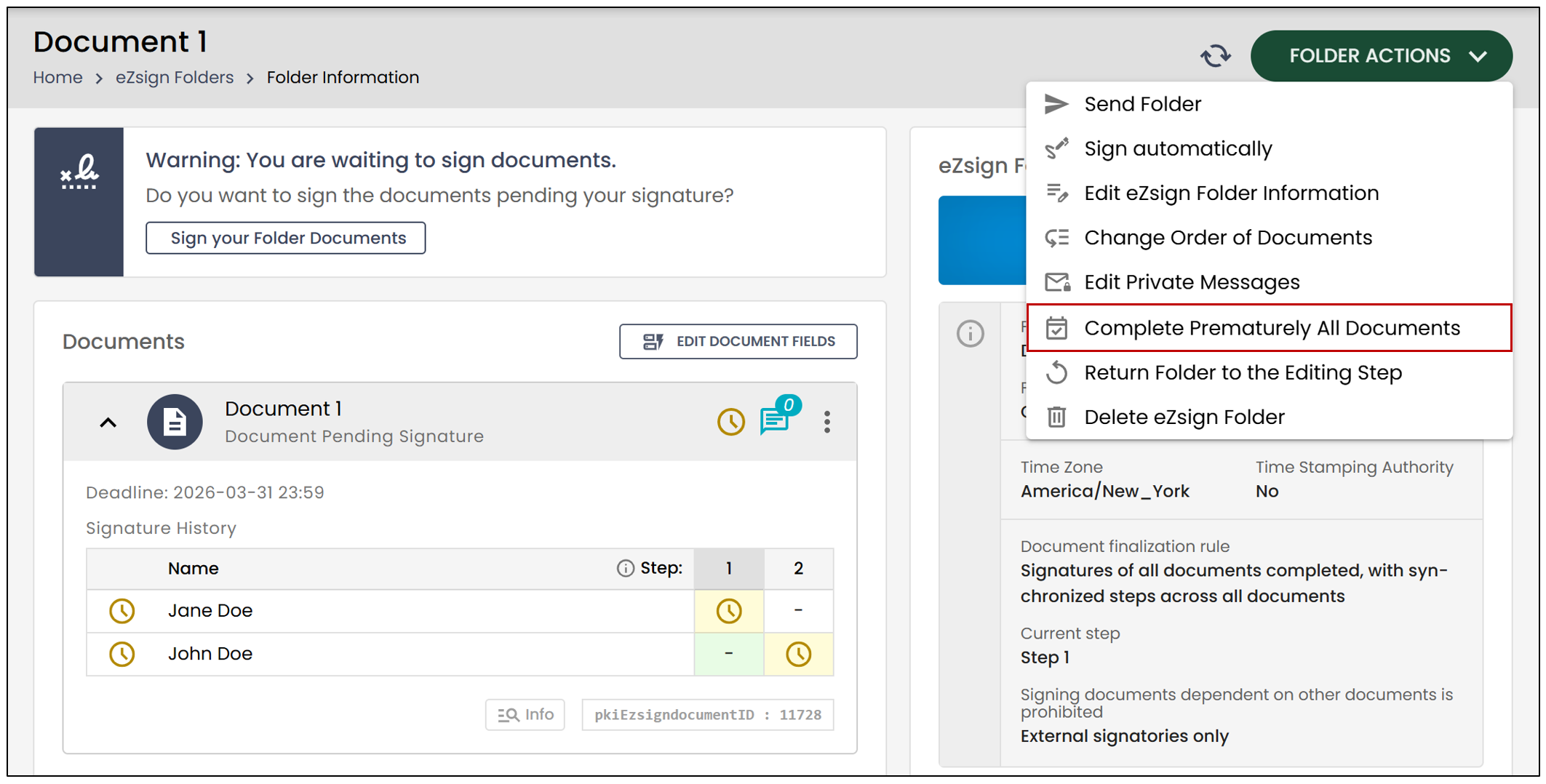
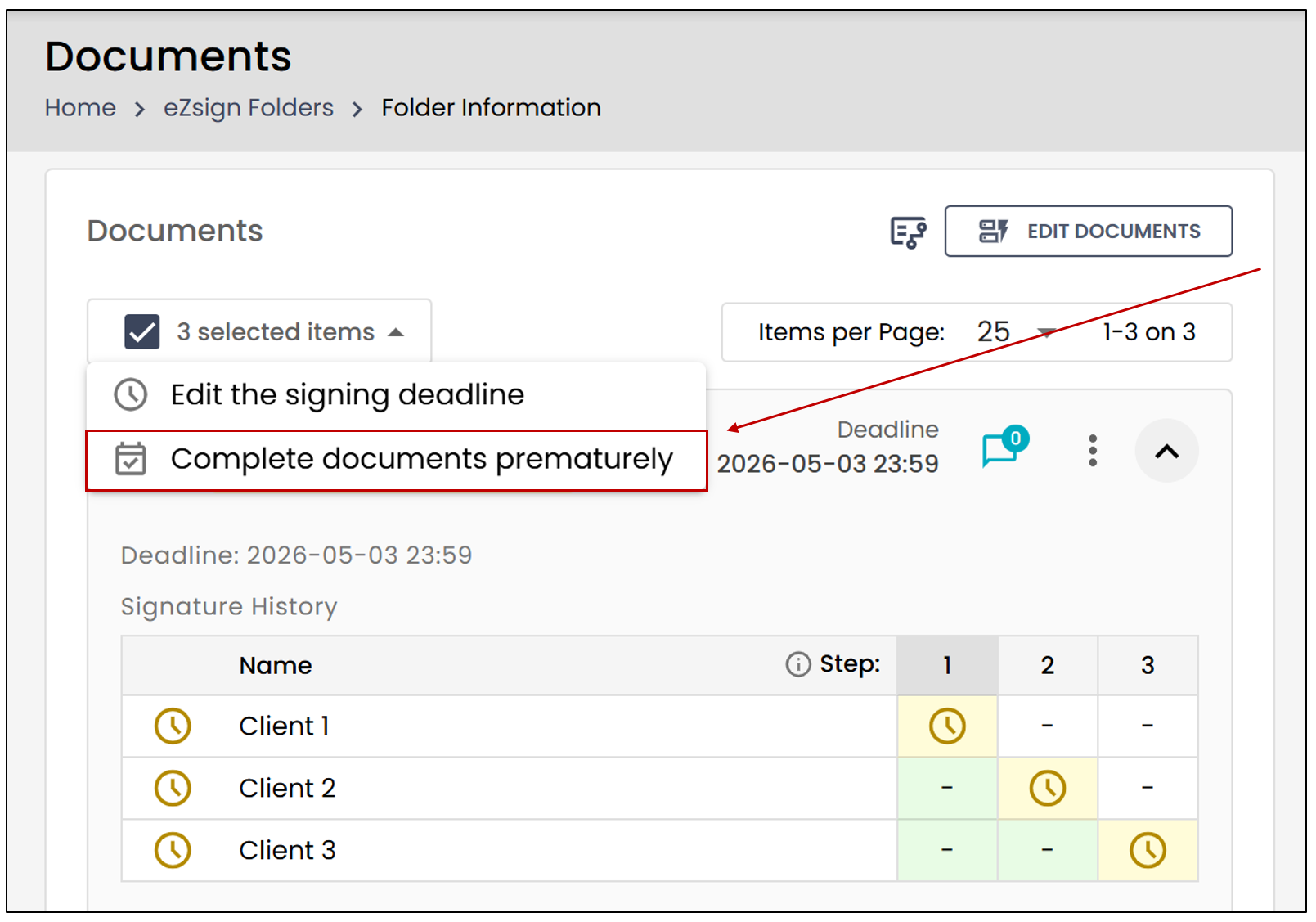
Thanks to the new Bulk Actions feature, you can now complete certain documents prematurely within an eZsign folder.
- Check the box to the left of each desired document, then click Complete documents prematurely.
This warning message will appear:
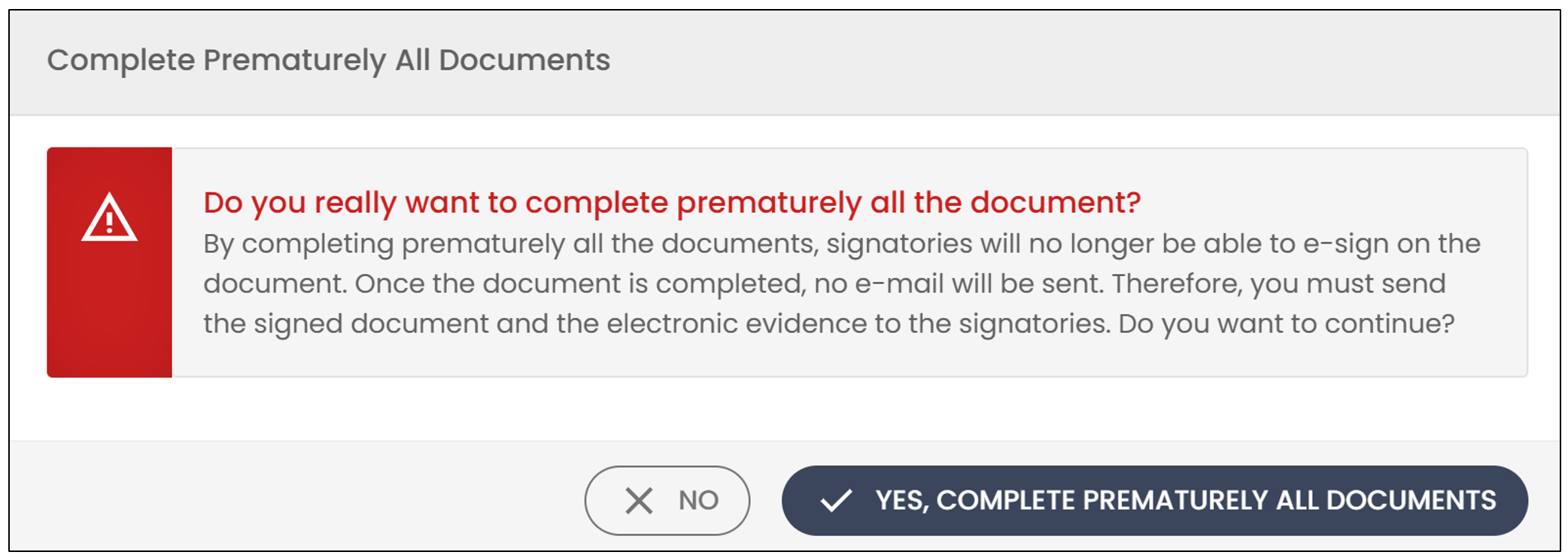
The first part of the message means that if you complete the folder now, the signatories in all documents who have not yet signed will no longer be able to do so.
The second part of the message means that you will need to send the signed document and its electronic evidence to the people who have already signed the document.
Click on Yes, complete prematurely all documents to confirm.
NOTE: If you prematurely complete an eZsign folder, all attached documents requiring validation will be deleted when you use this function.
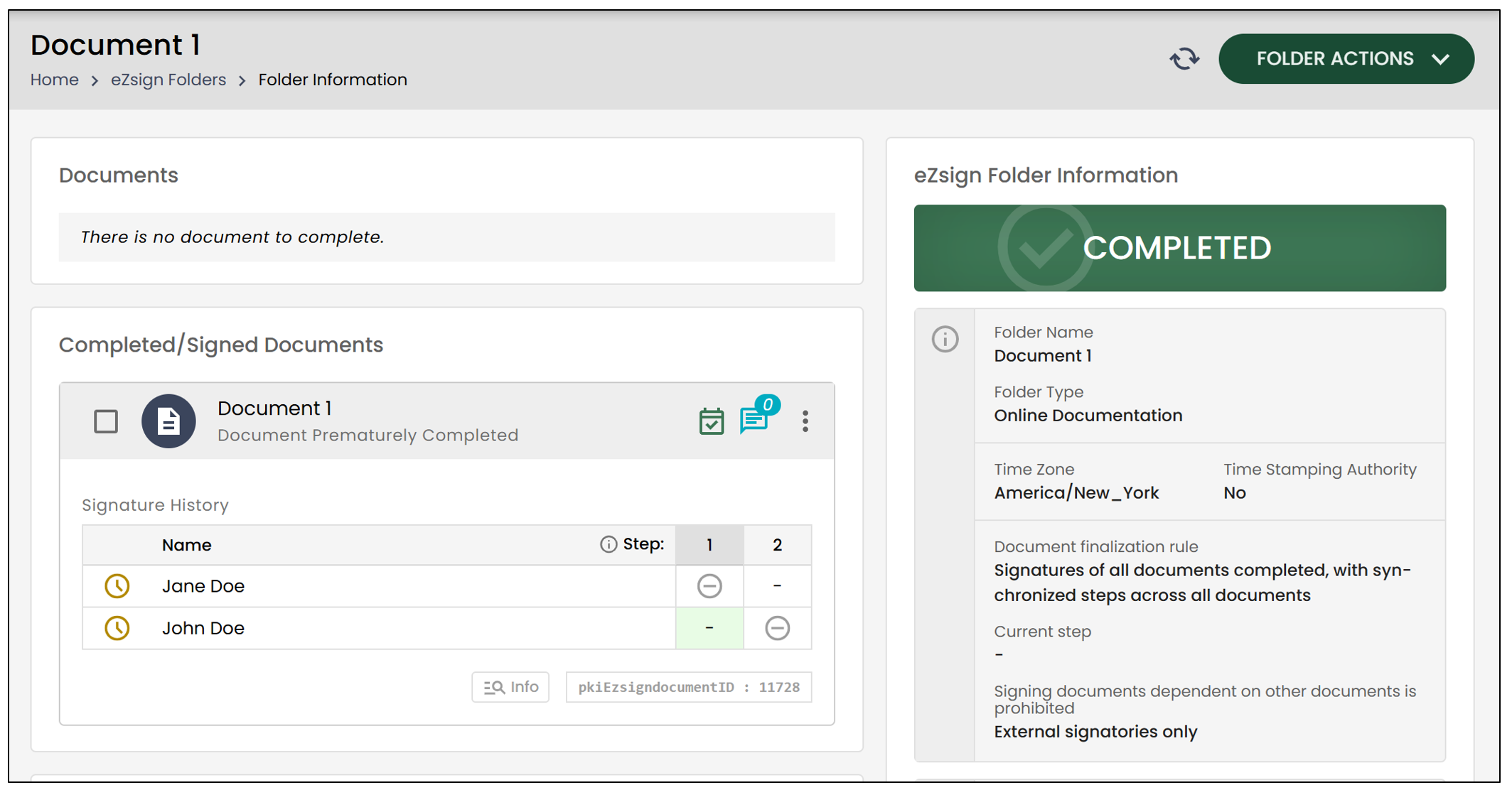
- The documents for which not all the signatures have been obtained will change to Document Prematurely Completed and the folder will change to Completed status.