

Français
BC Payout - The Office Holds ALL Funds in Trust and Pay External Referral – Excess Situation
**Nous détenons TOUS LES fonds en fiducie et payons les recommandations externes – Situation excédentaire **
- Accédez à votre transaction et recherchez un montant négatif dans la section « Résumé des commissions à recevoir ».

- Maintenant, cliquez sur l'icône Ouvrir le portefeuille

pour afficher la page Préparation d'un nouveau paiement.
Dans le champ Vendeur /Acheteur, commencez à taper le nom de la personne que vous souhaitez rembourser l'acompte et sélectionnez-le dans la liste déroulante. Si vous devez rembourser un Avocat ou un Autre déposant , tapez le nom dans le champ approprié.
Sélectionnez le compte à partir duquel vous souhaitez rembourser les fonds (compte où la confiance est détenue) dans le champ *Mode de paiement * et cliquez sur le bouton Cocher.

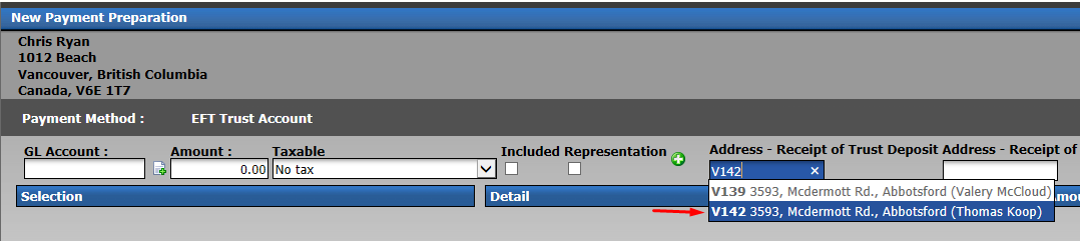
- Dans le champ Address - Receipt of Trust Deposit, commencez à taper l'adresse de la transaction en question, sélectionnez-la dans la liste déroulante et appuyez sur la touche TAB de votre clavier.
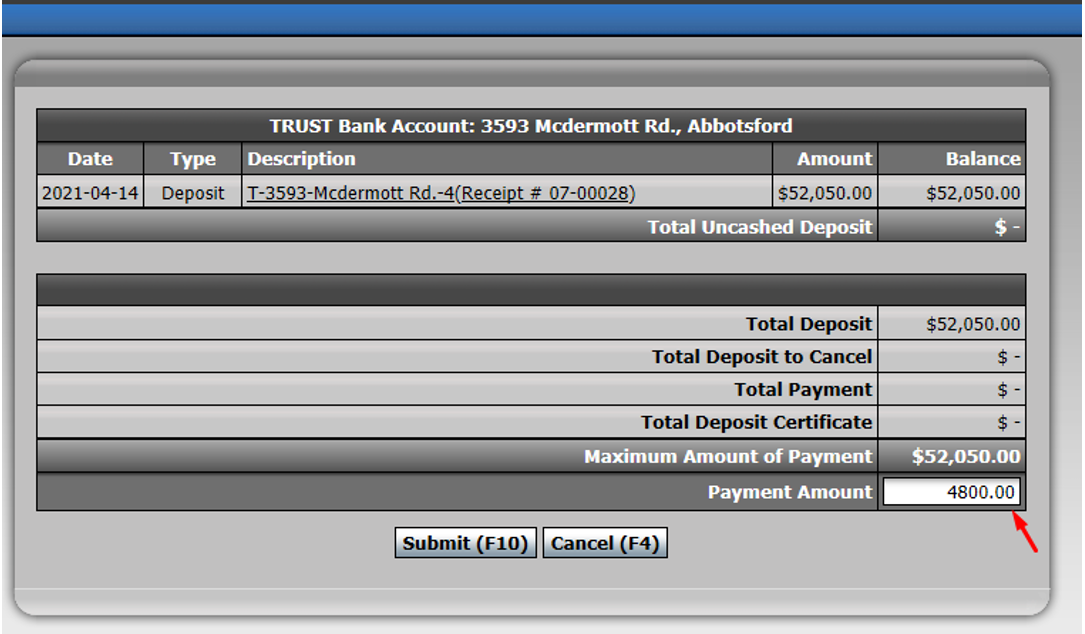
- Le système affichera et présélectionnera le ** Montant du paiement ** à rembourser au client. Vous avez également la possibilité de changer ce montant pour le montant que vous devez donner en excès.
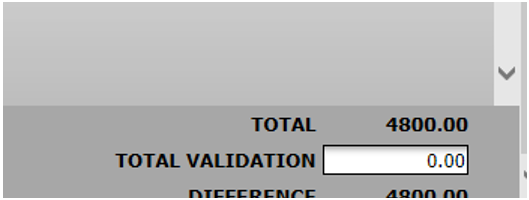
- Confirmez que le montant correspond aux montants excédentaires dans le coin inférieur droit et cliquez sur Submit.
Si vous cliquez sur Submit , le système créera un rappel sur votre page d'accueil vous informant que vous avez un paiement en préparation que vous pourrez traiter ultérieurement.
If you print cheques, select Submit & Print and the system will then proceed to the next screen where it will request a cheque number and allow you to print the cheque.
The excess funds will now be refunded in the system.
Now go to your transaction and make sure the referral to pay to the external office is in the "Commission Distribution" section.
The deposit from the client will also be showed in the transaction.
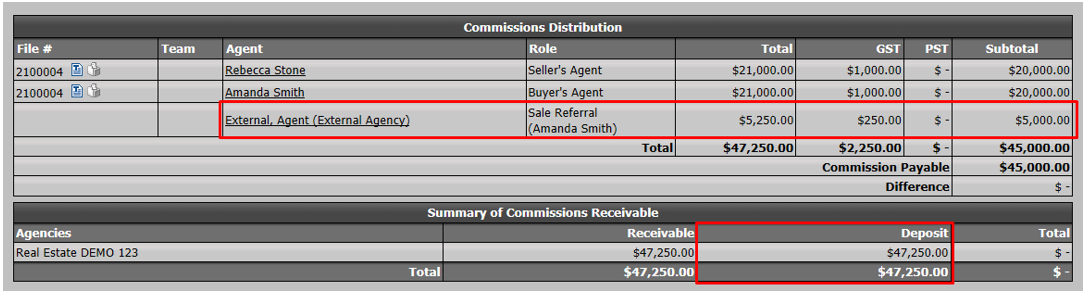
- At this point, your trust bank account in the transaction will display the client deposit (total funds in trust).

- Click on Actions >> Close this Deal.
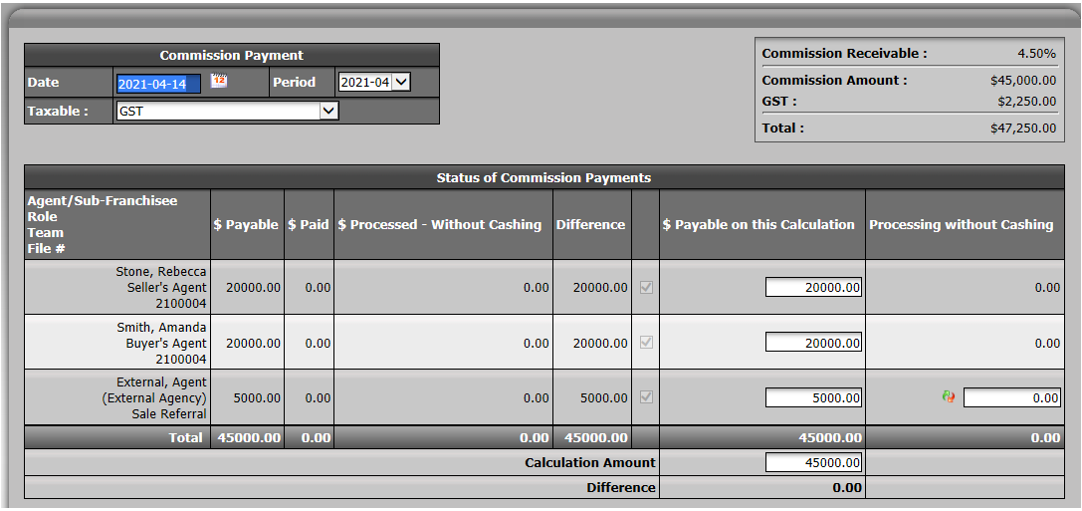
Leave all the commission amounts in the $ Payable on this Calculation column because you are paying everyone in the file.
You need to transfer funds from the trust account to the commission trust account.
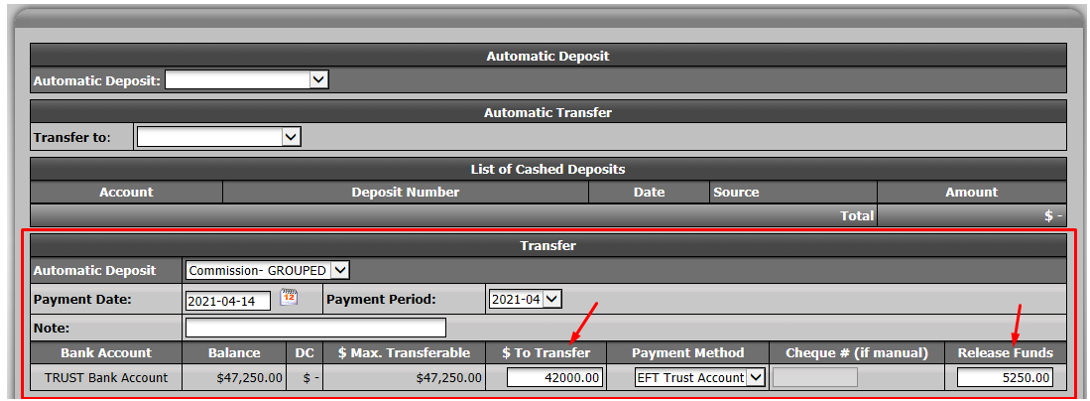
- The amount to transfer = Total funds in trust less the referral amount (including taxes) you need to pay to the external office.
NOTE: The $ To Transfer + Release Funds amounts should equal the total commission needed on deal.
Click on Submit.
Make sure the commission fees proposed by the system for each of your agents are correct. If needed, override the fees by entering the amount you want in the appropriate field.
eZmax will also display the referral that will be paid to the external office.
If the amounts are all correct, click on Submit.
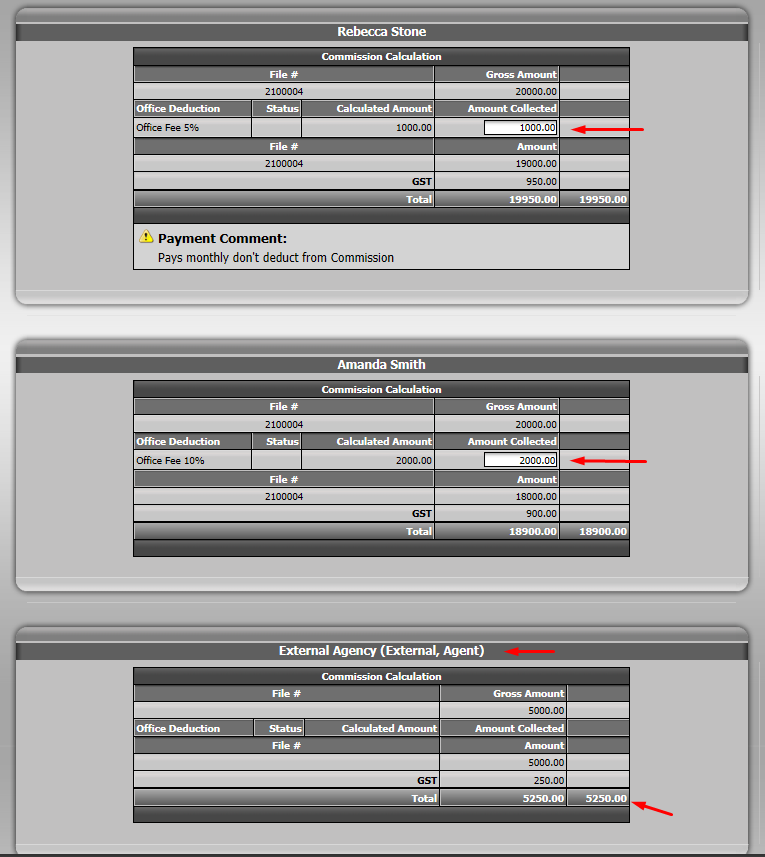
You will then be redirected to the deduction on the cheque page.
Validate the deductions you want to apply. If everything looks correct, click on Submit.
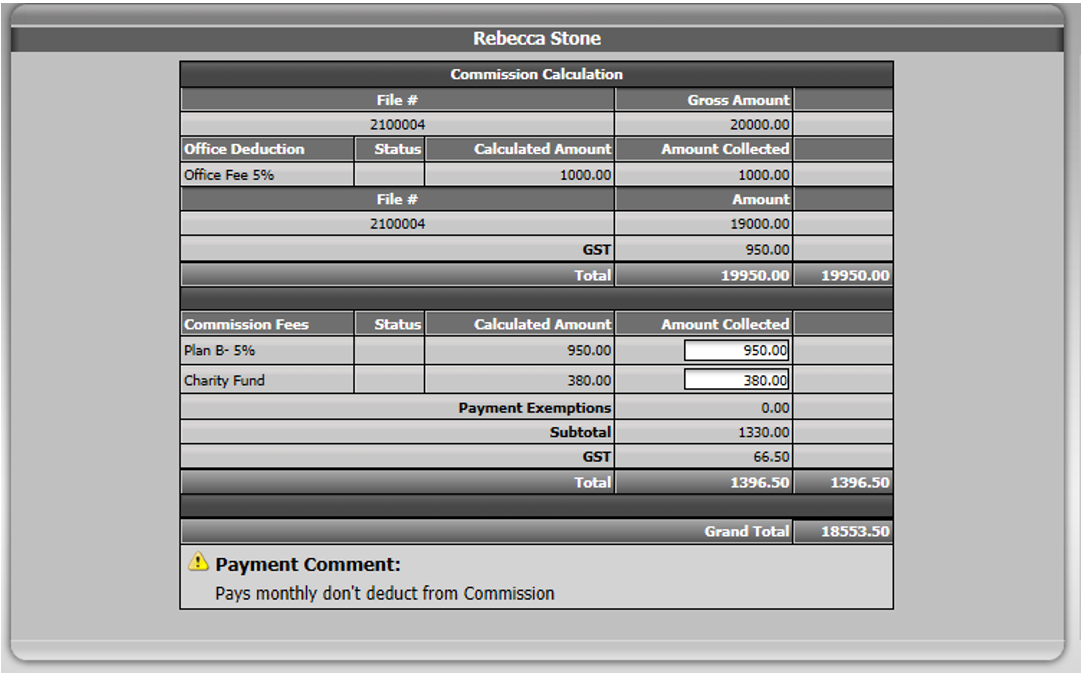
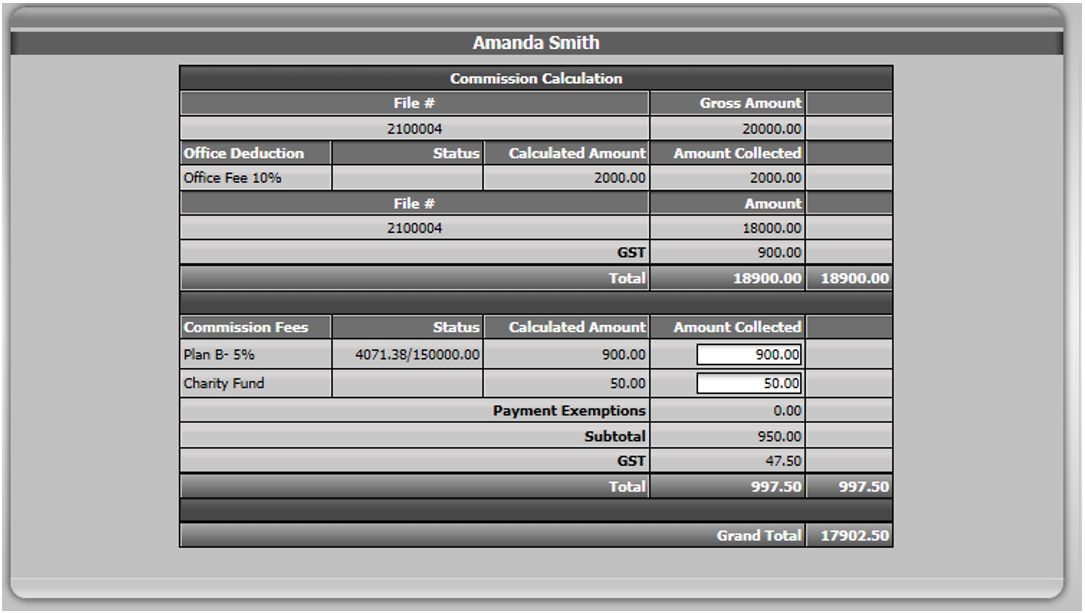
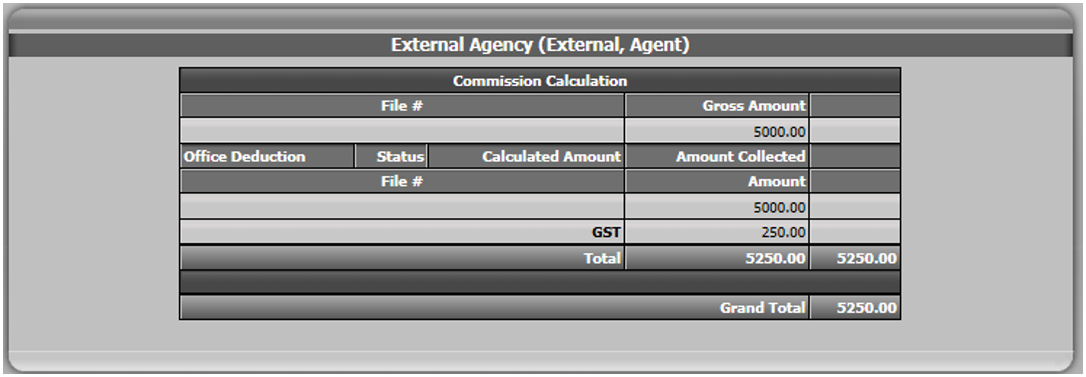
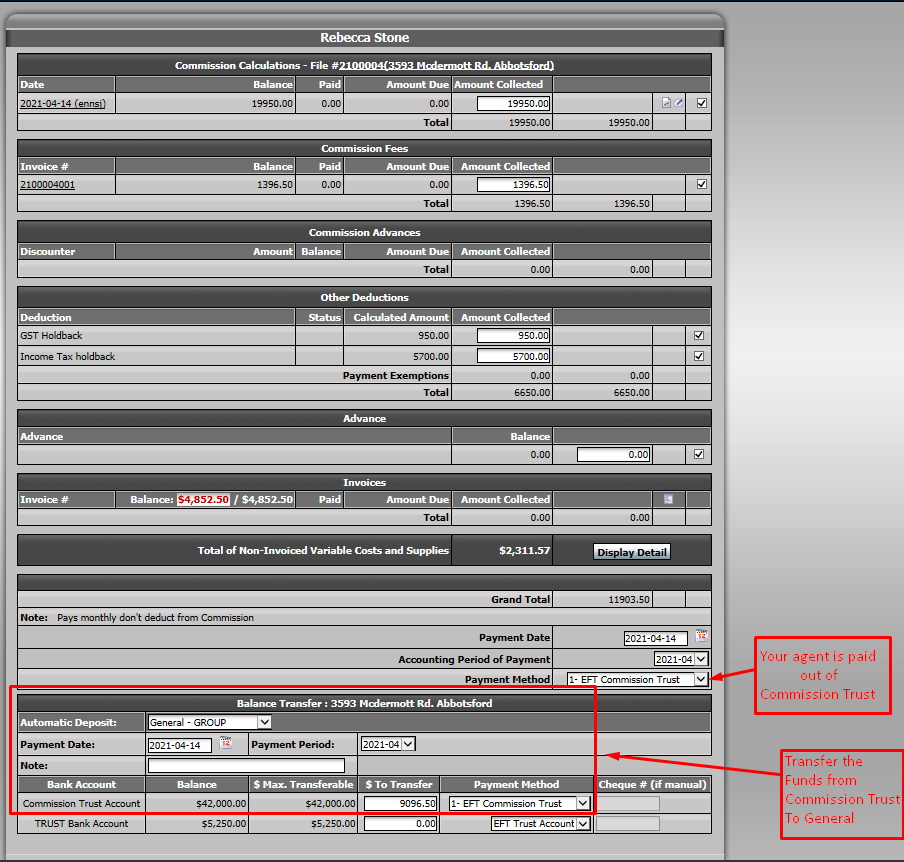
Your agent will be paid from the commission account.
The system will propose to transfer funds from commission trust account to your general account based on the deductions you choose.
You will not transfer funds from the trust account, so don’t enter any amount in that section.
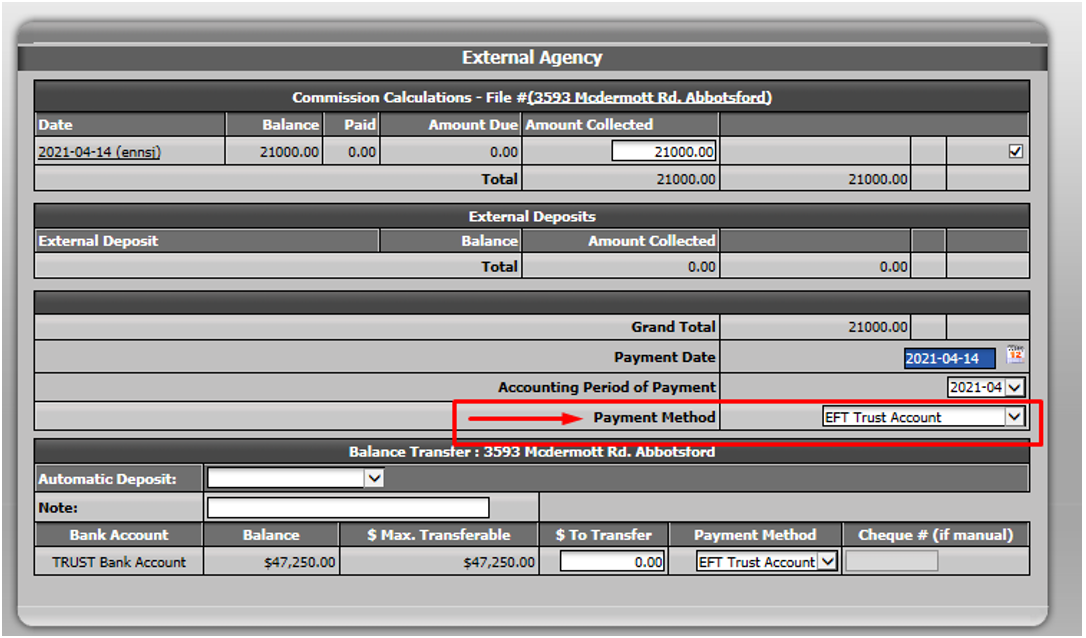
- When you get to the "External Agency" section, the Payment Method has to be "Trust Account".
Click on Submit.
If you want to see the bank account activity in your transaction or generate the Closed Trade Record sheet, you need to go back to your transaction.
If you use grouped deposits, make sure you have processed your deposit. Otherwise, it will be "Pending" and won’t affect the transaction.
Go to the "Summary of Banking Transaction" section at the bottom of your transaction.
You will be able to see the activity in all bank accounts.