

Français
BC Payout - The Office Holds a Portion of Funds in Trust and Pay External Referral
**Nous détenons une partie des fonds en fiducie et payons les recommandations externes **
Accédez à votre transaction et assurez-vous que le renvoi à payer au bureau externe se trouve dans la section « Répartition des commissions ».
Le dépôt du client sera également indiqué dans la transaction.
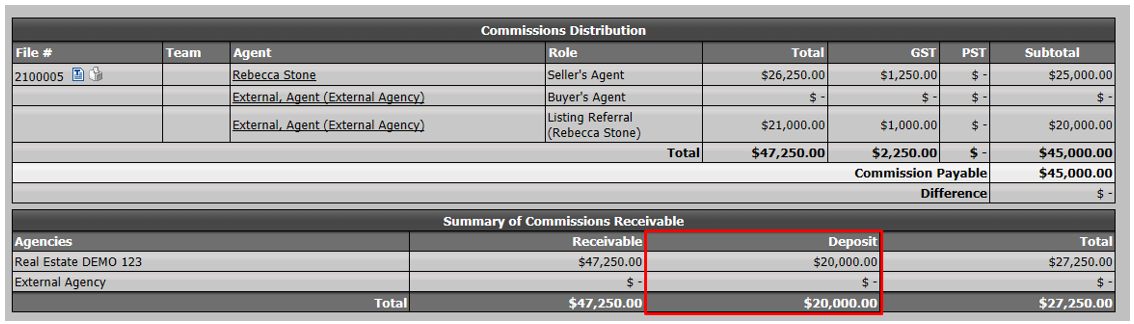
- À ce stade, votre compte bancaire en fiducie dans la transaction affichera le dépôt du client.

- Cliquez sur Actions >> Fermer cette offre.
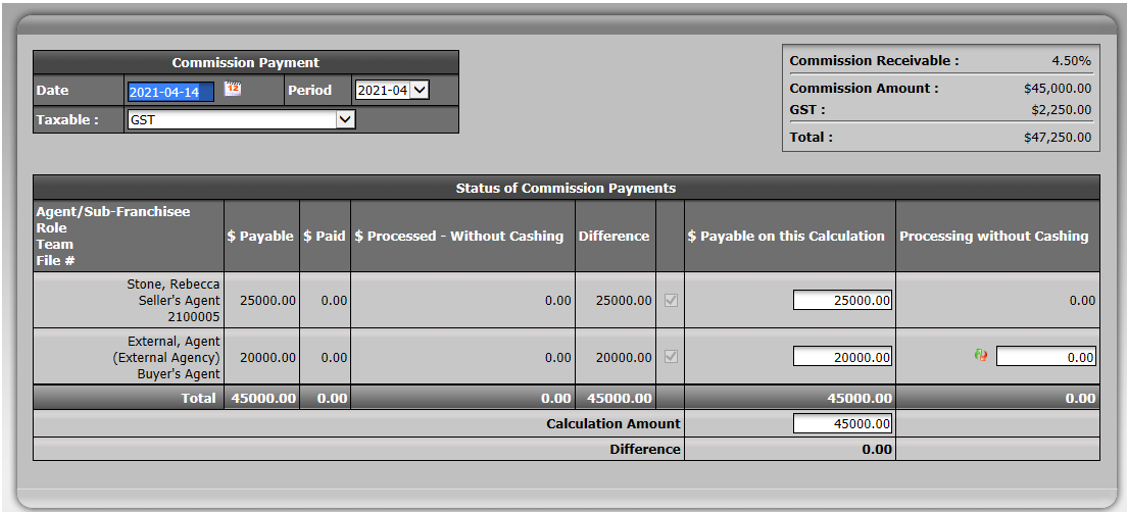
- Laissez tous les montants de commission dans la colonne $ à payer sur ce calcul parce que vous payez tout le monde dans le fichier.
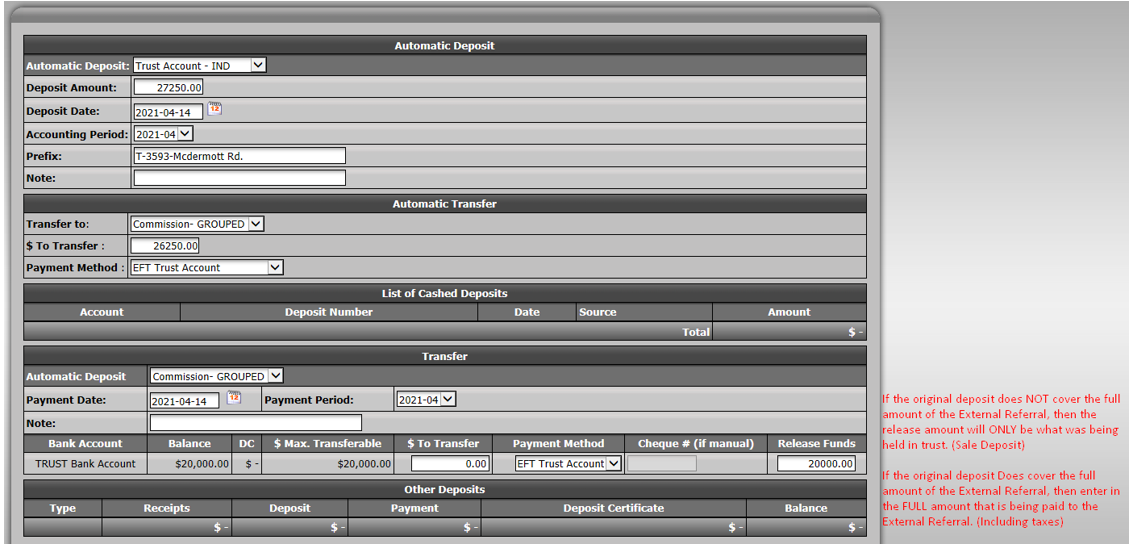
- To document the amount of commissions being deposited upon closing, enter it in the Deposit Amount field. Enter the lawyers cheque amount in the trust account. The amount should be pre-calculated for you.
NOTE: If the amount is different from the check received, change it to match what you received.
- In the "Automatic Transfer" section, you will transfer the amount of commissions that goes to your office from trust to commission trust.
- For the amount that is going to be paid to the external agency referral, you need to release the funds that were already in trust.
If the original deposit does NOT cover the full amount of the External Referral, the release amount will ONLY be what was being held in trust. (Sale Deposit)
If the original deposit Does cover the full amount of the external referral, enter the FULL amount that is being paid to the external referral. (Including taxes)
NOTE: The Deposit Amount + Release Funds amounts should equal the total commission needed on deal.
- If everything looks correct, click on Submit.
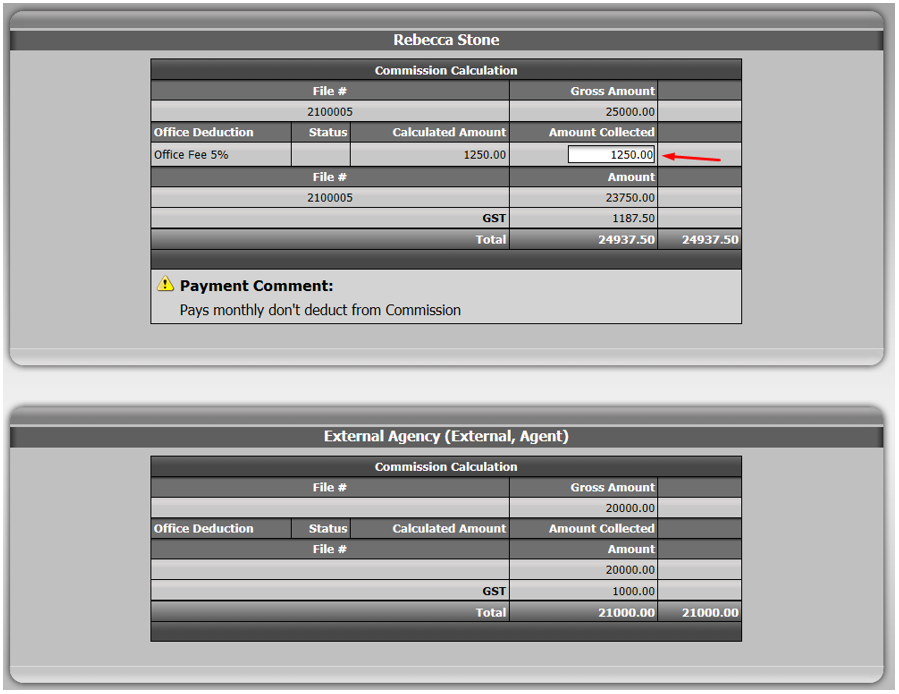
- Make sure the commission fees proposed by the system for each of your agents are correct. If needed, override the fees by entering the amount you want in the appropriate field.
- eZmax will also display the referral that will be paid to the external office.
- If the amounts are all correct, click on Submit.
You will then be redirected to the deduction on the cheque page.
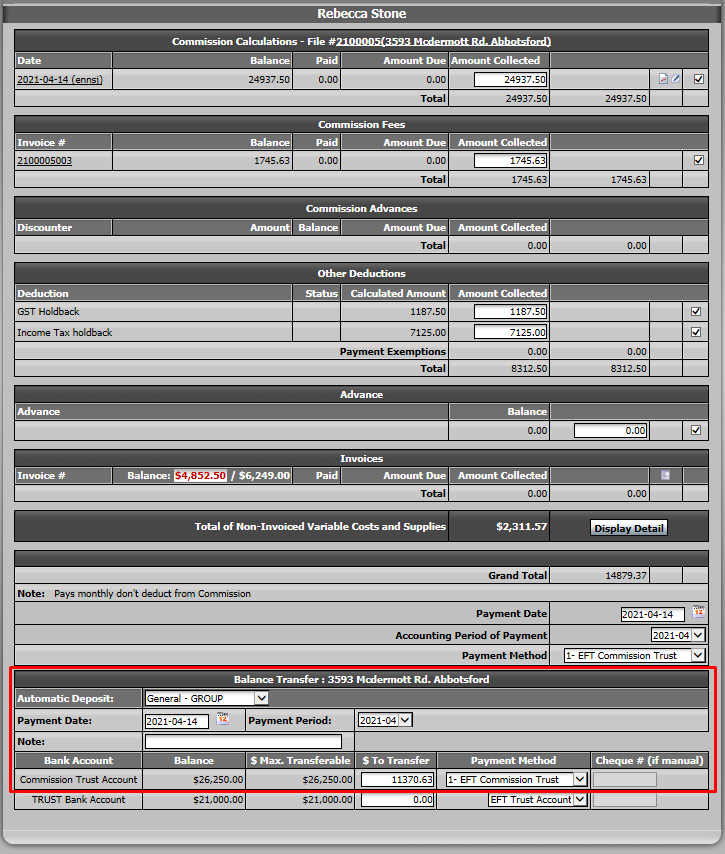
Validate the deductions you want to apply. If all are correct, click on Submit.
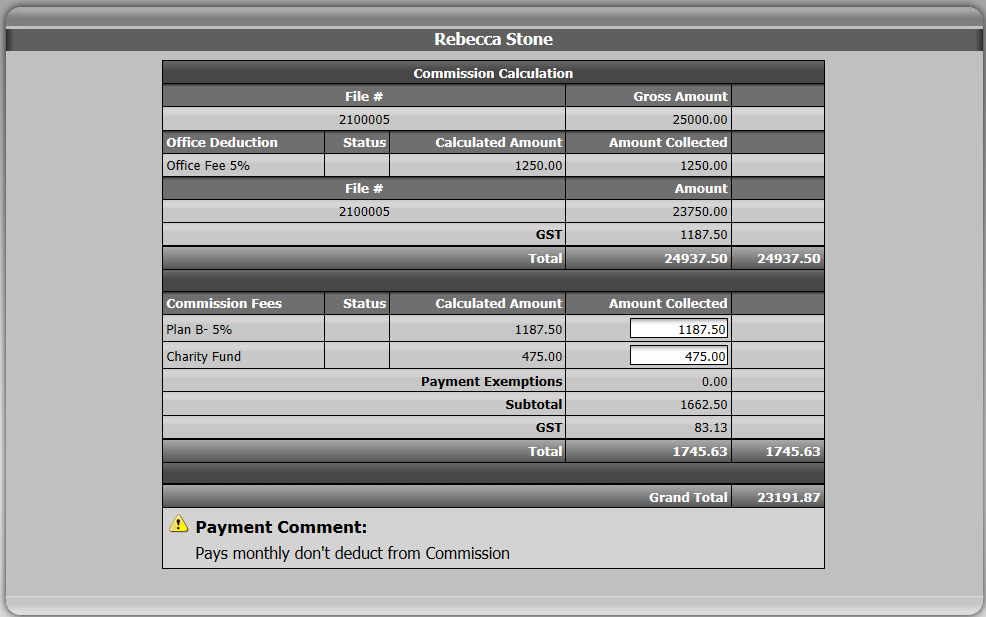
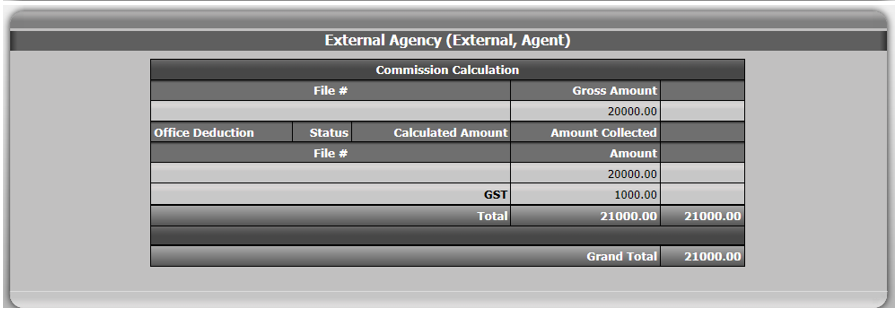
Your agent will be paid from the commission account.
The system will propose to transfer funds from commission trust account to your general account based on the deductions you choose.
You will not transfer funds from the trust account, so don’t enter any amount in that section.
- When you get to the "External Agency" section, the Payment Method has to be "Trust Account".
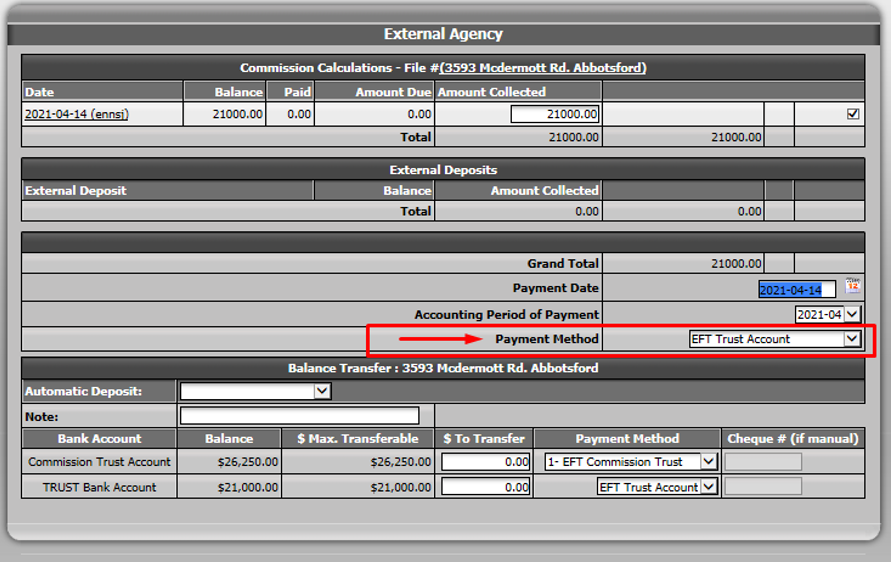
Click on Submit.
If you want to see the bank account activity in your transaction or generate the Closed Trade Record sheet, you need to go back to your transaction.
If you use grouped deposits, make sure you have processed your deposit. Otherwise, it will be "Pending" and won’t affect the transaction.
Go to the "Summary of Banking Transaction" section at the bottom of your transaction.
You will be able to see the activity in all bank accounts.