

English
Adding/Editing a Payment Term
Adding a Payment Term
From Main menu >> Accounts Payable >> List of Payment Terms.
Click on Actions >> New Payment Term.
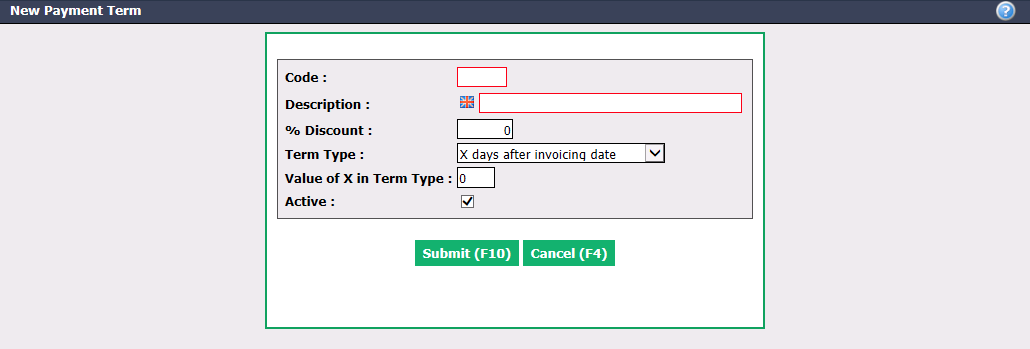
Create a Code and enter a Descrip****tio n, in English as well as in French, of the payment term.
Term Type allows you to create the payment term based on:
- A specific number of days after the invoice date ("X days after invoicing date") or;
- A specific day of the month ("The Xth of the following month").
Enter the number of days after invoice date or day of the month in the Value of X in Term Type box.
Active will be checked when the payment term is active. To inactivate a payment term, uncheck this box.
Click on Submit and the payment term will be added in the system.
Editing a Payment Term
To modify an existing payment term, select it from the List of Payment Terms.
Make the desired changes and click on Submit to save them.