

English
Incomplete Listings/Deals
All incomplete listings and deals, i.e. in which required documents are missing, are displayed on the home page under "Incomplete Listings/Deals (Where documents are missing)" as well as in the transaction.
- From the home page:
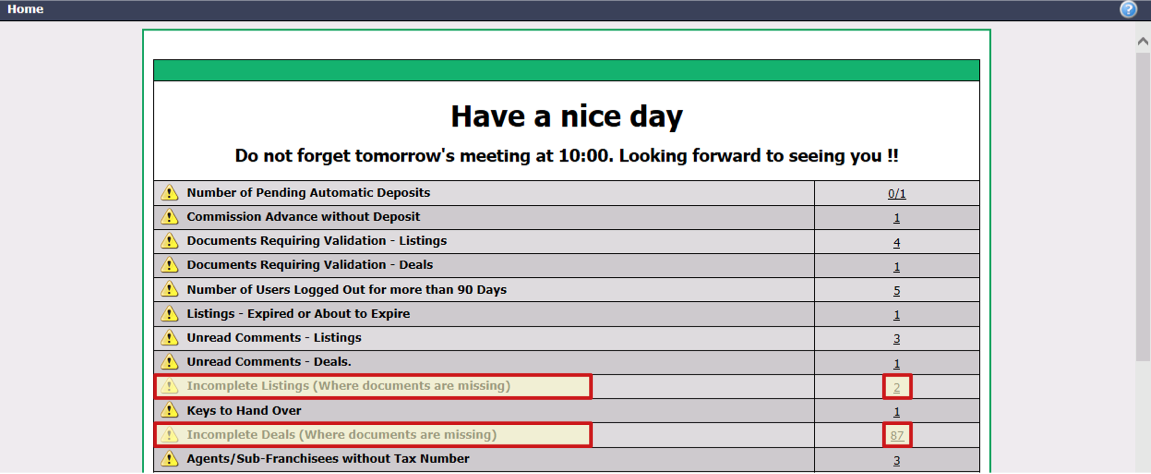
- Click on the number to the right of the message "Incomplete Listings/Deals (Where documents are missing)".
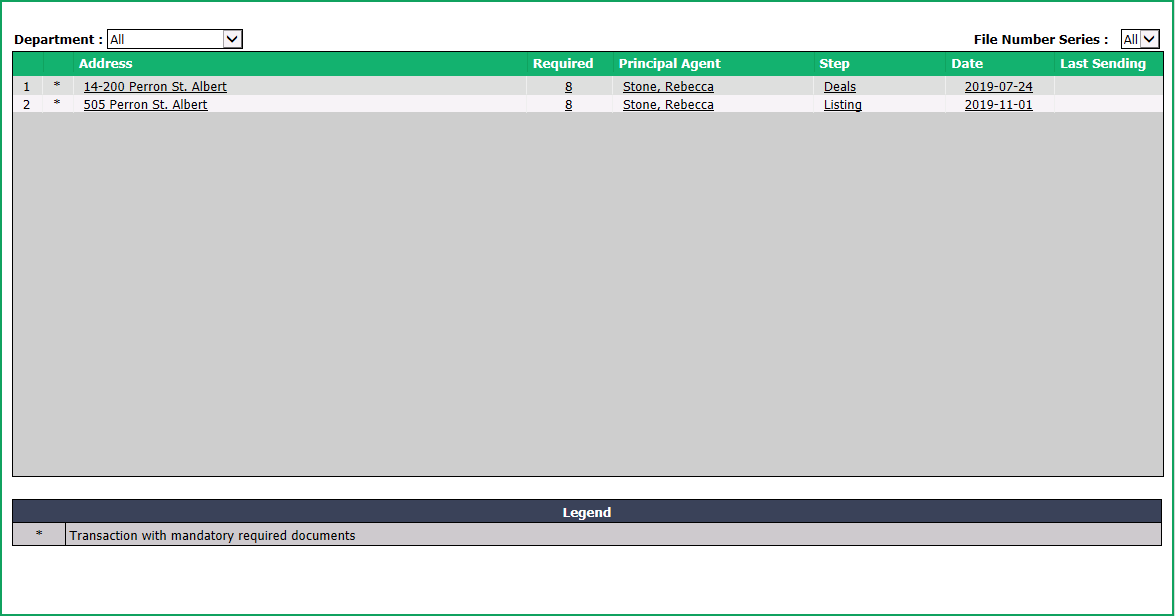
- Click on the Address , the number of Required documents, the Principal Agent , the Step or the Date of the desired transaction.
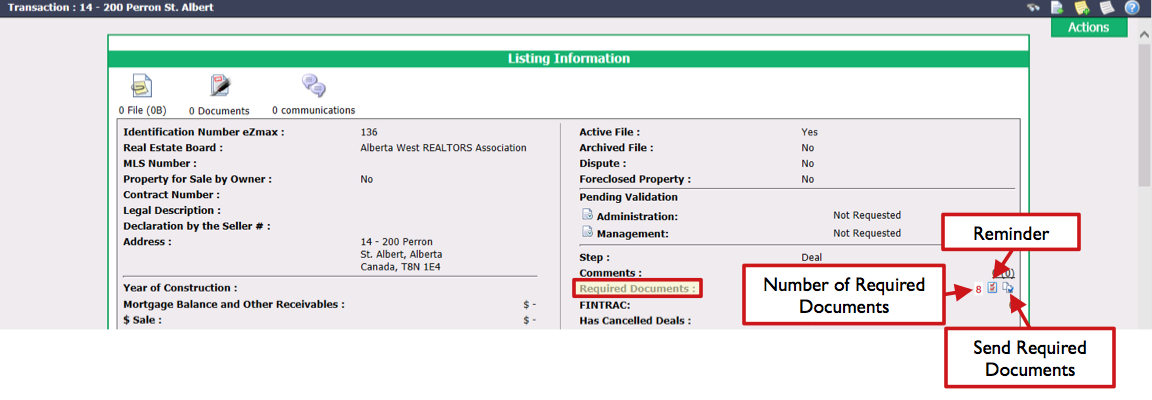
Number of Required Documents
- In a transaction, it is possible to see the number of documents required in the listing and in the deal:
- Listing: In the "Listing Information" section, go to Required Documents and click on the red number to display the list of listing documents.
- Deal: In the "Deal" section, go to Required Documents and click on the red number to display the list of listing and deal documents.
NOTE: In the "Deal" section, the number in red indicates the number of documents required in the deal while the number in red in brackets indicates the number of documents required in the listing.
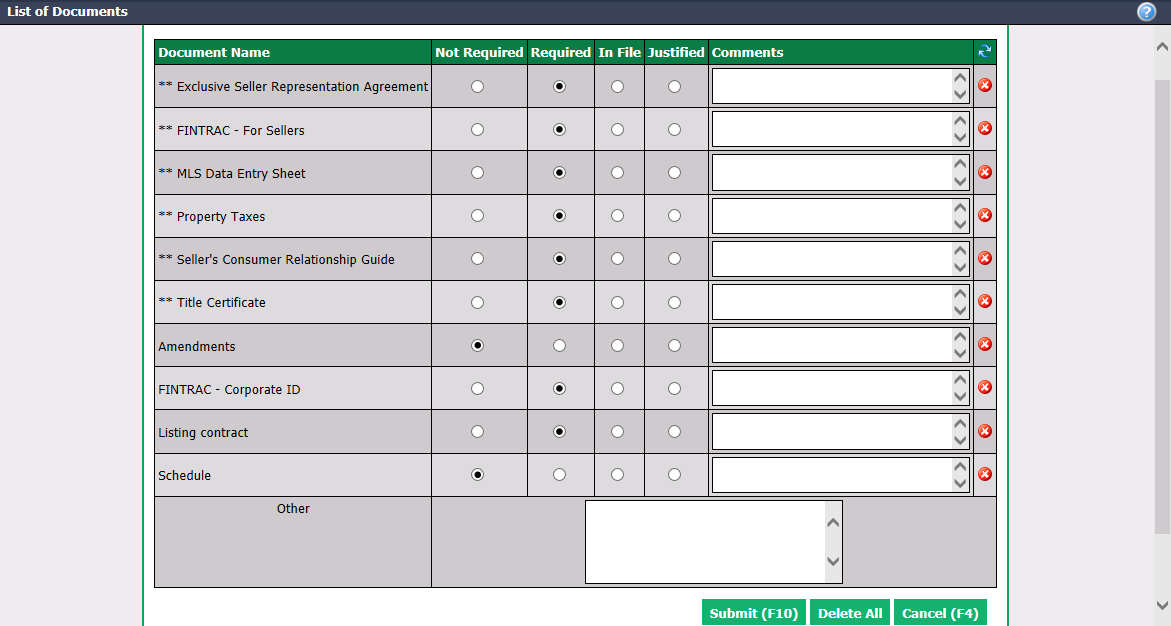
In the list of transaction documents, you can see if a document is:
- Not Required : Document that is not mandatory in the file.
- Required : Document that is mandatory in the file and is missing.
- In File : Document that is already in the file.
- Justified : A document that is not in the file for a given reason.
You can delete the document by clicking on the Delete icon

.
- Click on Submit to save changes you have made in the list of documents, if applicable.
Reminder
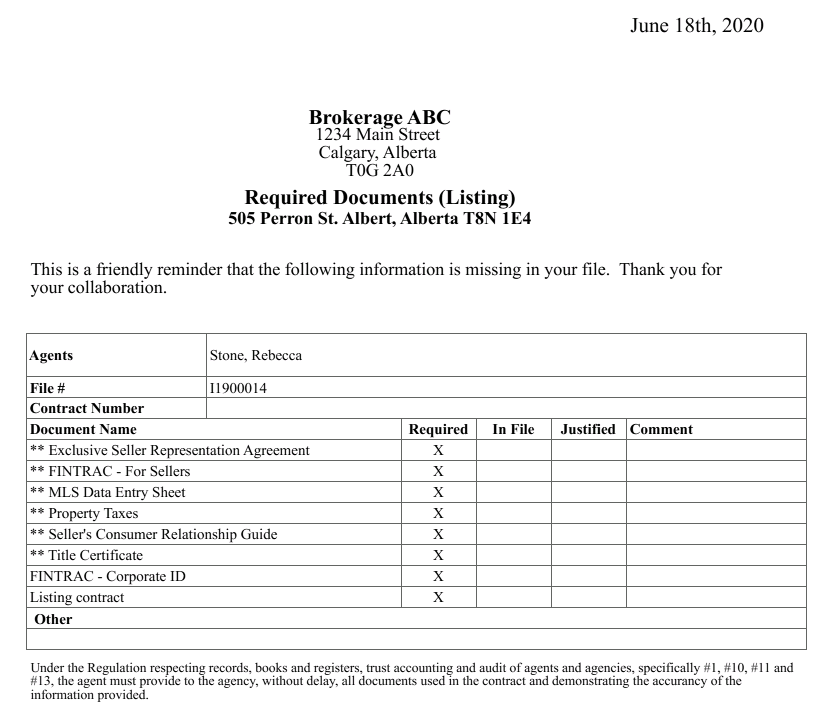
- In a transaction, it is possible to display a report of all the documents required in the listing and the deal:
- Listing: In the "Listing Information" section, go to Required Documents and click on the Reminder icon to display the list of required documents in the listing.
- Deal: In the "Deal" section, go to Required Documents and click on the Reminder icon to display the list of required documents in the deal.
Send Required Documents
- In a transaction, it is possible to send by e-mail the documents required in the listing and the deal.
- Listing: In the "Listing Information" section, go to Required Documents and click on the Reminder icon to send by e-mail the required documents in the listing.
- Deal: In the "Deal" section, go to Required Documents and click on the Send Required Documents icon to send by e-mail the required documents in the deal.
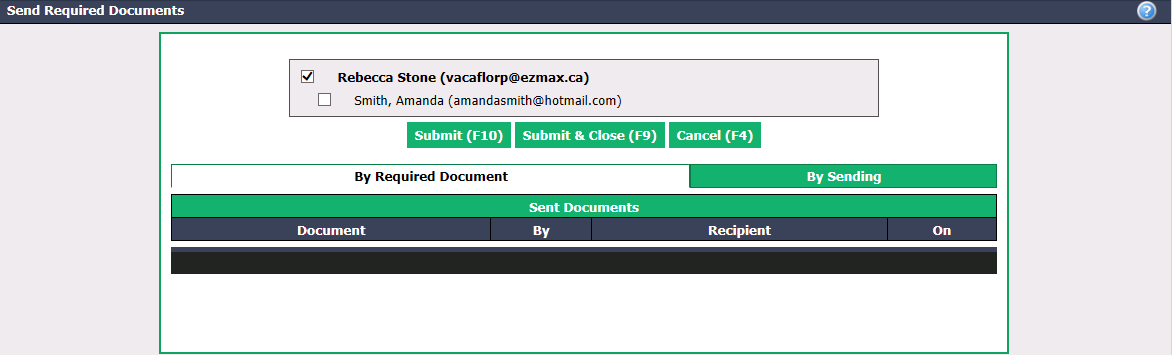
Check the box of the agent you want to send the e-mail to.
Click on Submit to send the e-mail.