

English
Authorizations of an Admin User - End of Month
From an Admin user’s profile, it is possible to manage his authorizations. There are 11 tabs that group together the different types of authorizations. In this article, you will see what each of the authorizations of the "End of Month" tab allows you to do when "All" is selected.
End of Month
From Main menu >> Admin. >> List of Users, click on "Admin" and select the desired user.
Click on Actions >> Manage Authorizations.
Click on the "End of Month" tab.
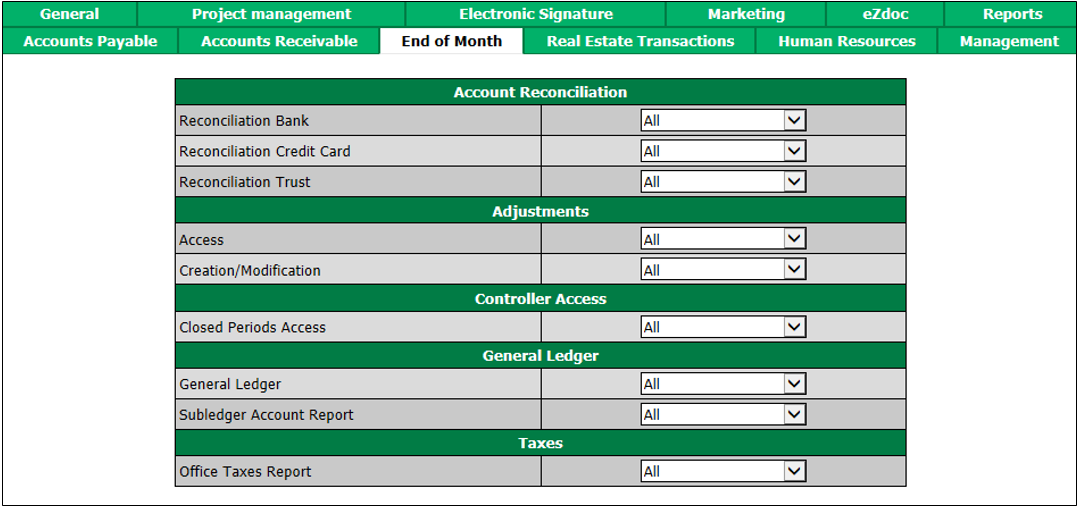
"Account Reconciliation" section
- Access : The user will be able to view, add and edit reconciliations for these types of account:
- Bank
- Credit Card
- Trust
"Adjustments" section
Access : The user will be able to view the list of journal entries.
Creation/Modification : The user will be able to view, add, edit and delete journal entries.
"Controller Access" section
- Closed Periods Access : The user will be a controller. In the accounting period management, if the "Controller Only" option is selected for an accounting period, only controllers will be able to add/modify transactions in that accounting period.
"General Ledger" section
General Ledger : The user will be able to view, add and edit everything in the Main menu >> General Ledger (GL accounts, GL report, financial statement, etc.).
Subledger Account Report : The user will be able to produce an accounts receivable report and a deposit report.
"Taxes" section
- Office Taxes Report : The user will be able to produce an office tax report.