

English
Receive a Commission Overpayment
If an agent must reimburse an amount of his commission to the agency, following the addition of a referral in a transaction or a commission calculation error, it is possible to do so via his commission payment from another transaction or he can issue a cheque that the agency will deposit.
To be Reimbursed for the Amount Receivable by the Payment of Another Commission
NOTE: The payment receivable from an office agent will be automatically deducted when paying his next commission.
From the home page, click on the number to the right of the message "Commissions Payable".
All agents will be selected so click on Submit.
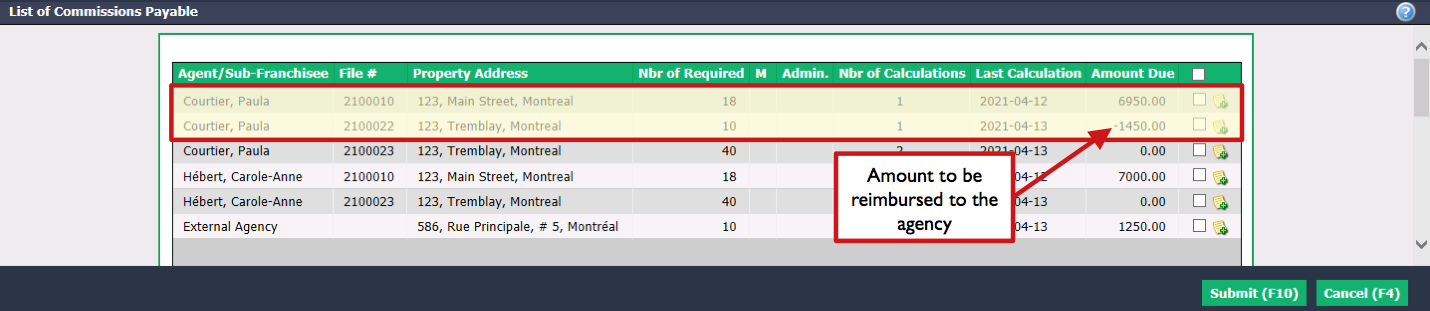
You can see the amount to be reimbursed (negative) on the line of the appropriate Agent/Sub-franchisee + Property Address combination, i.e. the agent who has to reimburse an amount to the agency as well as the transaction in which a referral was added or an error was made. In this example, Paula Courtier has to reimburse $1,450.00 following the transaction at 123, Tremblay, Montreal.
Check the desired Agent/Sub-franchisee + Property Address combination, i.e. the agent who has to reimburse an amount to the agency as well as the transaction for which you want to do a commission calculation and collect the amount to be reimbursed. In this example, it is Paula Courtier and 123, Main Street, Montreal.
Warning
You only need to check the box with the positive commission amount.
- Click on Submit and the "Payment Deductions" table page for all agents involved in the transaction will appear.
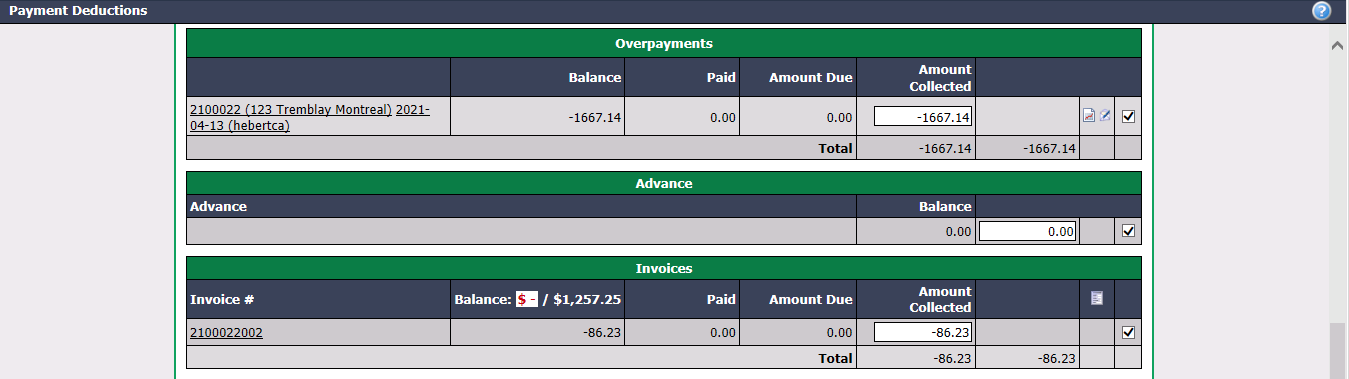
In the "Overpayments" section of the agent who has to reimburse an amount, the system will have automatically entered this amount into the Amount Collected. In this example, Paula Courtier’s amount is $1667.14.
In the "Invoices" section, you must also check the commission invoice associated with the transaction. In this example, Paula Courtier’s amount is $86.23.
The amount to be reimbursed will be deducted from this commission payment. For the next steps, please see the article Commission Calculation and Payment.
To be Reimbursed for the Amount Receivable by Cheque or Electronic Transfer
- From Main menu, click on the Cash Register icon (New Deposit).
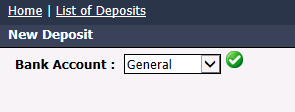
- From the drop-down list, select the Bank Account you want to deposit to and click on the Check Mark button.

Enter the Deposit Number and the Date.
Enter the name of the Agent/Sub-Franchisee or Ext. Agency who issued the cheque and press the Enter key on your keyboard.

In the case of an agent, you will see the Blue Sheet icon as well as the Green Sheet icon. In the case of an external agency, you will only see the Green Sheet icon.
Click on the Green Sheet icon (Commissions Payable).
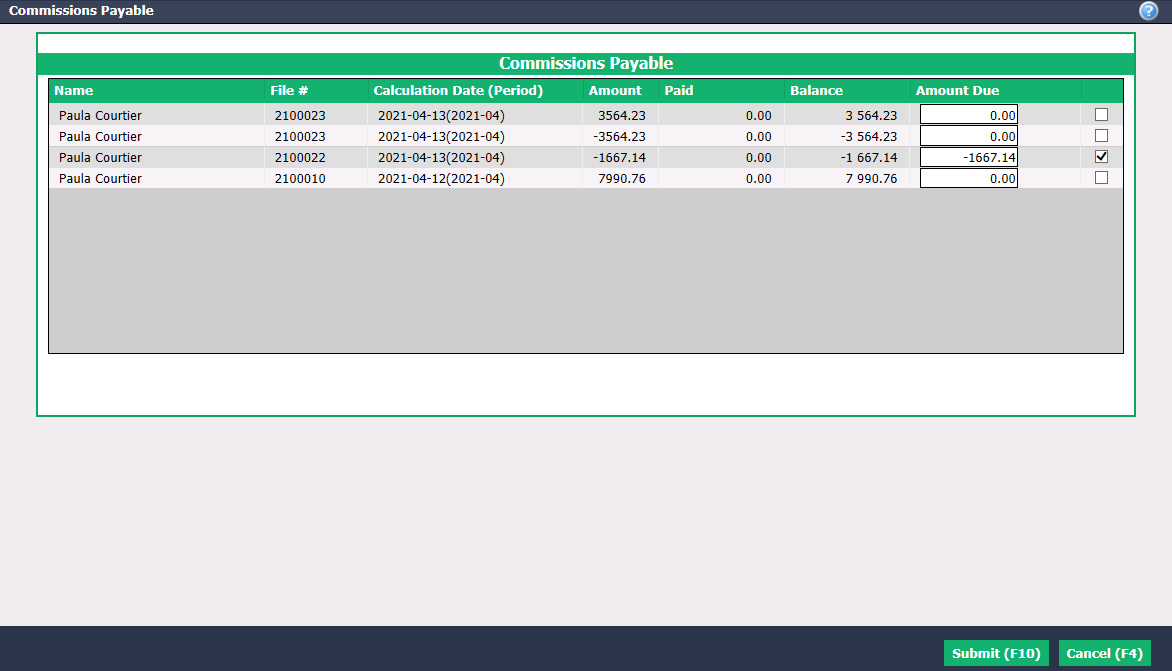
- Check the appropriate Amount Due (negative) and click on Submit. In this example, Paula Courtier’s amount is $1667.14.
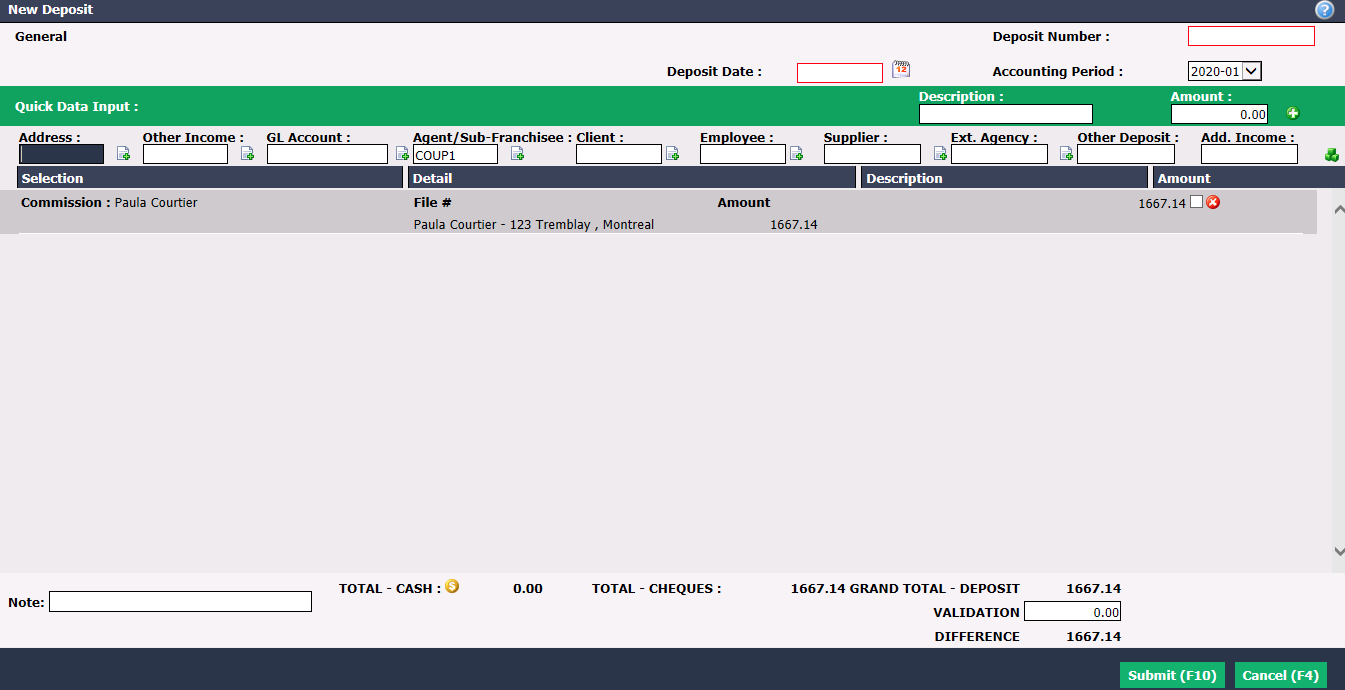
The Amount (positive) to deposit will appear.
In the case of an agent, you must also retrieve the commission invoice associated with the transaction. To do so, enter the name in the Agent/Sub-Franchisee field and press the Enter key on your keyboard.
Click on the Blue Sheet icon (Select Invoices).
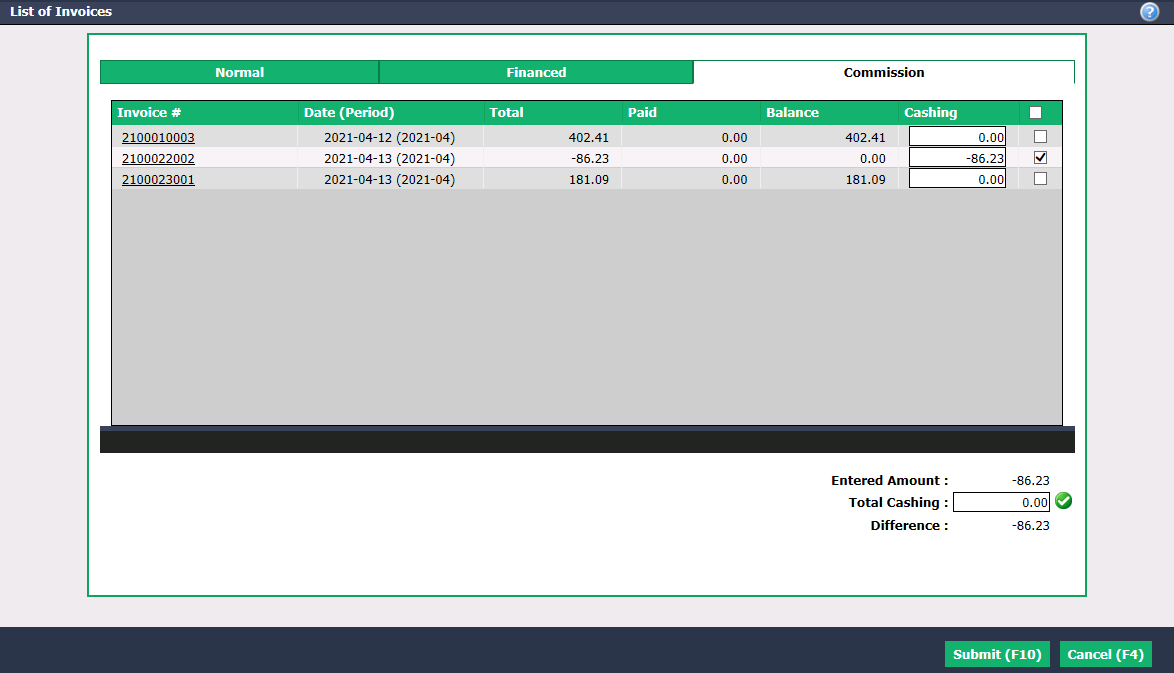
- In the "Commission" tab, check the appropriate Total and click on Submit. In this example, the amount of Paula Courtier’s commission invoice associated with the transaction is $86.23.
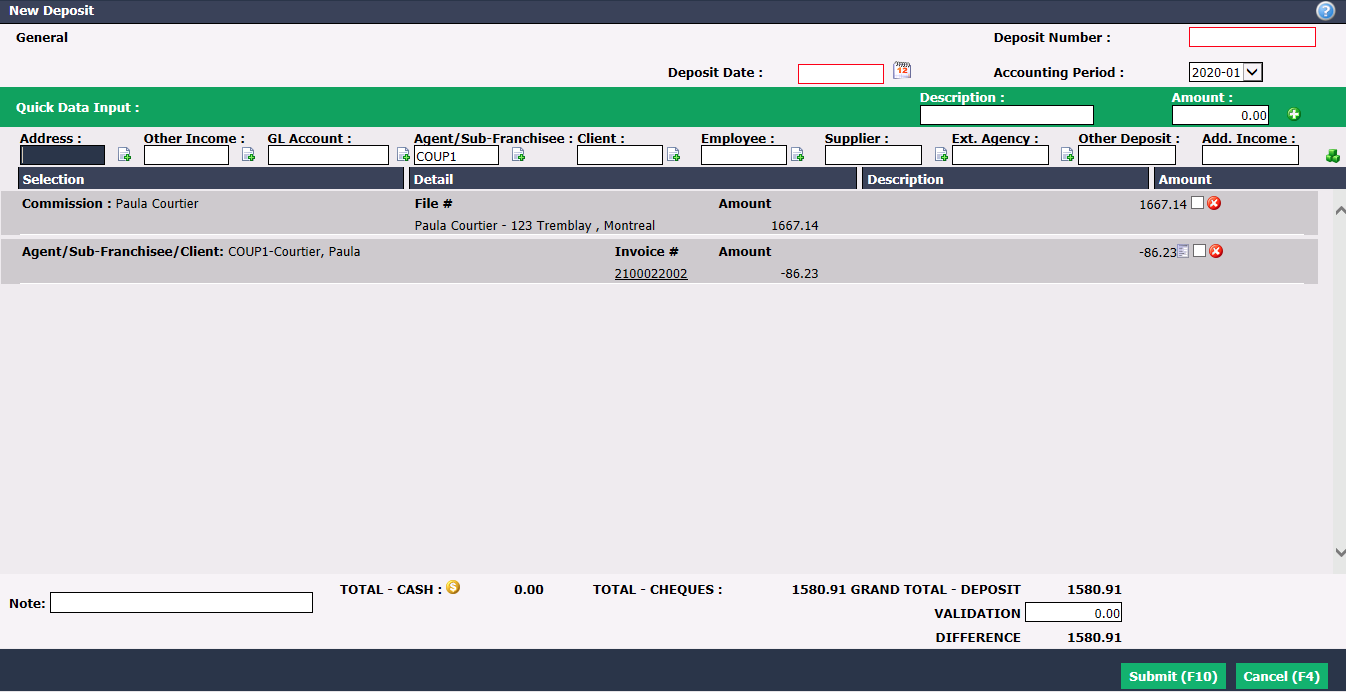
- Click on Submit to deposit the amount.