

English
BC Payout - The Office Holds a Portion of Funds in Trust and NO External Referrals
We Hold a Portion of Funds in Trust and NO External Referrals
Go to your transaction and make sure the Commission distribution is correct in the "Commission Distribution" section.
The deposit from the client will also be showed in the transaction.
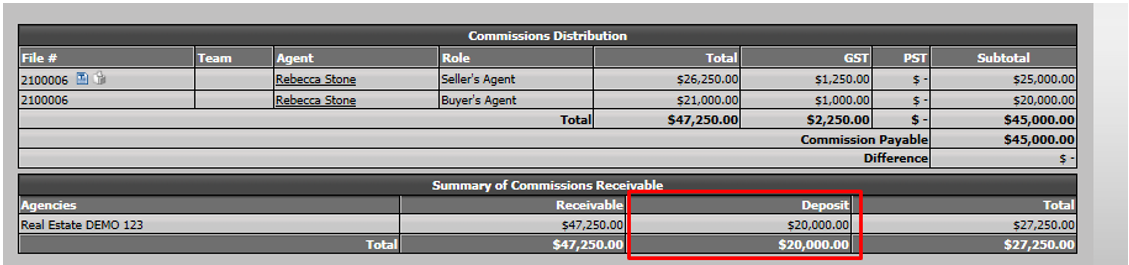
- At this point, your trust bank account in the transaction will display the client deposit and the funds received from the lawyer.

- Click on Actions >> Close this Deal.
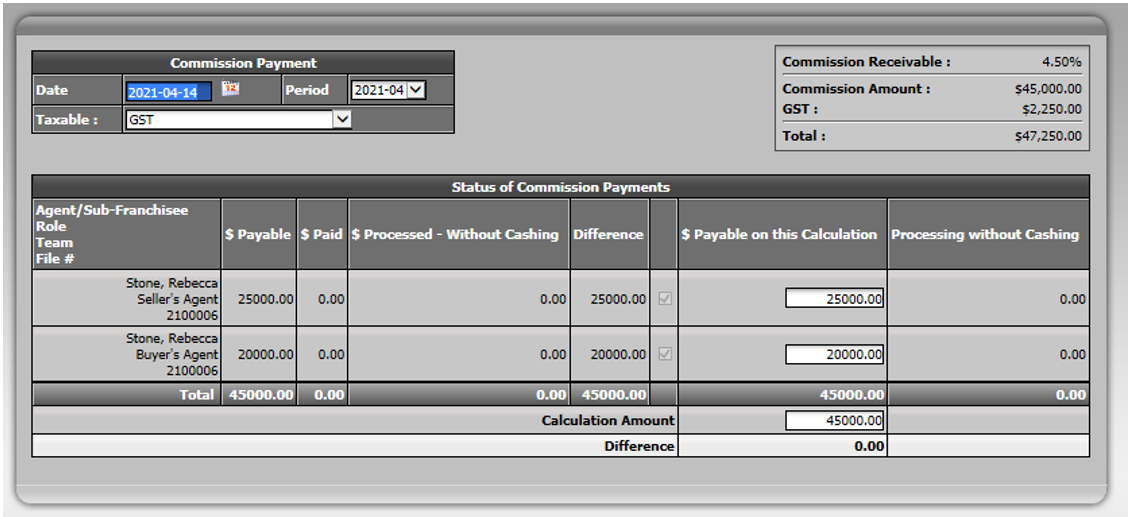
- Leave all the commission amounts in the $ Payable on this Calculation column because you are paying everyone in the file.
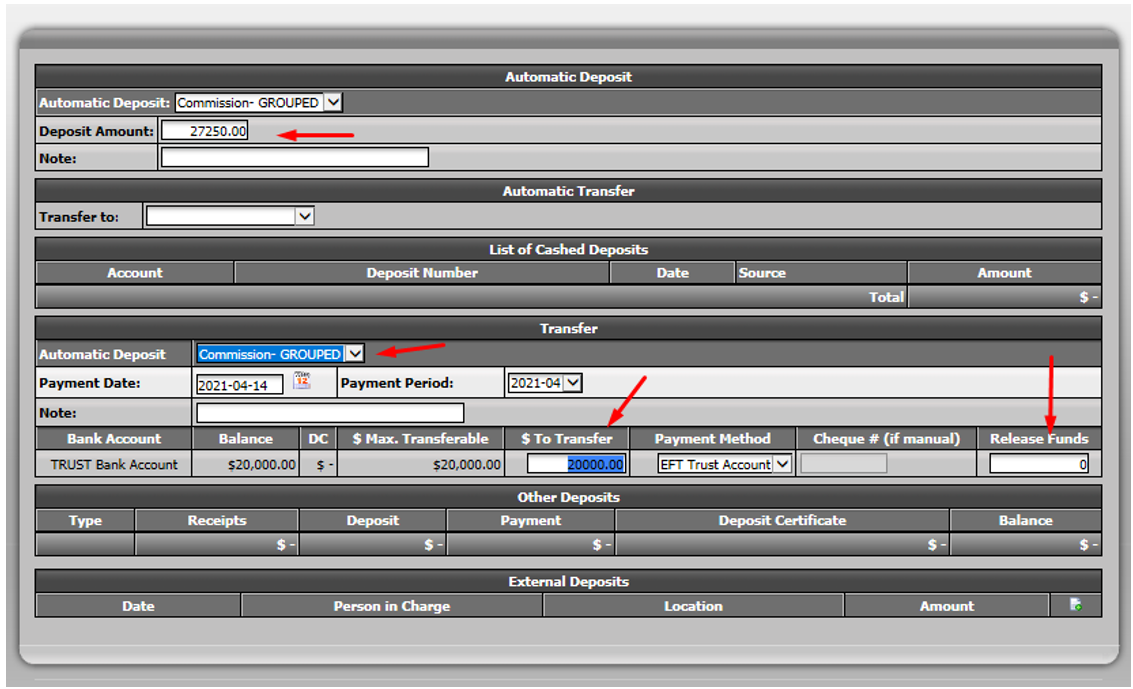
- To document the amount of commissions being deposited upon closing, enter it in the Deposit Amount field. The amount should be pre-calculated for you.
NOTE: If the amount is different from the check received, change it to match what you received.
In the "Automatic Transfer" section, leave the Transfer to field blank. (No money amount is being moved in this section.)
In the "Transfer" section, you will transfer the amount of commissions that goes to your office from trust to commission trust.
NOTE: The Deposit Amount + $ To Transfer amounts should equal the total commission needed on deal.
Warning
You DON’T need to release the funds when you are not paying an external agency.
If everything looks correct, click on Submit.
Make sure the commission fees proposed by the system for each of your agents are correct. If needed, override the fees by entering the amount you want in the appropriate field.
If the amounts are all correct, click on Submit.
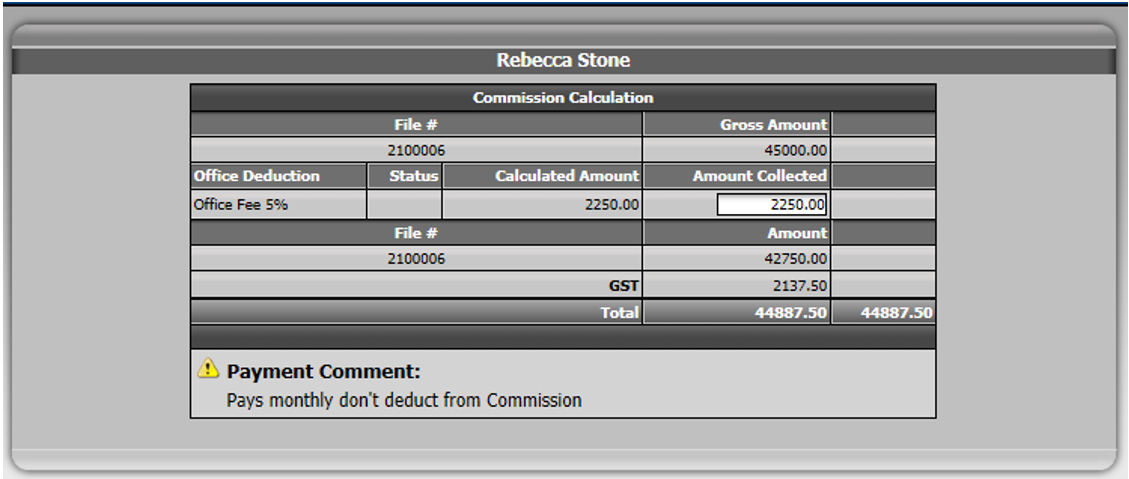
You will then be redirected to the deduction on the cheque page.
Validate the deductions you want to apply. If all are correct, click on Submit.
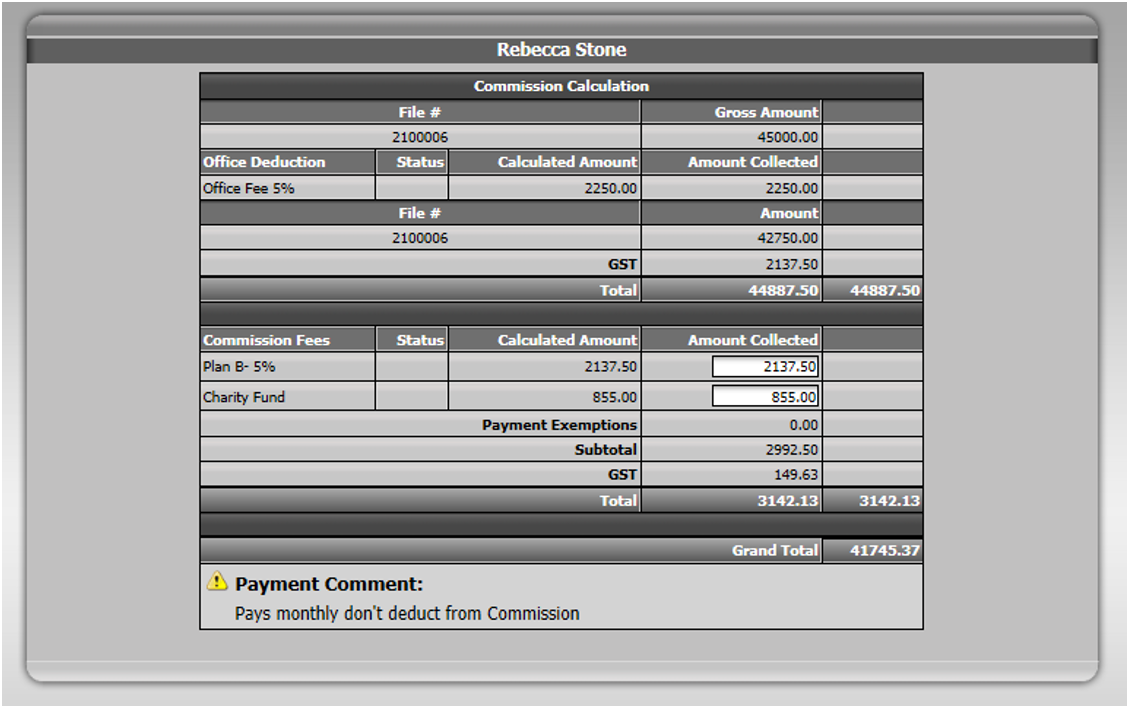
Your agent will be paid from the commission account.
The system will propose to transfer funds from commission trust account to your general account based on the deductions you choose.
You will not transfer funds from the trust account, so don’t enter any amount in that section.
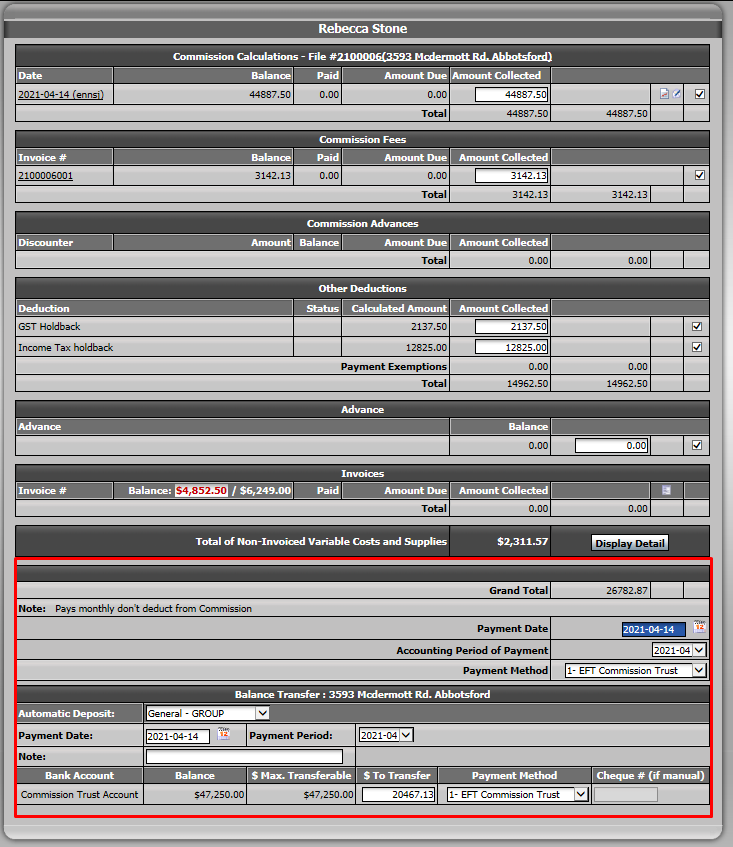
Click on Submit.
If you want to see the bank account activity in your transaction or generate the Closed Trade Record sheet, you need to go back to your transaction.
If you use grouped deposits, make sure you have processed your deposit. Otherwise, it will be "Pending" and won’t affect the transaction.
Go to the "Summary of Banking Transaction" section at the bottom of your transaction.
You will be able to see the activity in all bank accounts.