English
Closing a Deal
It is possible to conclude a deal when the deed of sale has been signed with the lawyer and you have received the partial or total amount of the transaction.
Points to Verify
Before closing a deal, there are these 4 points to verify:
- Conditions
- Total Amount
- Commissions Distribution
- Trust Deposits
Conditions
- From the desired transaction, go to the "Listing Information" section.
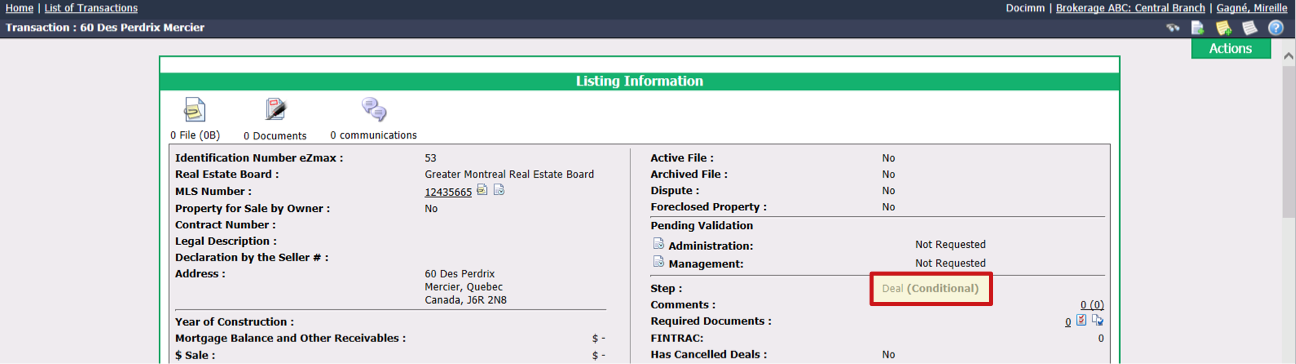
If the Step is "Deal", you can close this deal.
If the Step is "Deal (Conditional)", you can close the deal even if the conditions are not fulfilled but you will get this message:
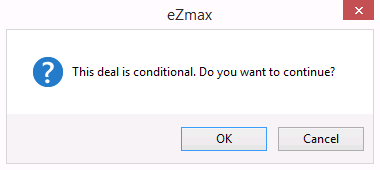
* If you still want to close the deal without indicating that the conditions are fulfilled, click on **OK** , enter the **Closing Date** and click on **Submit**.
* If you want to indicate that the conditions are fulfilled, click on **Cancel**. Then, click on Actions >> Edit Transaction.
* In the "Deal Information" section, go to "Conditions".
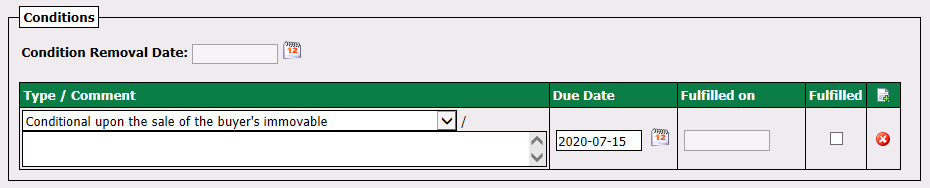
* Check the **Fulfilled** box and the "**Fulfilled on** " and "**Condition Removal Date** " fields will automatically be filled with the same date as the **Due Date**. If you don’t want this date, you can change it manually.
* Click on **Submit** and the **Step** will now be "Deal" only.
Total Amount
- From the desired transaction, go to the "Deal" section.
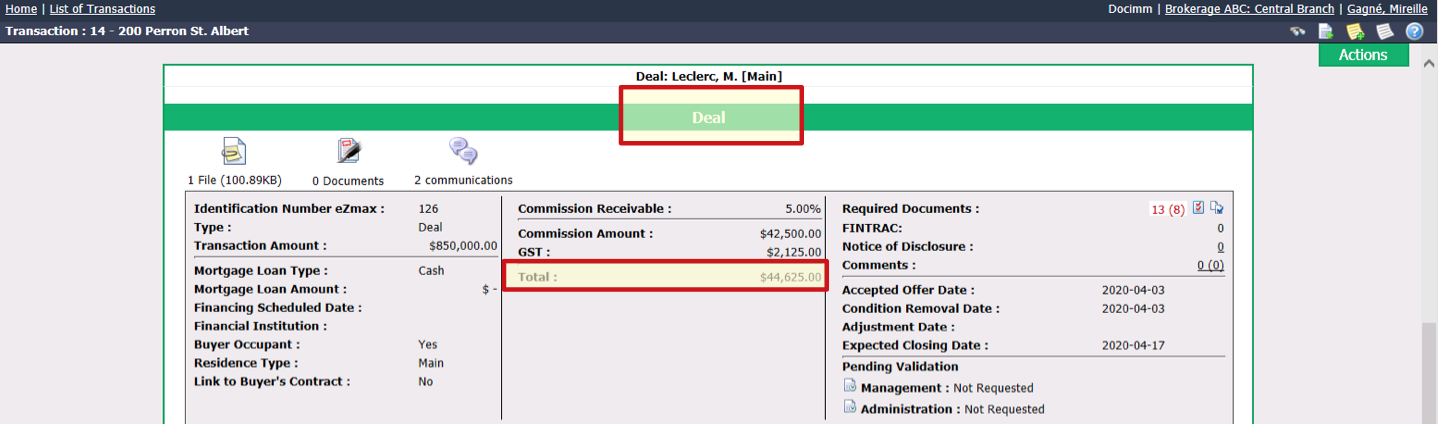
Verify if the Total amount is equal to the amount of the cheque received (from the lawyer or other).
If the total amount is different, either you have not received the full amount, or you have received too much money and you must make a refund to the person who issued the cheque or you have money in the trust account (deposit).
Commissions Distribution
- From the desired transaction, go to the "Deal" section and scroll down to "Commissions Distribution".
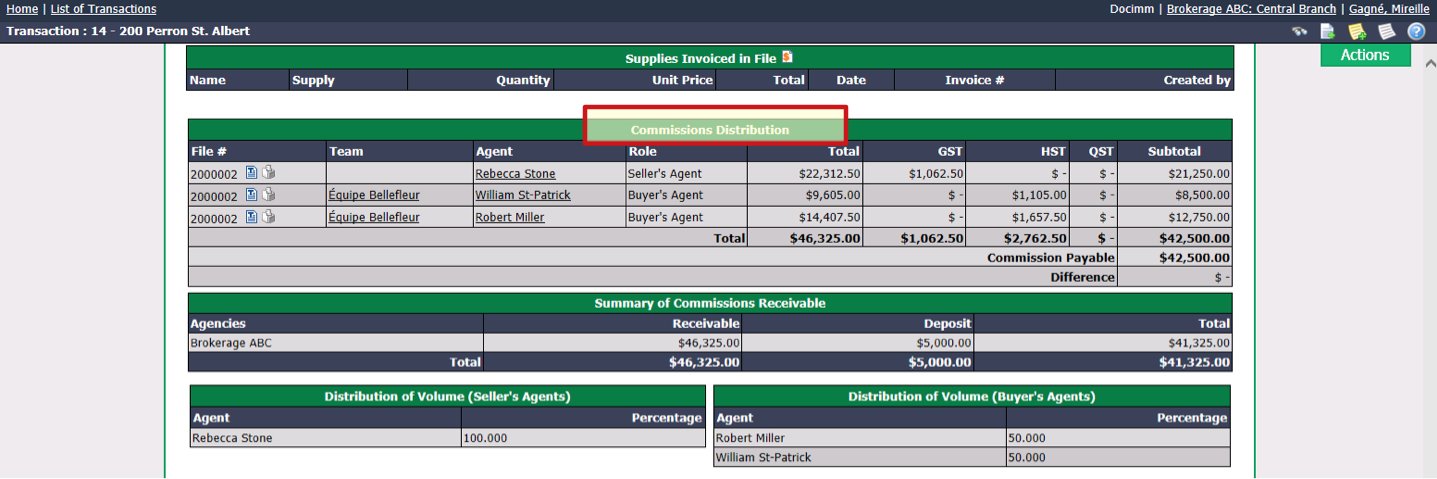
- Verify, for each Agent involved in the transaction, the Total amount and the Subtotal.
Trust Deposits
- From the desired transaction, go to the "Deal" section and scroll down to "Deposits".
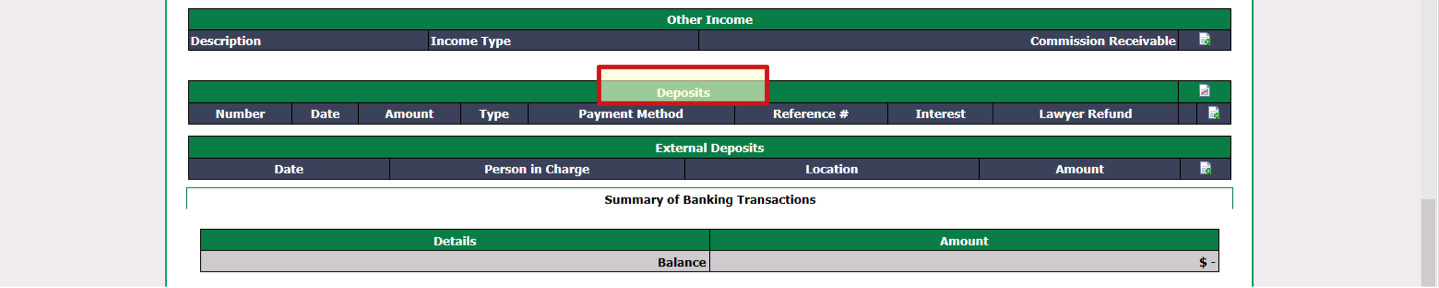
- Verify if there is a trust deposit Amount. If this is the case, make sure that the amount of this deposit, added to the amount of the cheque received, corresponds to the Total amount mentioned above.
Closing the Deal
Once the 4 points are verified, if the deal is not conditional, you can close this deal.
- From the transaction, click on Actions >> Close the Deal.
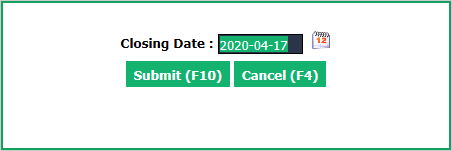
The Closing Date that appears by default may be the expected closing date or today’s date (depending on the configurations put in place during the installation of the agency). It is possible to change this date manually. You can indicate the date of the signing of the deed of sale at the lawyer or the receipt date of the cheque.
Click on Submit and the commission calculation window will appear. For more information, please see the article Commission Calculation and Payment.
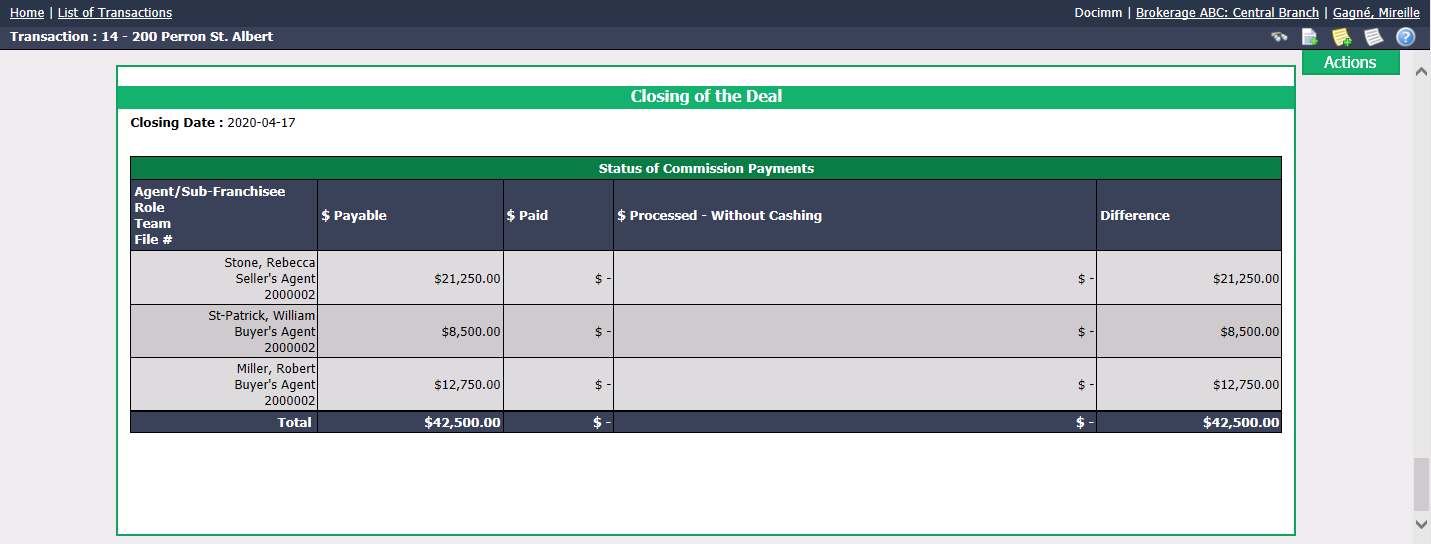
In the transaction, the "Closing of the Deal" section will be added.