

English
Reassign a Commission Advance
When a commission advance has been requested from the agency or an external company, it is possible to reimburse only part of this advance during the commission calculation and payment for a transaction and to reimburse the other part during a different transaction. In addition, it is possible to transfer the entire amount of commission advance requested for one transaction to another transaction. In either case, you must reassign the commission advance to another transaction.
- From the desired transaction, go to the "Deal"/"Commission Advances" section.
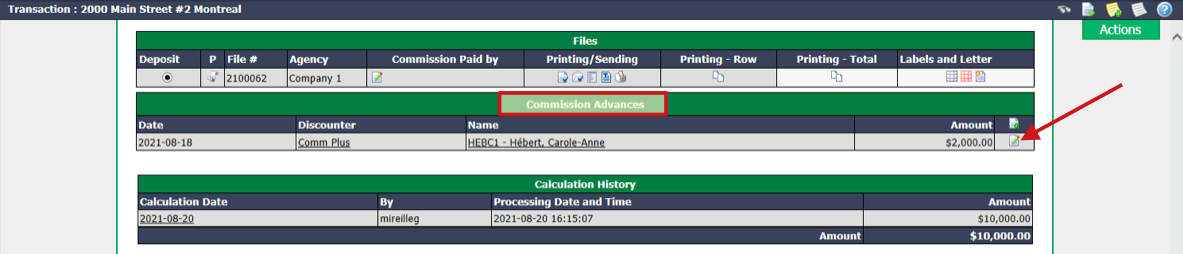
- Click on the Sheet with a Pencil icon.
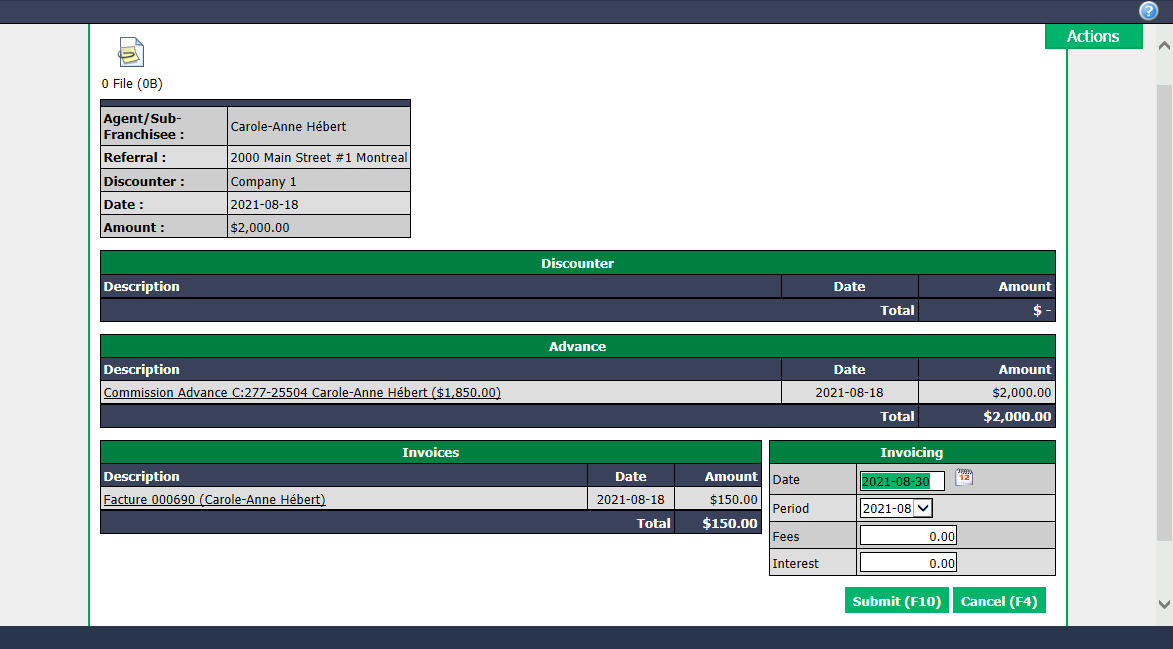
- Click on Actions >> Reassign Commission Advance.
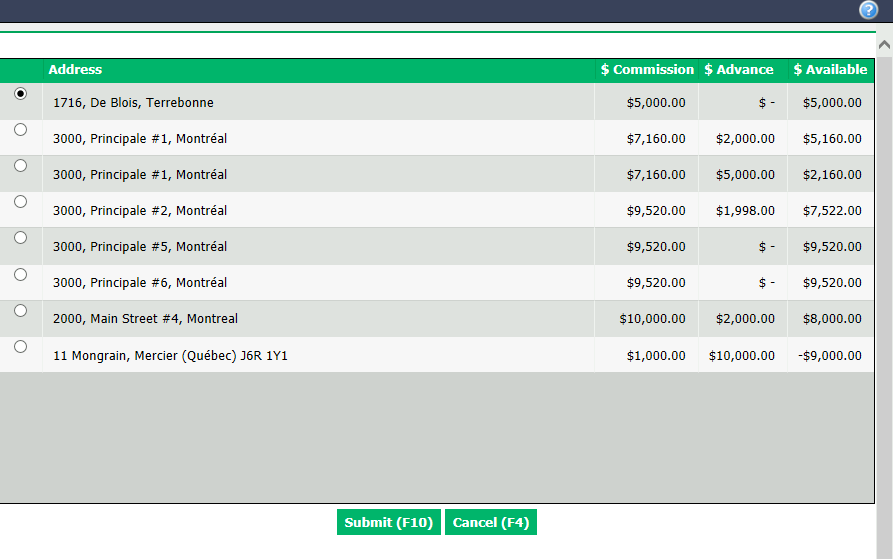
All agent’s next transactions will appear, so check the desired transaction Address.
Click on Submit and the commission advance will be assigned to the selected transaction.