English
EDM in a Deal
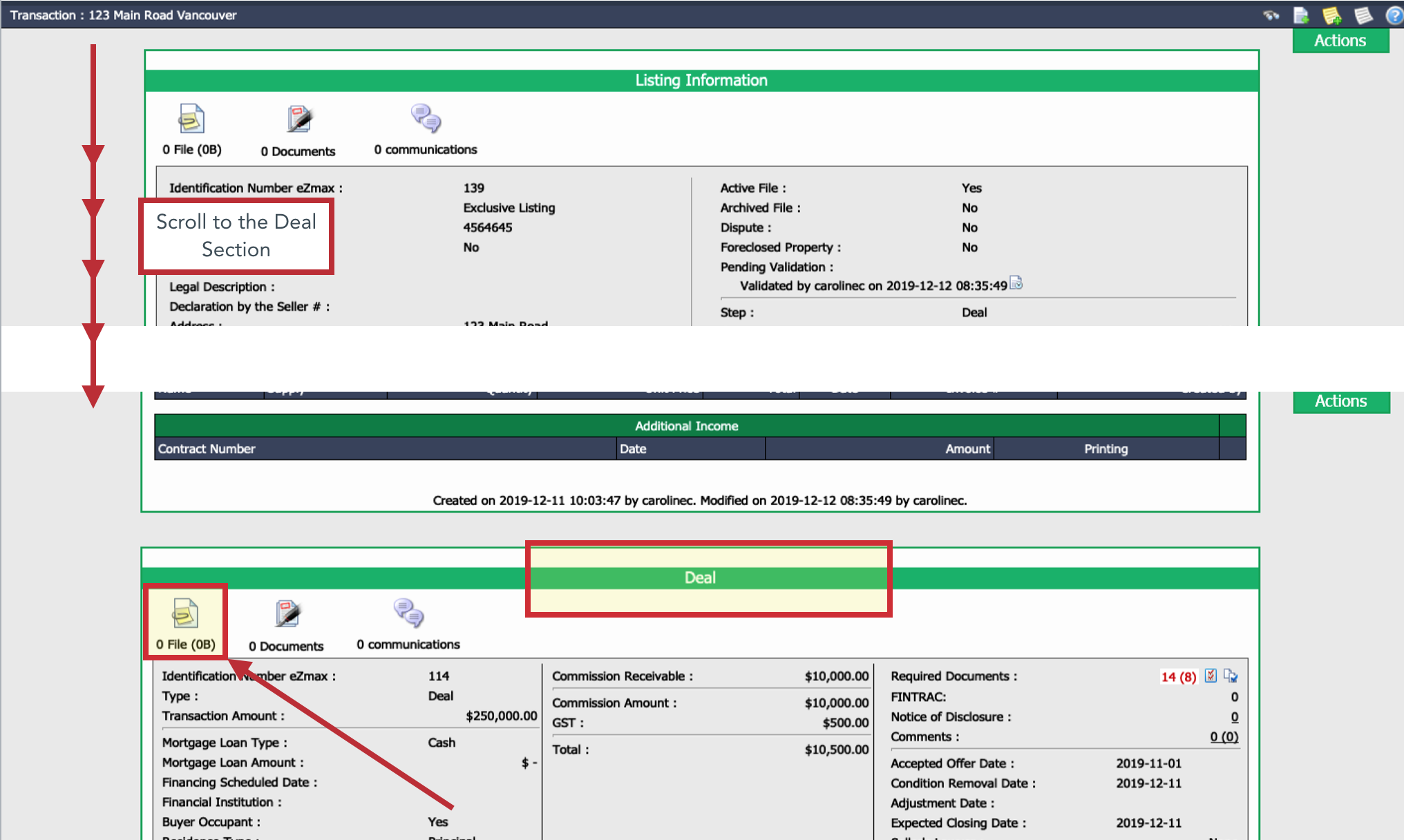
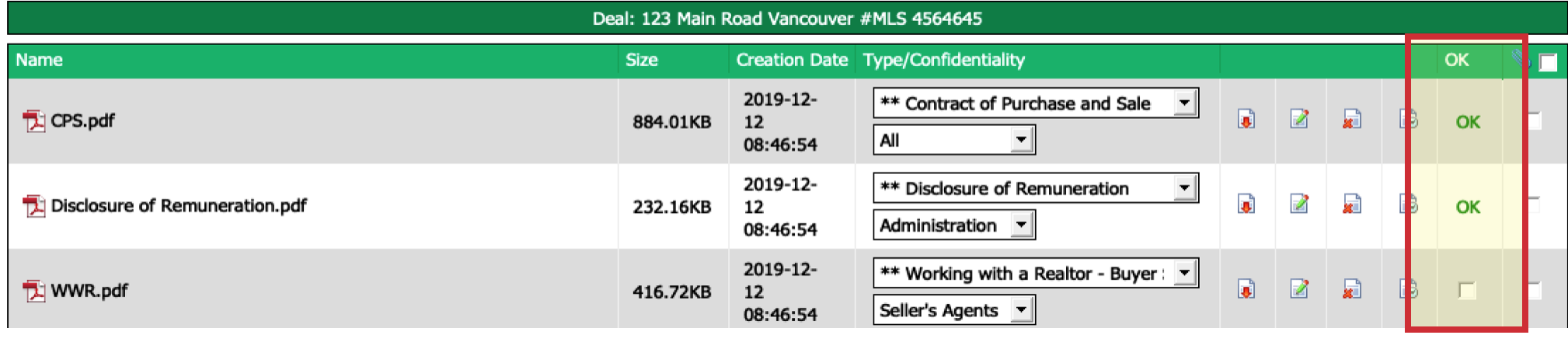
- To access the documents of the deal, you need to go to the "Deal" section and click on the Paper Clip and Sheet icon (Document Management).
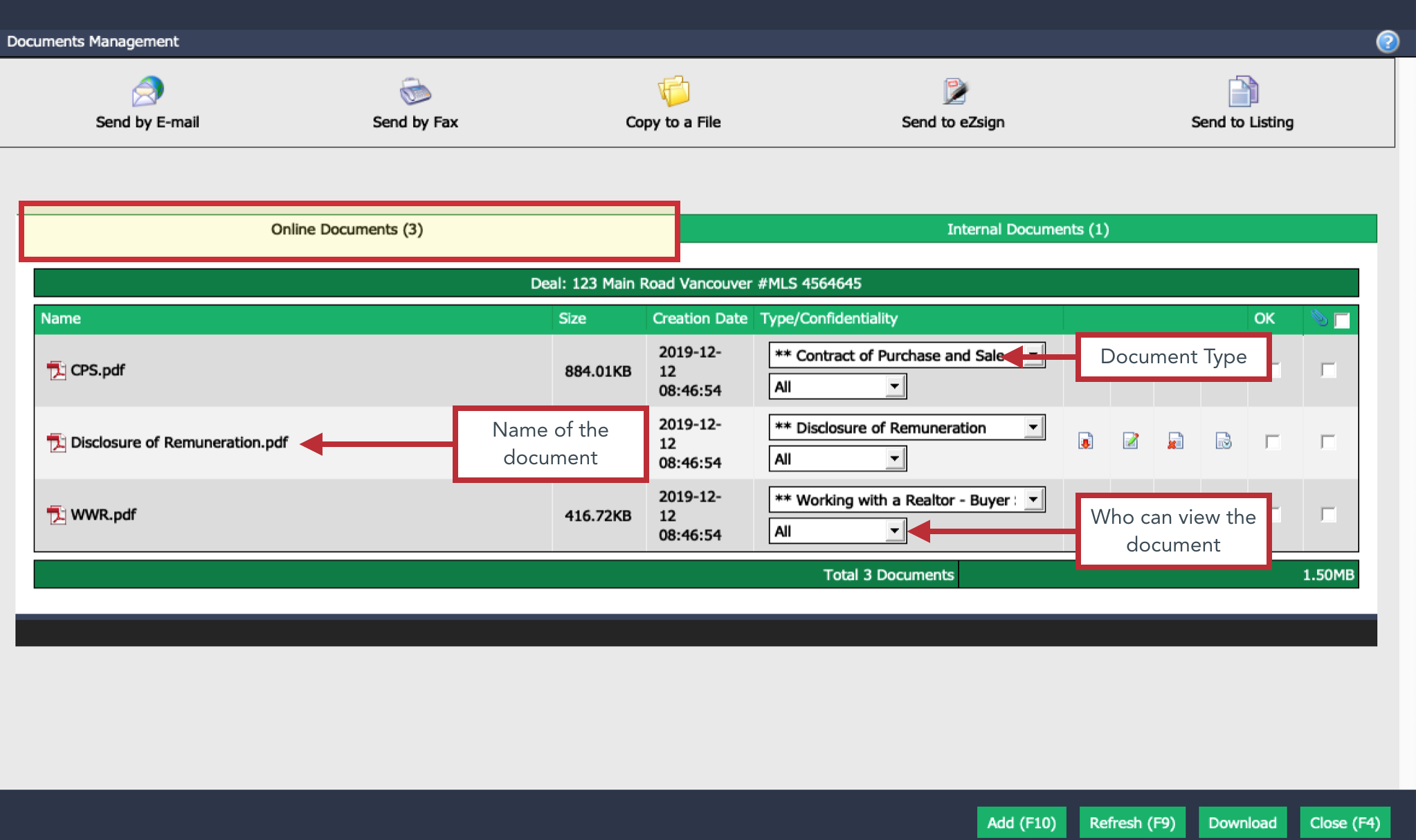
Documents will be displayed in the "Online Documents" Tab.
The list of document types is managed by the office. You can change that list at any time if you have the required authorization.
- Each icon allows you to complete different actions.
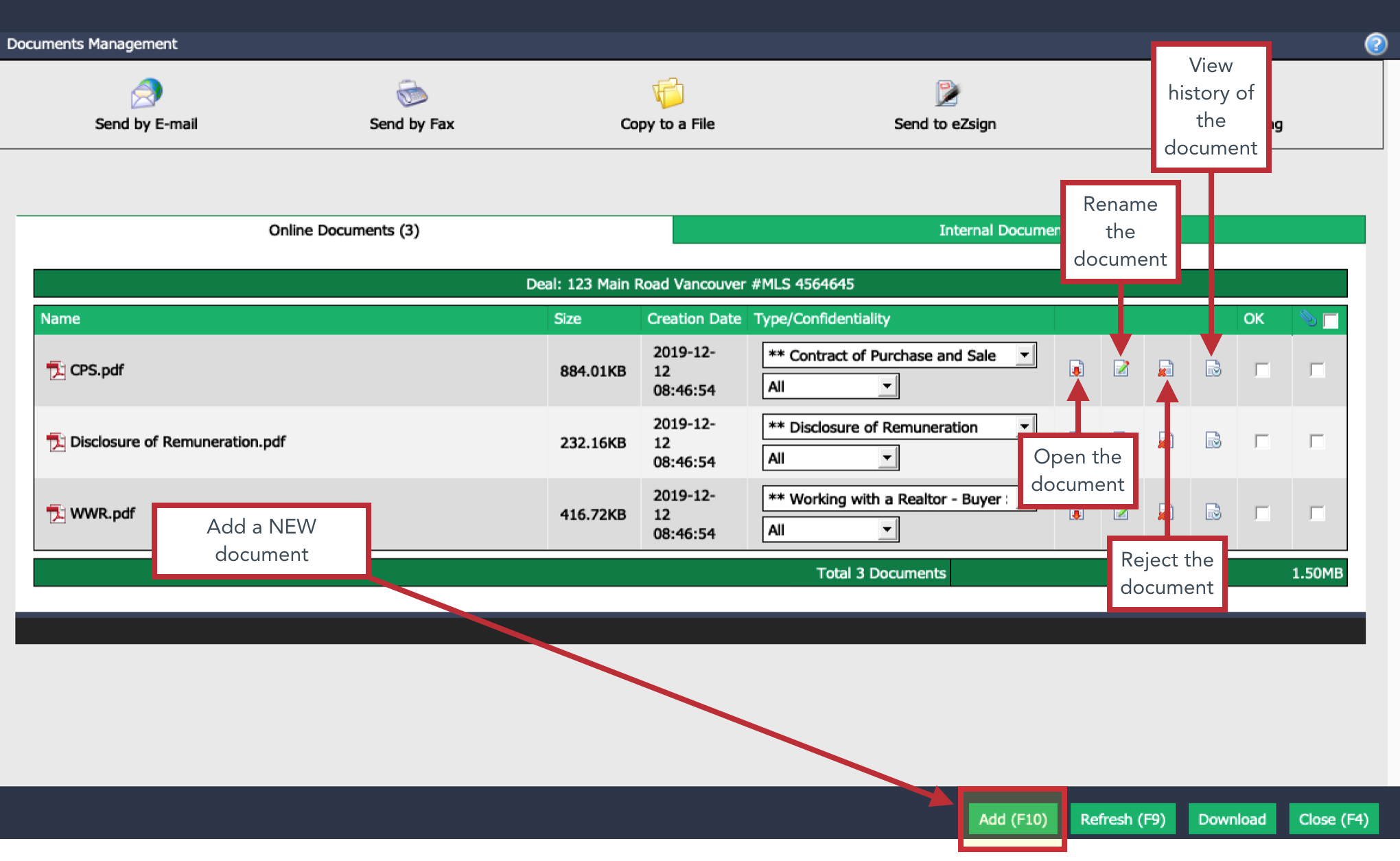
- When the documents have the OK box checked, it means that it has been reviewed. When a document has not been reviewed, it is displayed on the home page under "Documents Requiring Validation - Deals".
Rejecting a document:
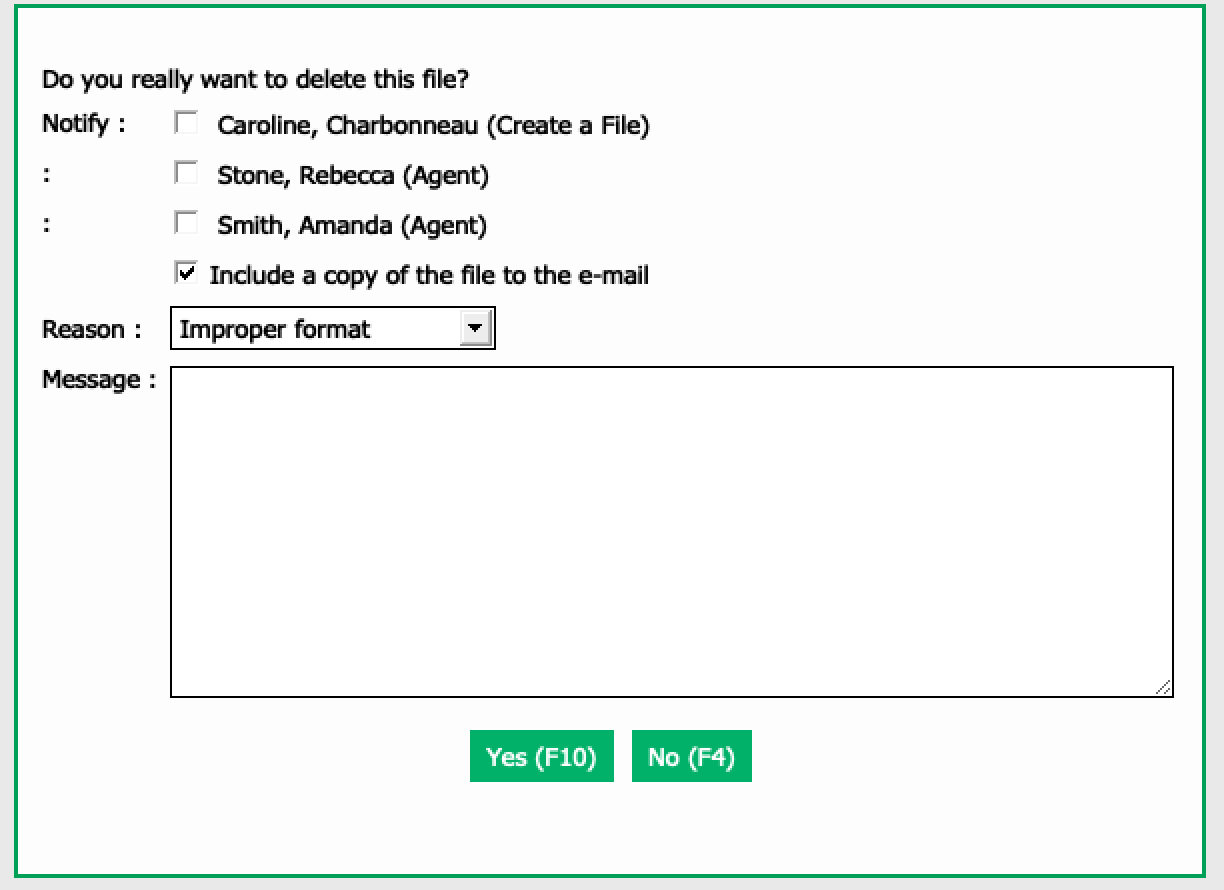
- When you reject a document by clicking on Delete icon

, you have the following options: * Notify the agents on file or the person who uploaded the document. * Send a copy of the file in the e-mail (when notifying). * Select a default reason of rejection. Reasons of rejection are managed by your office and you can create as many as you want (maximum of 76 characters). For more informations, see the article Adding/Editing a Reason for Rejected Document. * Write a message that will be sent with your e-mail and will remain in file, in the history of the document.
- The rejected documents will be moved to the "Deleted Documents" Tab.
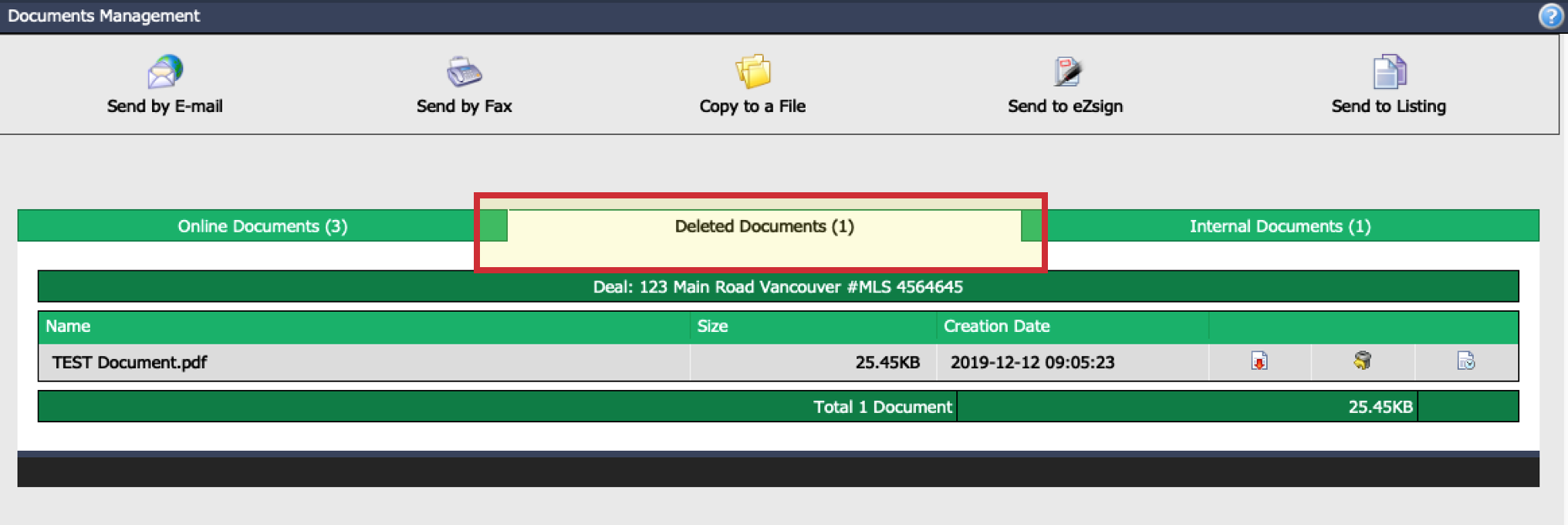
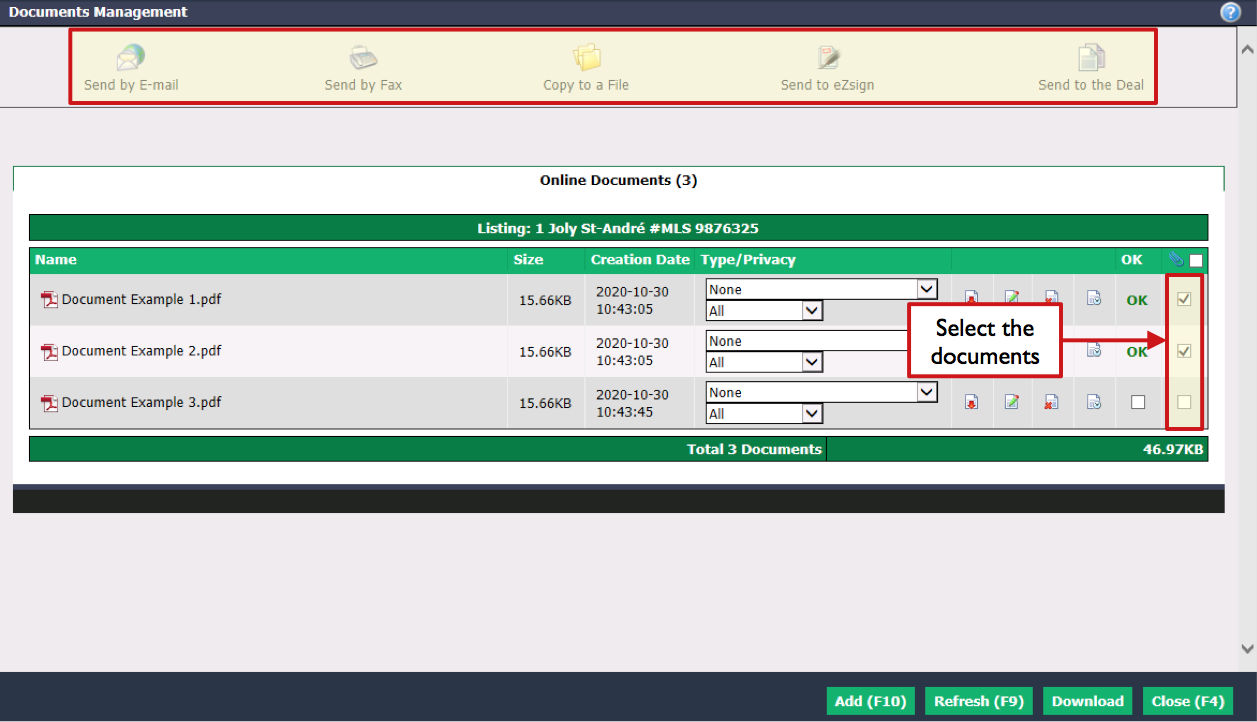
- Once one or more documents have been selected, the following options are available:
- Send by E-mail
- Send by Fax
- Copy to a File
- Send to eZsign
- Send to Listing