

English
Adding a Team to a Transaction
Locate the transaction in which you want to add a team using the search tool (Binoculars icon).
Click on Actions >> Edit Transaction.
You can add a team at two places in the transaction, either in the "Listing" section or in the "Deal" section.
Listing: Go to the bottom of the "Listing Information" section.
Enter the name of the Team in the field and click on the Check Mark button. The agents from the team will appear in the "Listing Information" section.
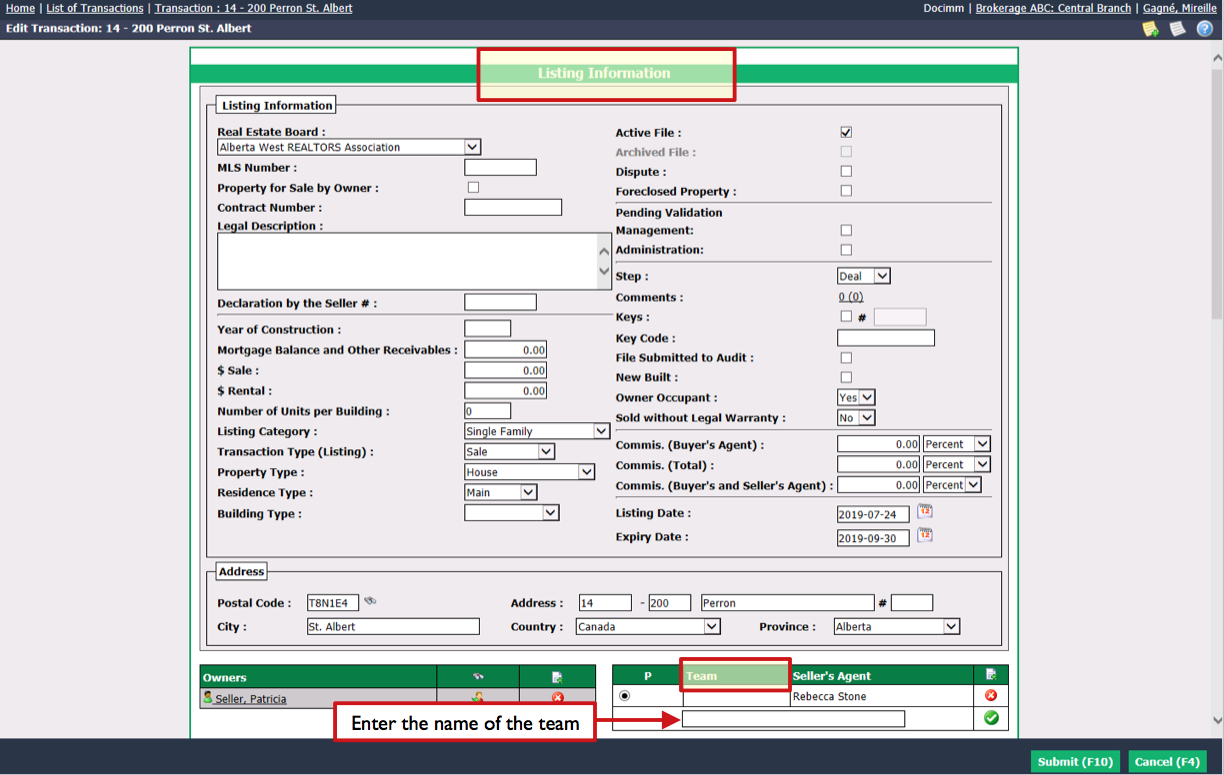
Deal: Go to the bottom of the "Deal Information" section.
Enter the name of the Team in the field.
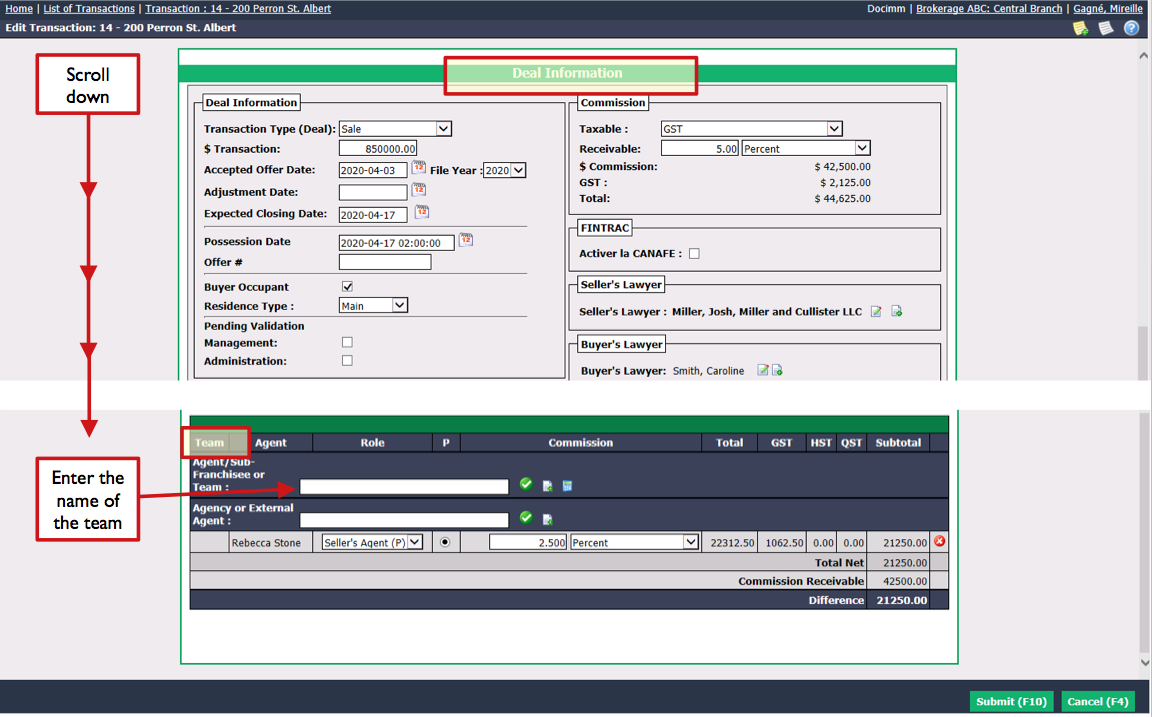
- Click on the Check Mark button.
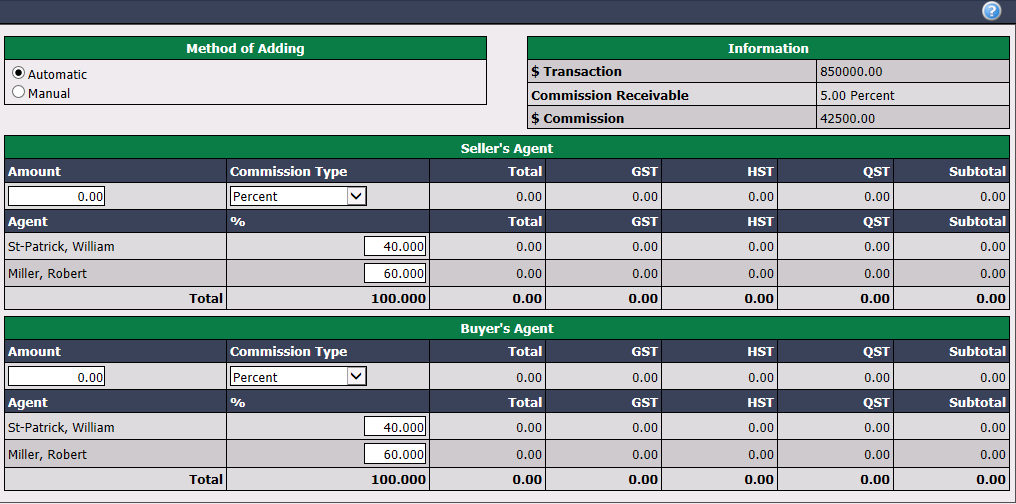
Method of Adding :
- Automatic : Check the box if you want the commission distribution among the agents involved in the deal to be automatically entered according to the settings established when the team is added in the system.
- Manual : Check this box if you want to enter yourself the commission distribution among the agents involved in the deal.
Enter the desired Amount and select the appropriate Commission Type for each of the sections "Seller’s Agent" and "Buyer’s Agent".
Click on Submit to confirm the commission distribution among team members. The window will close and you will return to the transaction page. The agents from the team will appear in the "Deal Information" section.
Click on Submit and the team will be added to the transaction.