

English
Searching by Required Document
In order to search by required document, you must produce a report of the documents on file. You have the possibility to search for a document required by several choices, including its creator, its creation date, etc.
- From Main menu >> Real Estate >> Office Reports >> Report of Documents in File.
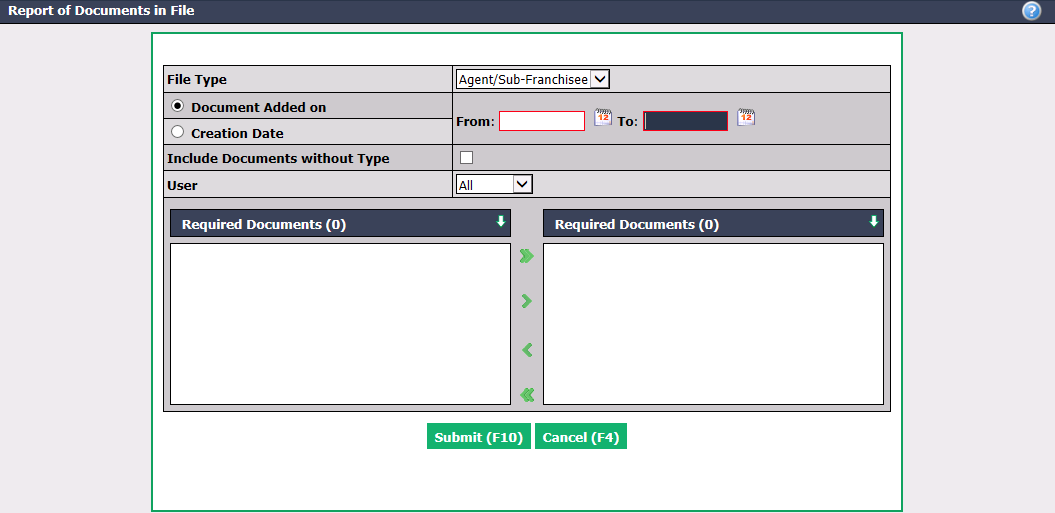
Select in which File Type you are looking for a required document and enter the appropriate From and To dates, depending on whether you want to search for the required document by Document Added on or by that date:
- Agent/Sub-franchisee: Creation Date
- Buyer’s Contract: Contract Date
- Listing: Listing Date
- Deal: Transaction Date
- Other Income: File Date
- Refused Offer: Offer Date
Include Documents without Type : Check this box if you want to find a required document that has not been named.
Select by which administration User you want to search.
Select the Required Documents you are looking for.
Click on Submit to produce the report of documents in file.
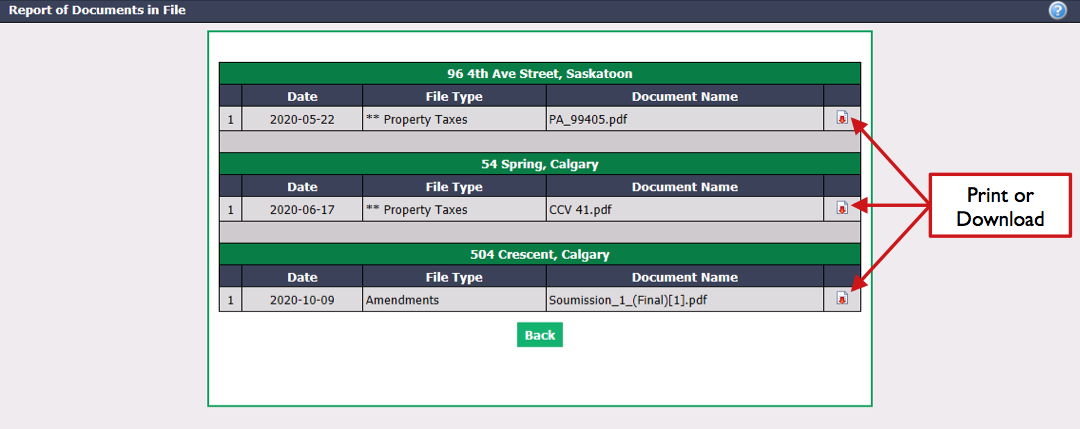
- All transactions that contain the requested documents you are looking for appear in this report. You can view the required documents by clicking on the Print or Download icon next to each of them.