

English
Adding/Editing a Lawyer
Adding a Lawyer
From Main menu >> Real Estate >> List of Lawyers.
Click on Actions >> New Lawyer.
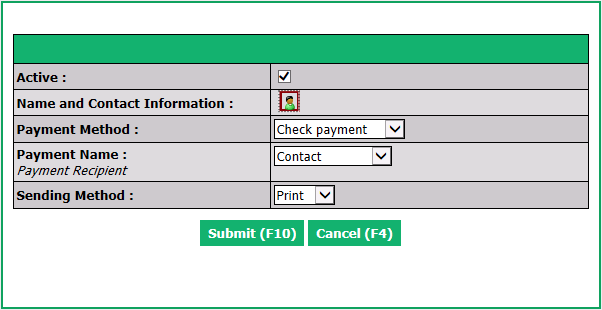
Active will be checked when the lawyer is active. To inactivate a lawyer, uncheck this box.
Name and Contact Information : Click on Name and Contact Information icon

to create a new contact file for the lawyer.
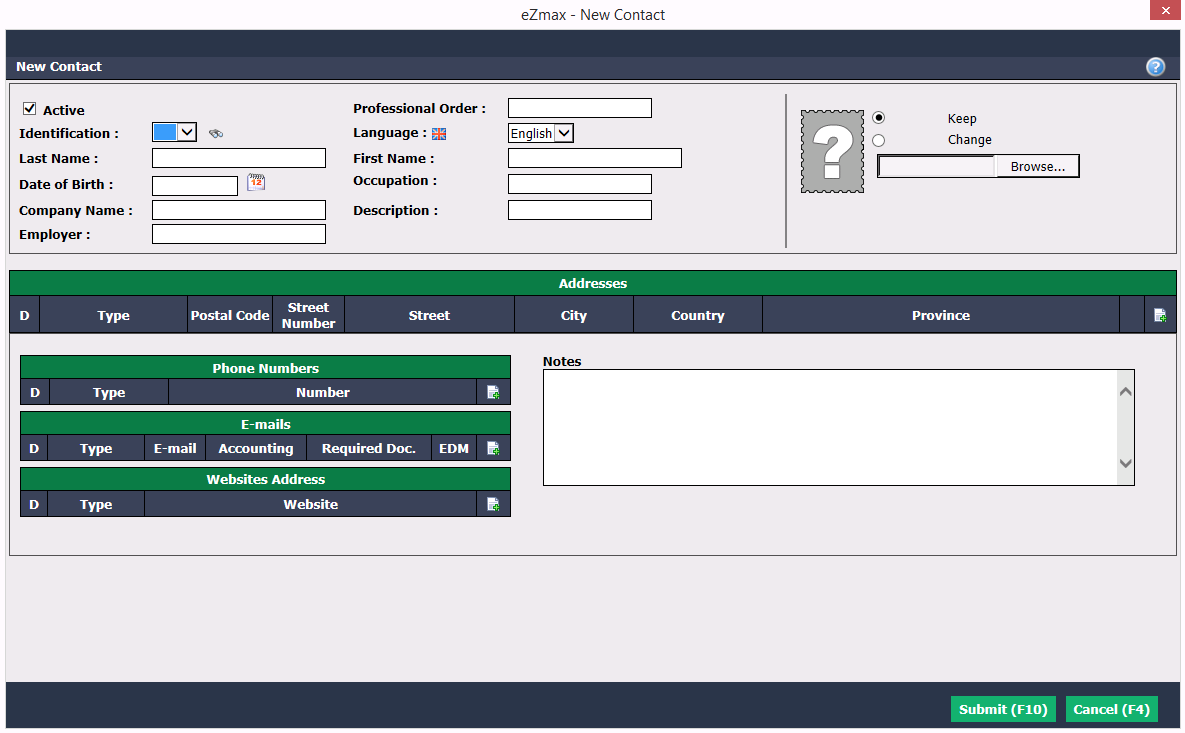
You must enter the Last****Name and First Name and/or the Company Name of the lawyer. Other fields are not mandatory.
The lawyer photo can be added by clicking the Browse button, then selecting and uploading the desired file.
Addresses , ** Phone Numbers** , ** E-mails** , Websites Address : Can be added by clicking on the + icon.
Notes can also be entered.
Click on Submit to save the lawyer information.
We recommend using the TAB key on your keyboard to move from one field to another.
- Payment Method : Check payment or Electronic transfer.
Warning
If you choose an electronic transfer as Payment Method , you must save the lawyer information at least once and then go add a bank account.
Payment Name (Payment Recipient) who will appear on the cheque or in the electronic transfer: Contact (first and last name of the lawyer) or Company Name (the name of the firm).
Select a ** Sending Method** of the payment slip and/or the commission invoice:
- Print: Hard copy
- E-mail: Attached file
Click on Submit and the lawyer will be added in the system.
Editing a Lawyer
- To modify an existing lawyer, select it from the List of Lawyers and click on Actions >> Edit Lawyer or Edit Bank Account.
- Edit Lawyer: You can modify all the information of the lawyer.
- Edit Bank Account: If the current payment method is "Check payment" and you want to change it to "Electronic transfer", you must check the Direct Deposit box and enter the appropriate Transit , Institution and Bank Account numbers. If the current payment method is "Electronic transfer", you can modify the bank account information for EFT (electronic funds transfer).
NOTE : Add "0" before the 3-digit institution number.
- Click on Submit to save changes.