English
Employee Information Report
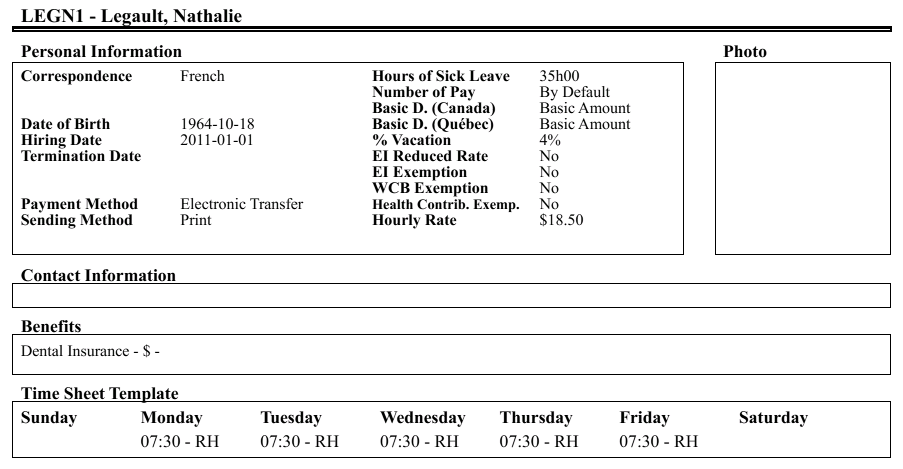
The employee information report allows you to view, among other things, the personal information and benefits of several employees at the same time.
- From Main menu >> Payroll >> Employee Information Report.
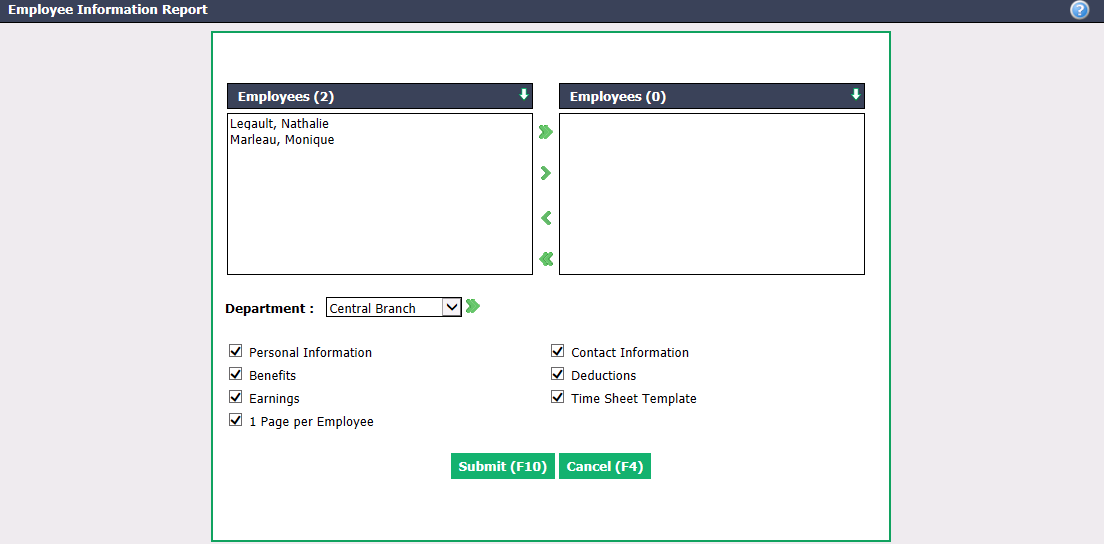
- Select the desired Employees using the green arrows. The double arrow allows you to select all employees with one click, while the single arrow selects only one at a time.
You can double-click on an employee to select it instead of using the green arrow.
You can also select all employees of aDepartment** using the double arrow, if applicable.**
Check the information you want to see on the report, i.e. the Personal Information , Benefits , Earnings , 1 Page per Employee , Contact Information , Deductions and Time Sheet Template.
Click on Submit and the employee information report will appear.