

English
Cancellation of a Closed Deal
If you have closed a deal but, for example, you have selected the wrong transaction/address, you can cancel the closing of this deal. There is a different way to cancel the closed deal for these 3 situations:
- No commission calculation or payment were made;
- The commission calculation was made but there was no payment;
- The commission calculation and payment were made but payment has not been cashed.
Cancel the Closing of a Deal without Commission Calculation or Payment
In the case of a deal for which there has been no commission calculation or payment, you have the option to cancel the closing of this deal.
- From the closed deal, go to the "Calculations History" section.
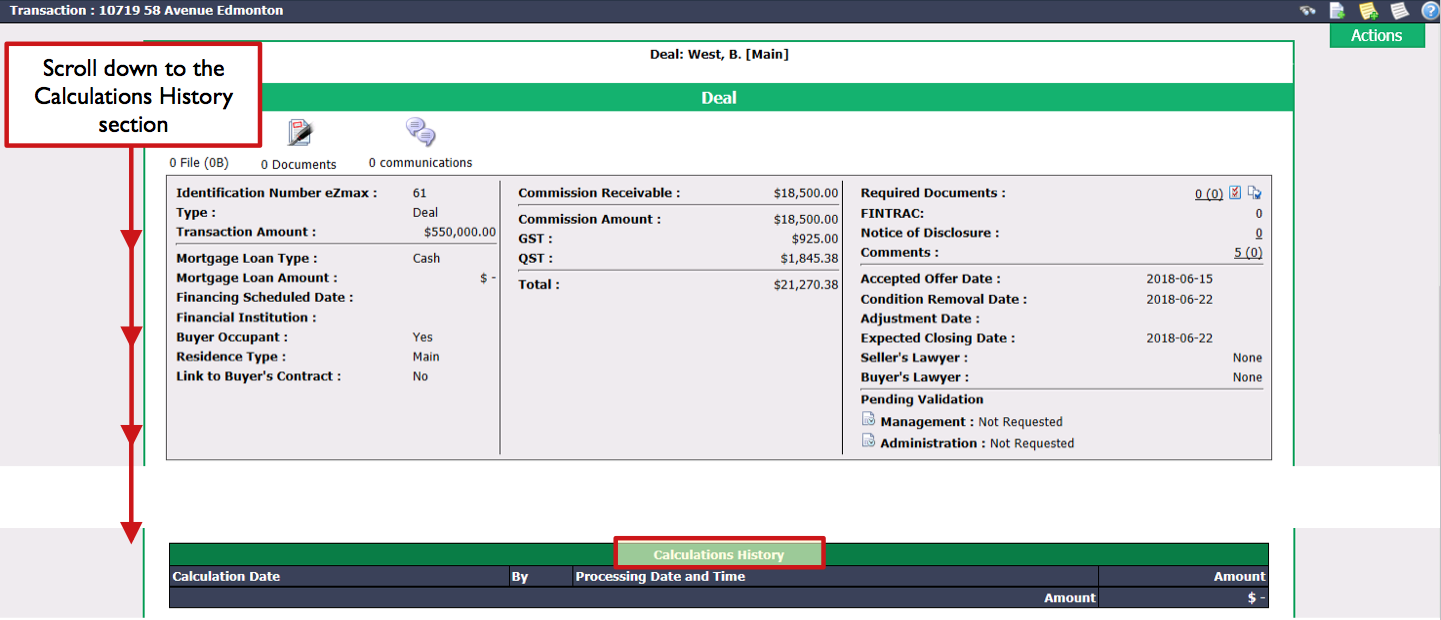
Make sure there is no commission calculation.
Click on Actions >> Cancel Closing of the Deal.
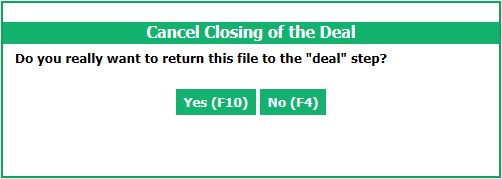
Click on Yes.
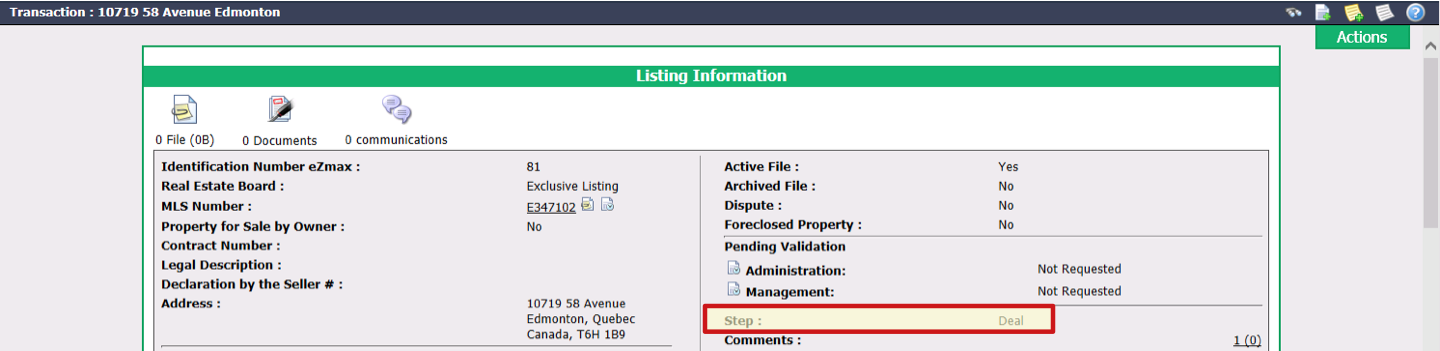
The closing of the deal will be cancelled and the transaction Step will now be Deal.
Cancel the Closing of a Deal with Commission Calculation but no Payment
In the case of a deal with a commission calculation for which no payment has yet been made, you have the option to cancel the conclusion of this deal. To do so, there are 3 steps to follow:**
- Reverse commission calculation
- Remove commissions from the list of commissions payable
- Cancel closing of the deal
For details of the first 2 steps, please see the article Error in a Commission Calculation without Payment.
When the first 2 steps are completed, from the transaction, click on Actions >> Cancel Closing of the Deal.
Click on Yes.
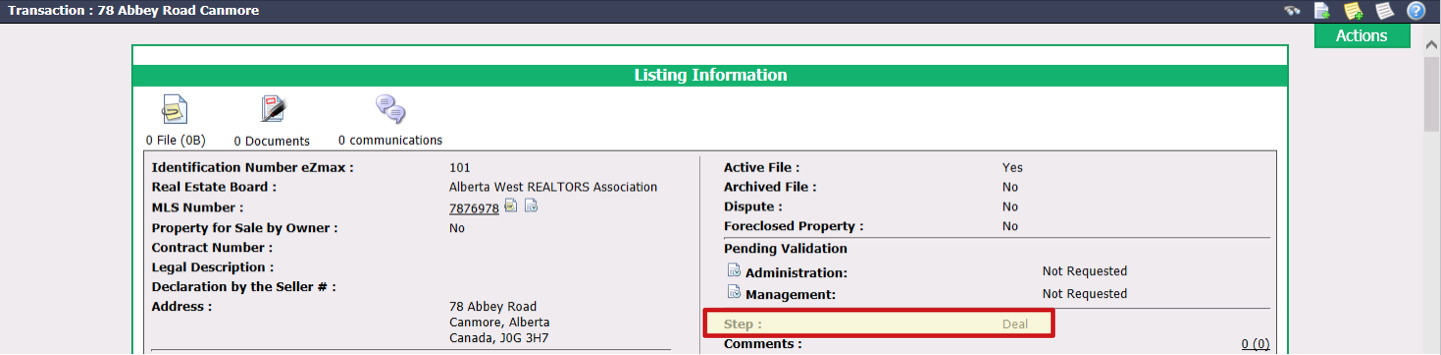
The closing of the deal will be cancelled and the transaction Step will now be "Deal".
Cancel the Closing of a Deal with Commission Calculation and Payment (Uncashed)
In the case of a deal with a commission calculation and a payment preparation or a printed cheque that has not yet been cashed, you have the option to cancel the conclusion of this deal. To do so, there are 4 steps to follow:**
- Cancel payment preparations and/or cheque payments (uncashed)
- Reverse commission calculation
- Remove commissions from the list of commissions payable
- Cancel closing of the deal
For details of the first 3 steps, please see the article Error in a Commission Calculation with Payment Preparation or Uncashed Cheque.
When the first 3 steps are completed, from the transaction, click on Actions >> Cancel Closing of the Deal.
Click on Yes.
The closing of the deal will be cancelled and the transaction Step will now be "Deal".