English
Sending emails with a personalized domain (eZmax)
If you have your own domain name, you can now use it to send emails from the platform. This feature allows your organization to use an email address associated with its own domain name instead of a generic system email address.
For the custom domain to be used when sending emails, the domain associated with the user’s email address must itself have been configured and authorized in the system. If the domain has not been configured, the system will instead use a generic email address.
The same principle applies to signature requests sent from eZsign: when these conditions are met, the email is sent from an address associated with the custom domain rather than from a generic email address.
Required Permissions
In eZmax, access to the custom domain configuration requires the following permissions, available in the Management section of User Authorizations:
- Domain Name
- Change the System Configuration
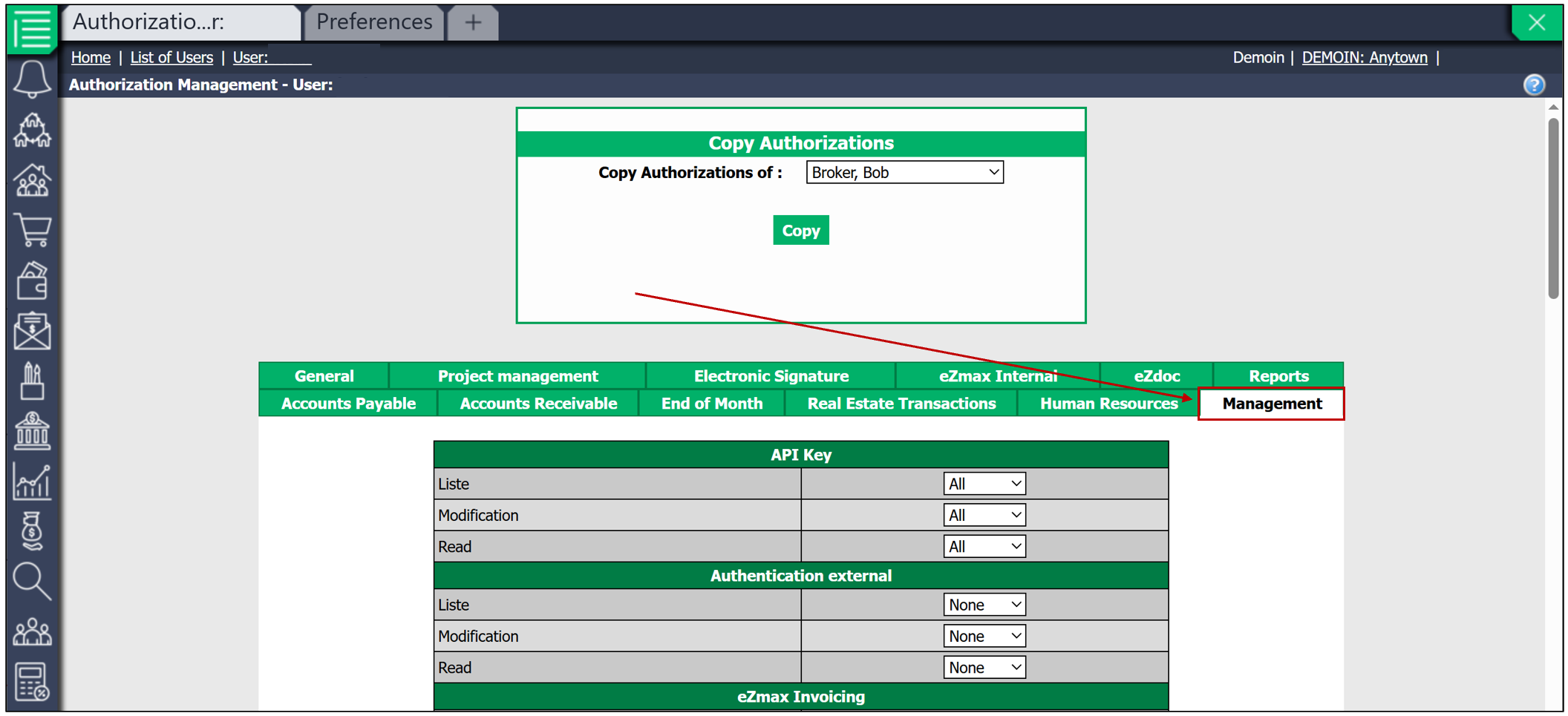
Configuring a Custom Domain
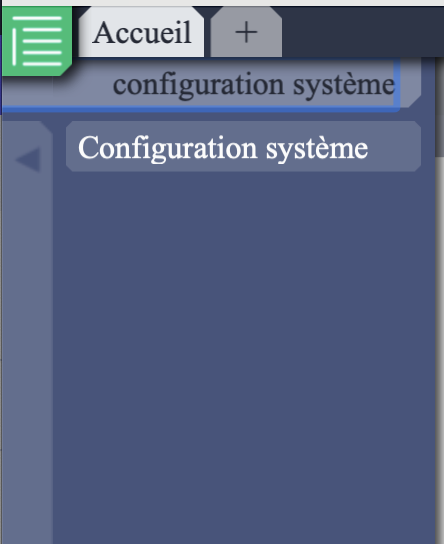
From the main menu, enter in the search bar System Configuration and click on it.
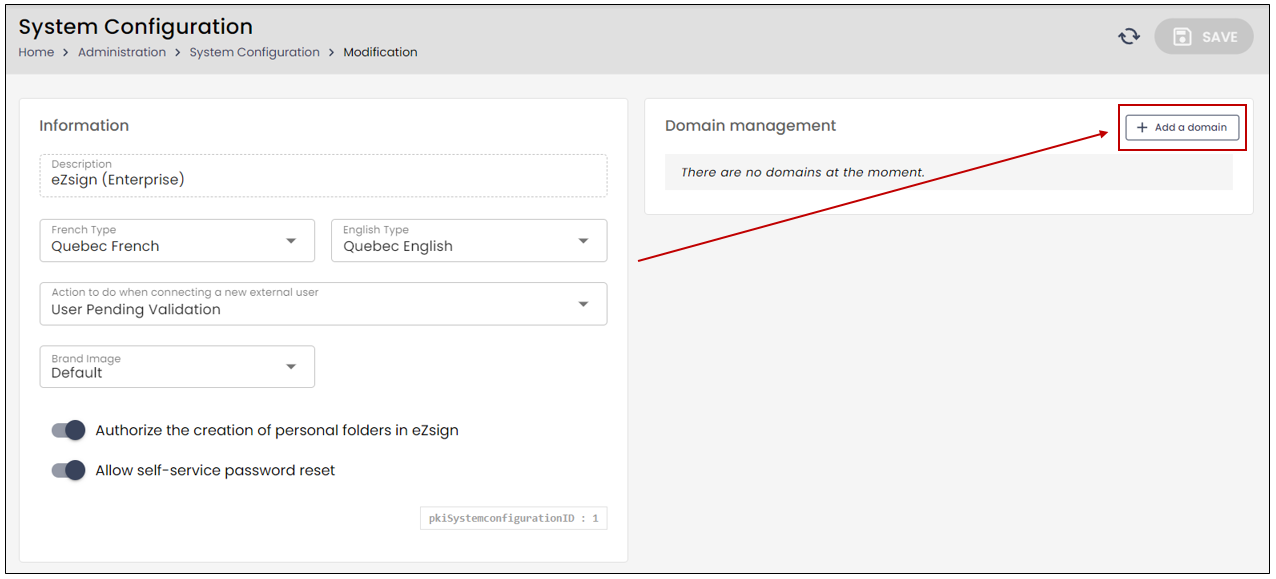
- Once in the System Configuration, click on Add a Domain.
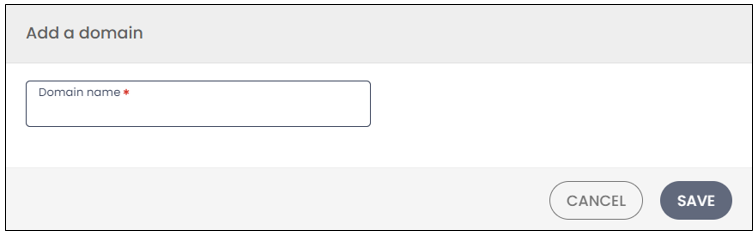
You can then enter the Domain Name. Next, click on Save. This action will open the Domain Information , allowing you to send the necessary data to your network administrator to validate the use of the domain.
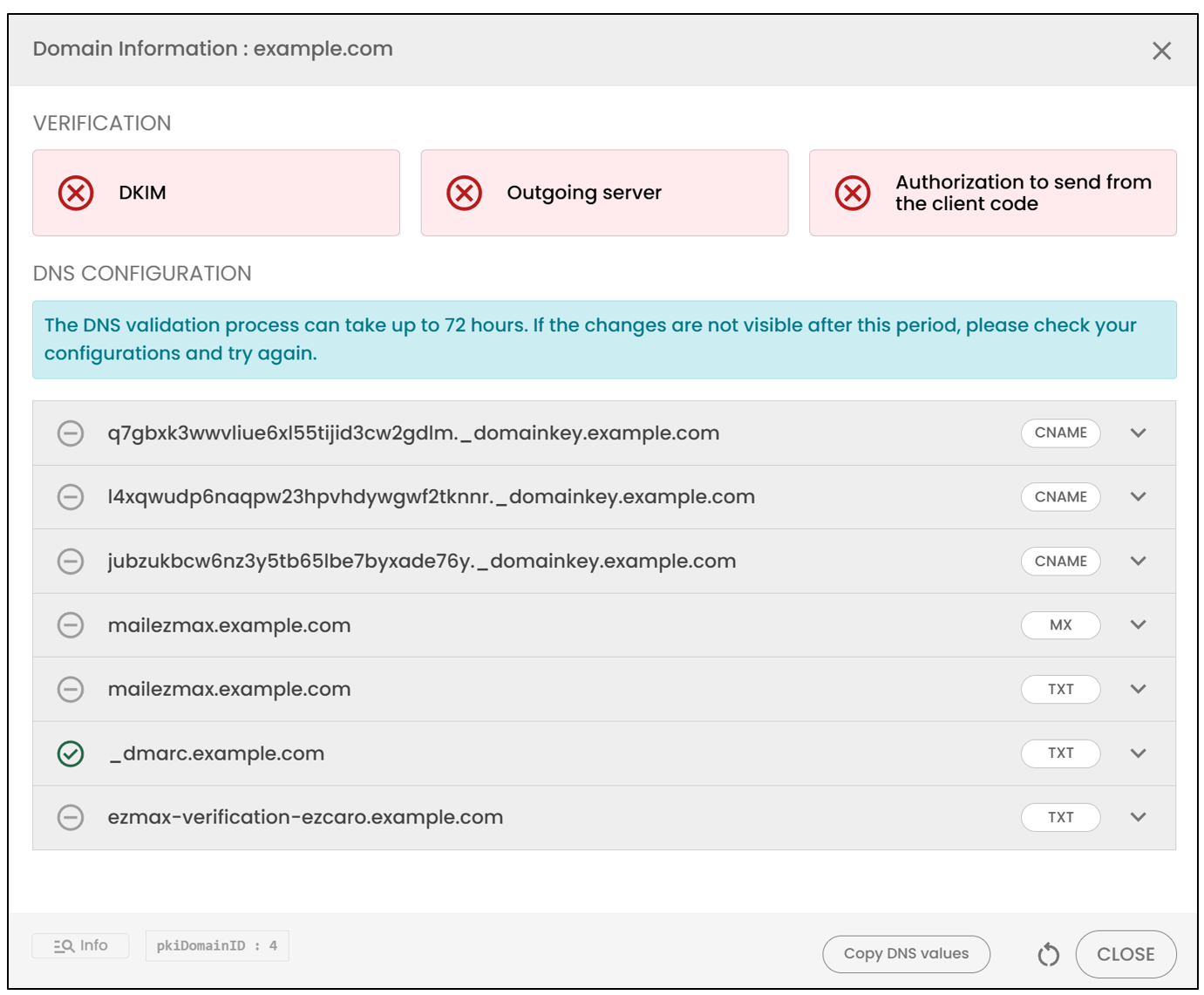
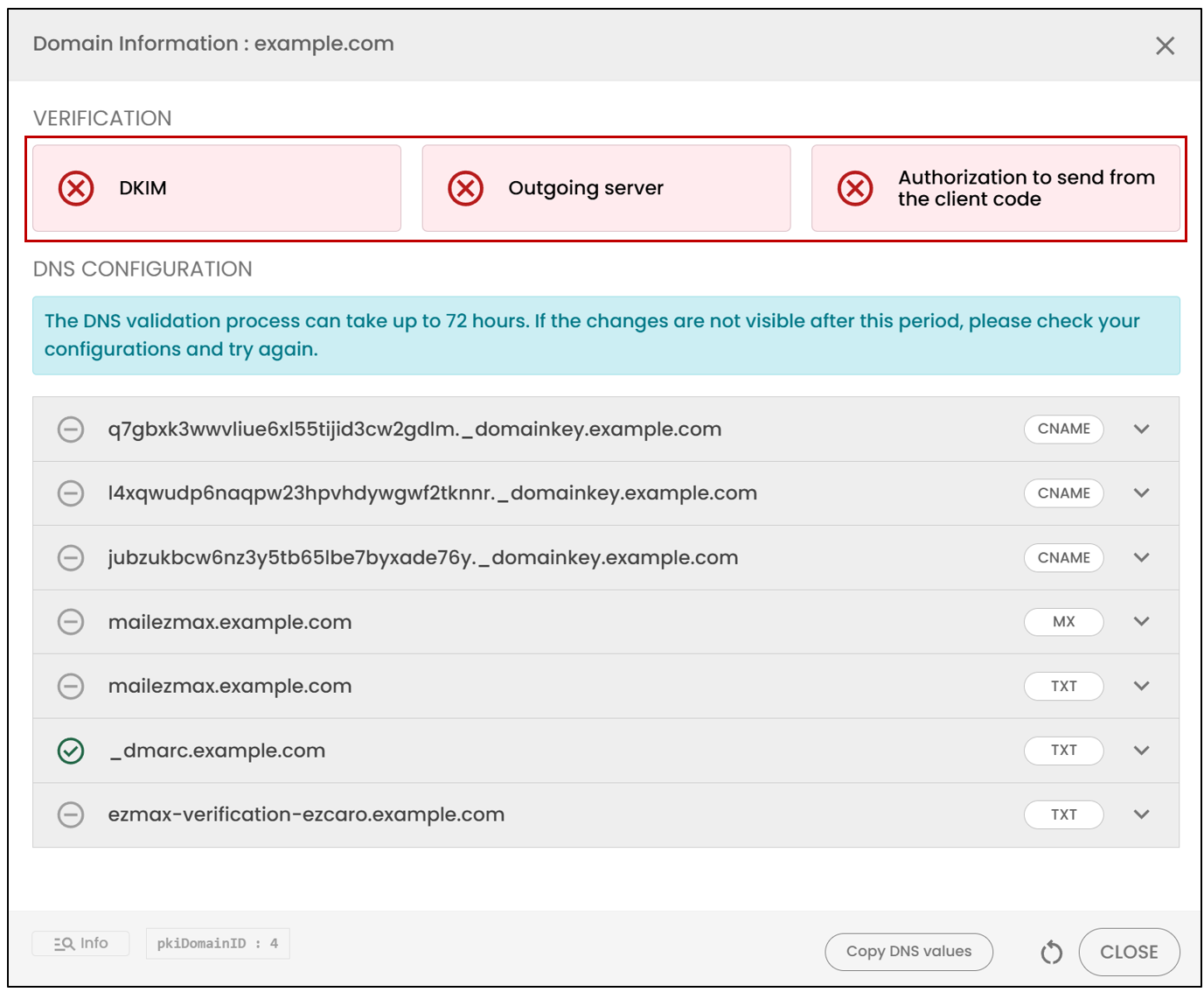
The Verification section consists of three configuration groups required for domain validation. As soon as a group is validated, it will turn green.
The DNS Configuration section contains several entries required for domain validation. Each entry will turn green when it is validated, or red if it has not been configured correctly.
- By clicking on the circle to the left of each DNS entry, you will be able to view the information related to it.
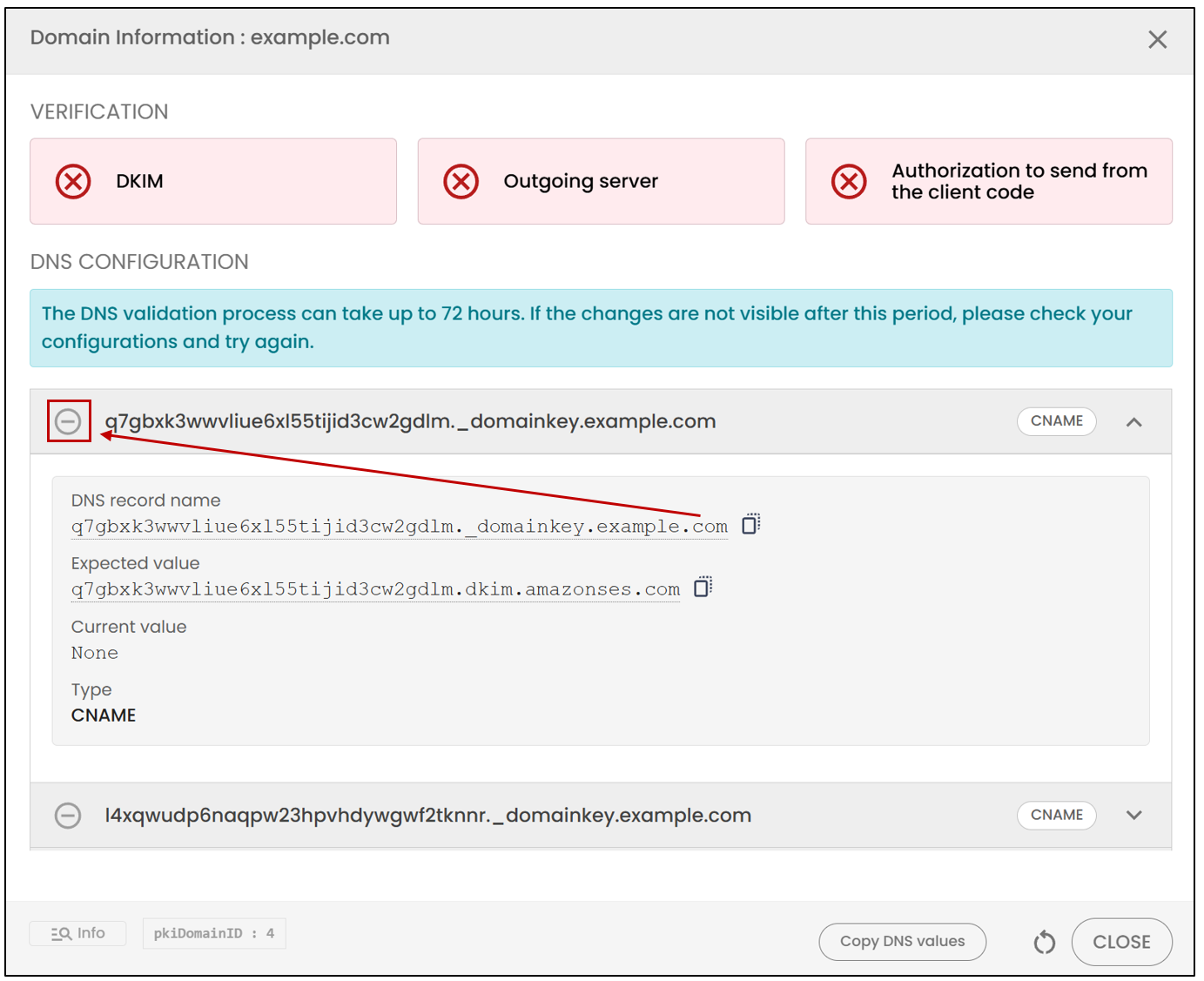
NOTE: The first six DNS entries are common to all clients of this domain. The last DNS entry is specific to the client and is present to ensure that the necessary permissions are in place.
NOTE: The DNS validation process can take up to 72 hours. You can refresh the page if necessary.
Activating a Custom Domain
Once the domain has been configured and validated, it must be activated in the Brand Images section so that it can be used for email sending.
From the Administration menu, go to the Brand Images section, then activate the configured custom domain
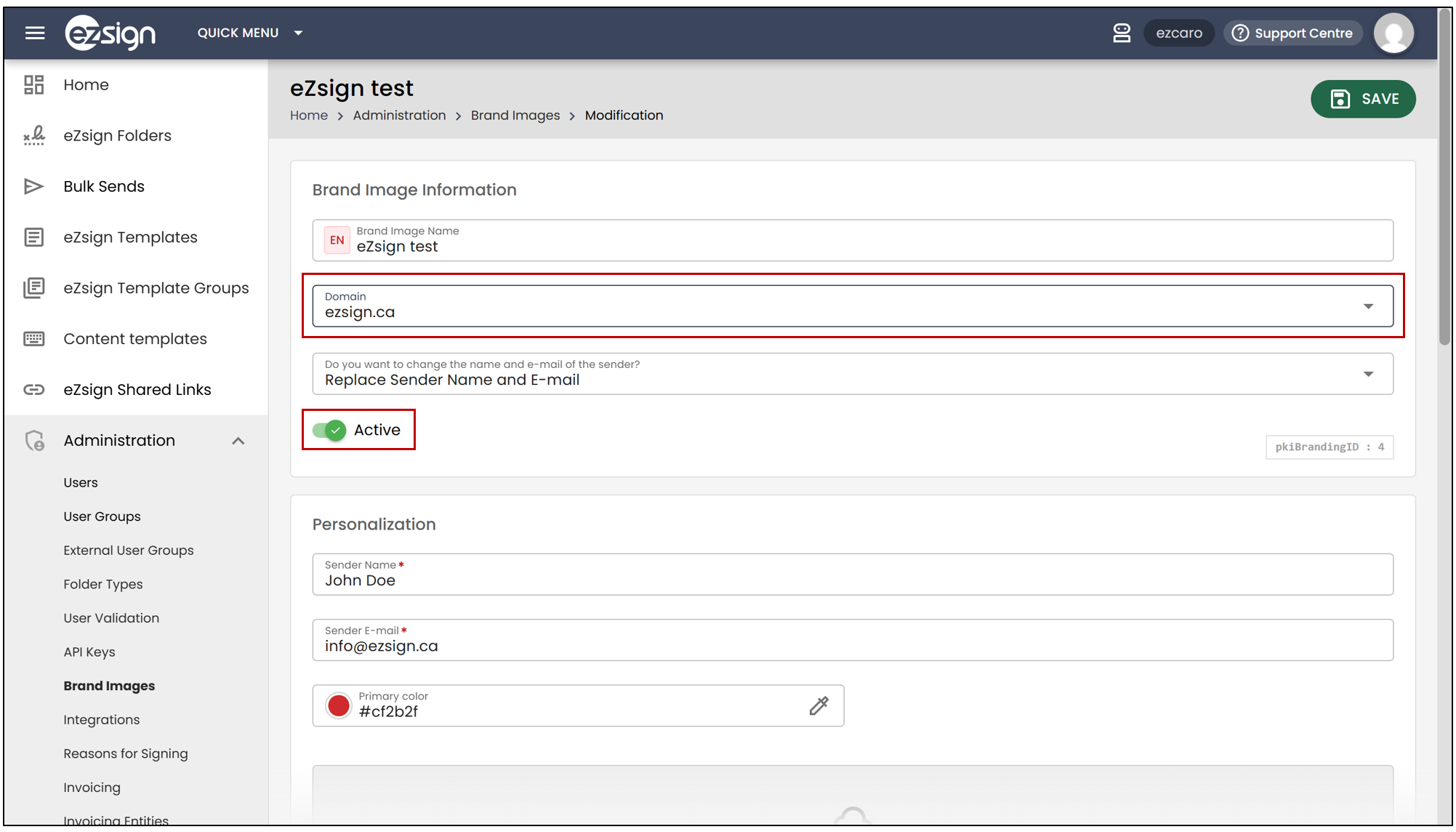
NOTE: This step is required for the validated domain to be used in communications sent from the platform.
Domain Associated with the User
For the custom domain to be used correctly when sending emails, the domain associated with the user’s email address must itself have been configured and authorized in the system.
In other words, when creating a user, their email address must correspond to one of the preconfigured domains.
For example:
- A custom domain has been configured for the domain name
ezsign.ca. - The user Jane Doe is created with the email address
janedoe@example.com. - The
example.comdomain has not been configured in the system. - The custom domain therefore cannot be used for emails sent by this user.
- In this case, the system will continue to use the designated generic email address.
It is therefore important to ensure that the domain used in the user’s email address corresponds to a custom domain that has previously been configured in the system.
Example of an Email Sent With or Without a Custom Domain
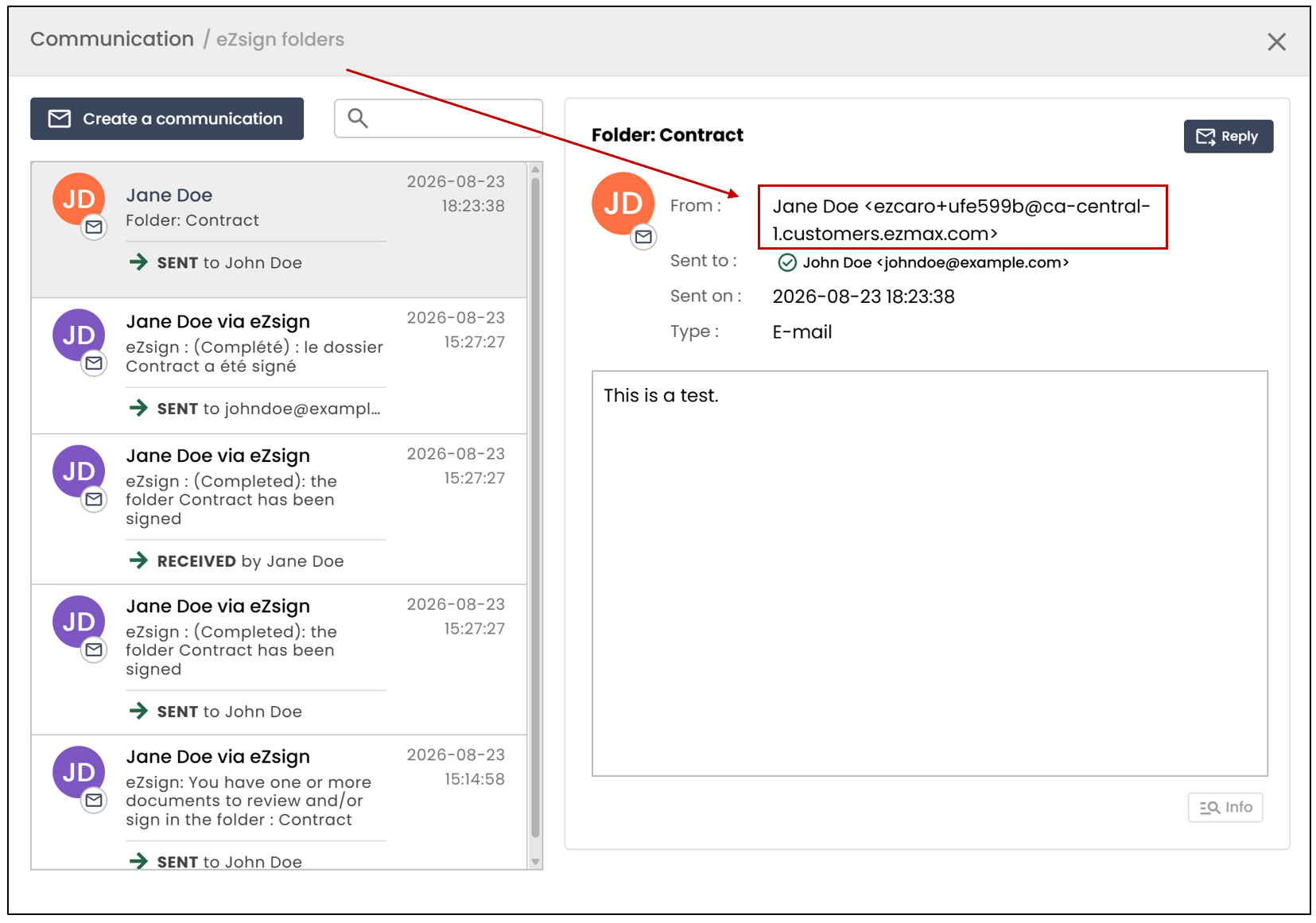
When sending an email, if no custom domain has been configured , the recipient will see a generic email address:
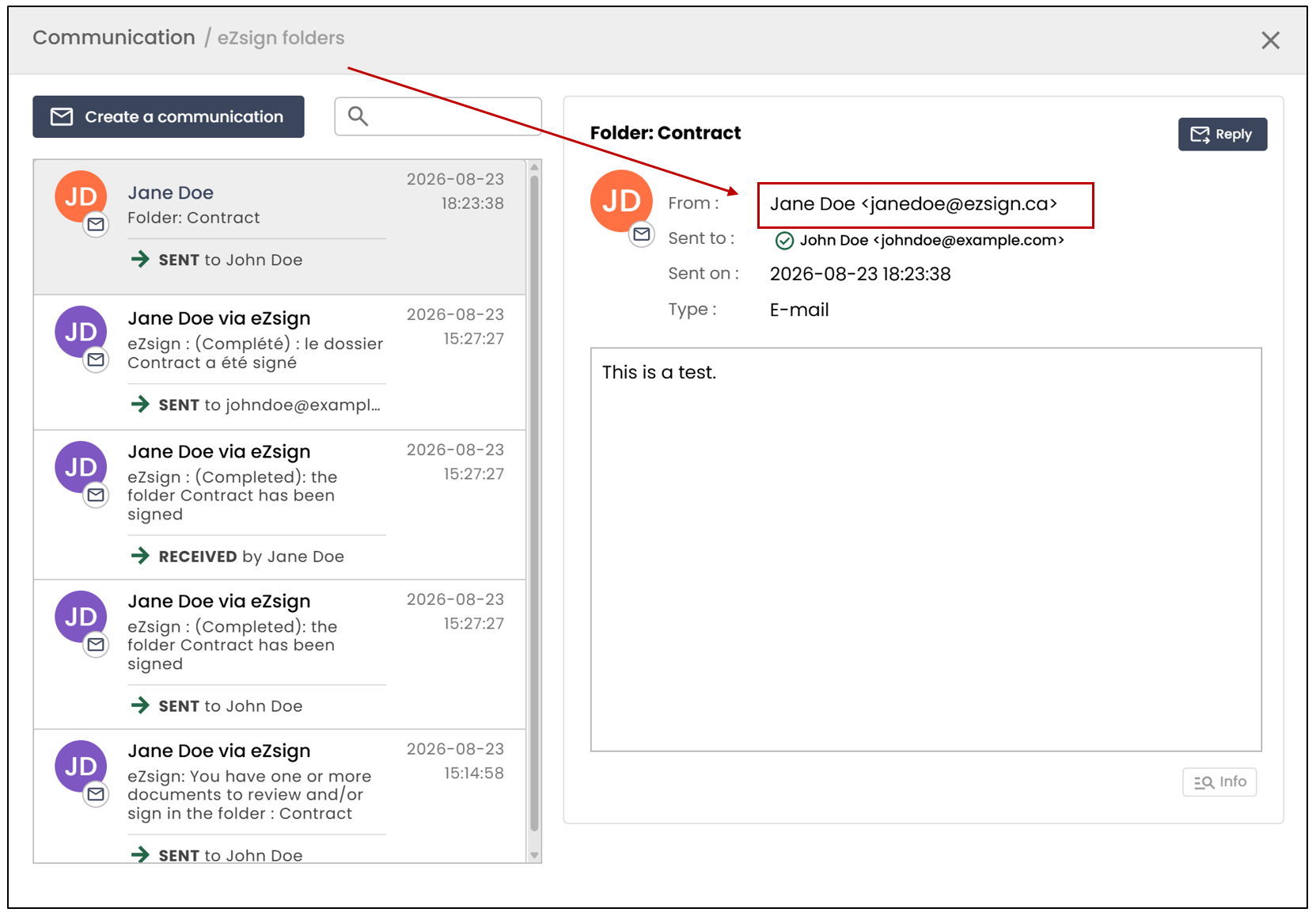
When sending an email, if a custom domain has been configured , the recipient will see an email address associated with that domain:
Example of a Communication Sent as Part of a Signature Request With or Without a Custom Domain
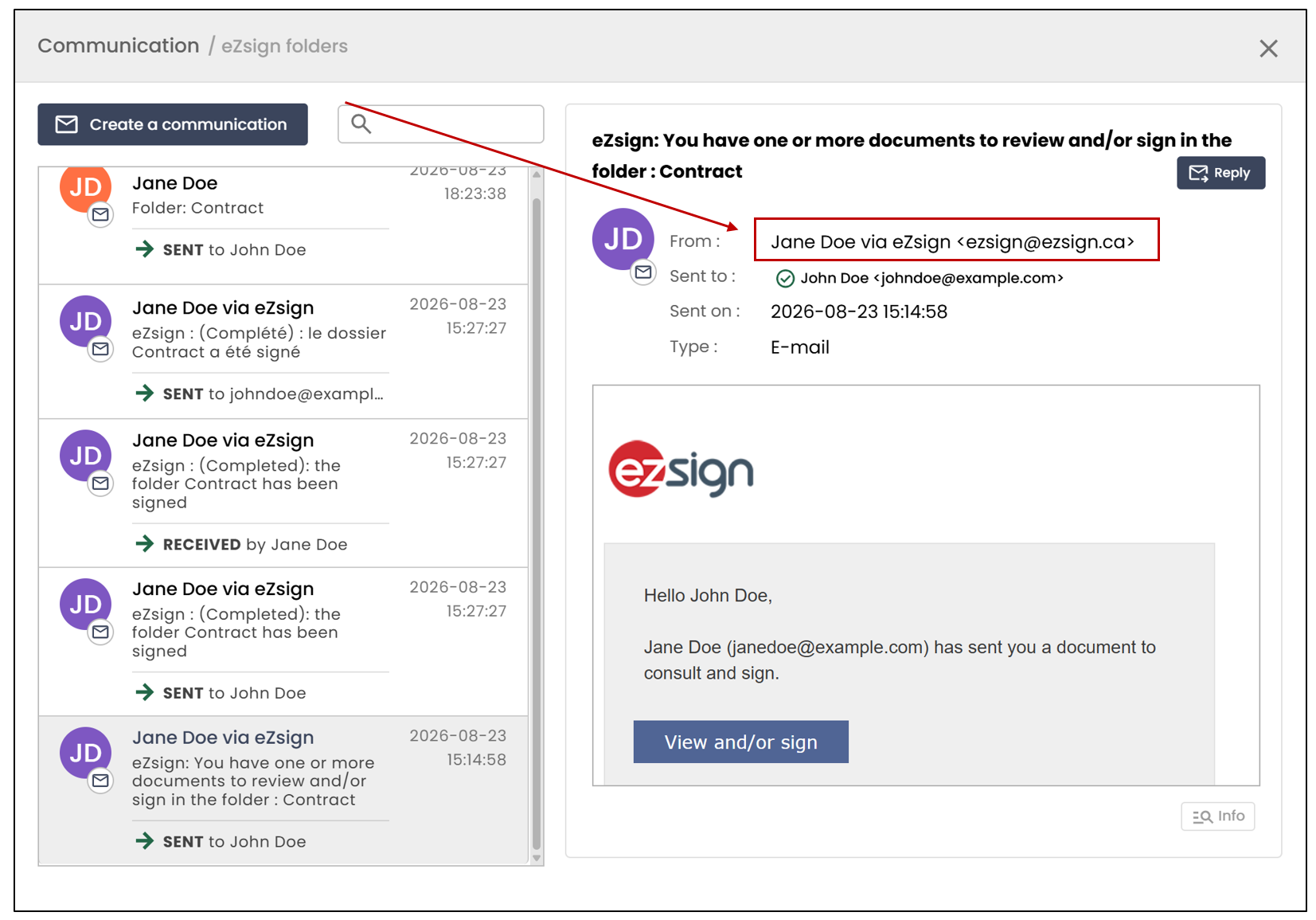
When sending a communication as part of a signature request, if no custom domain is configured , the email will be sent from a generic system email address.
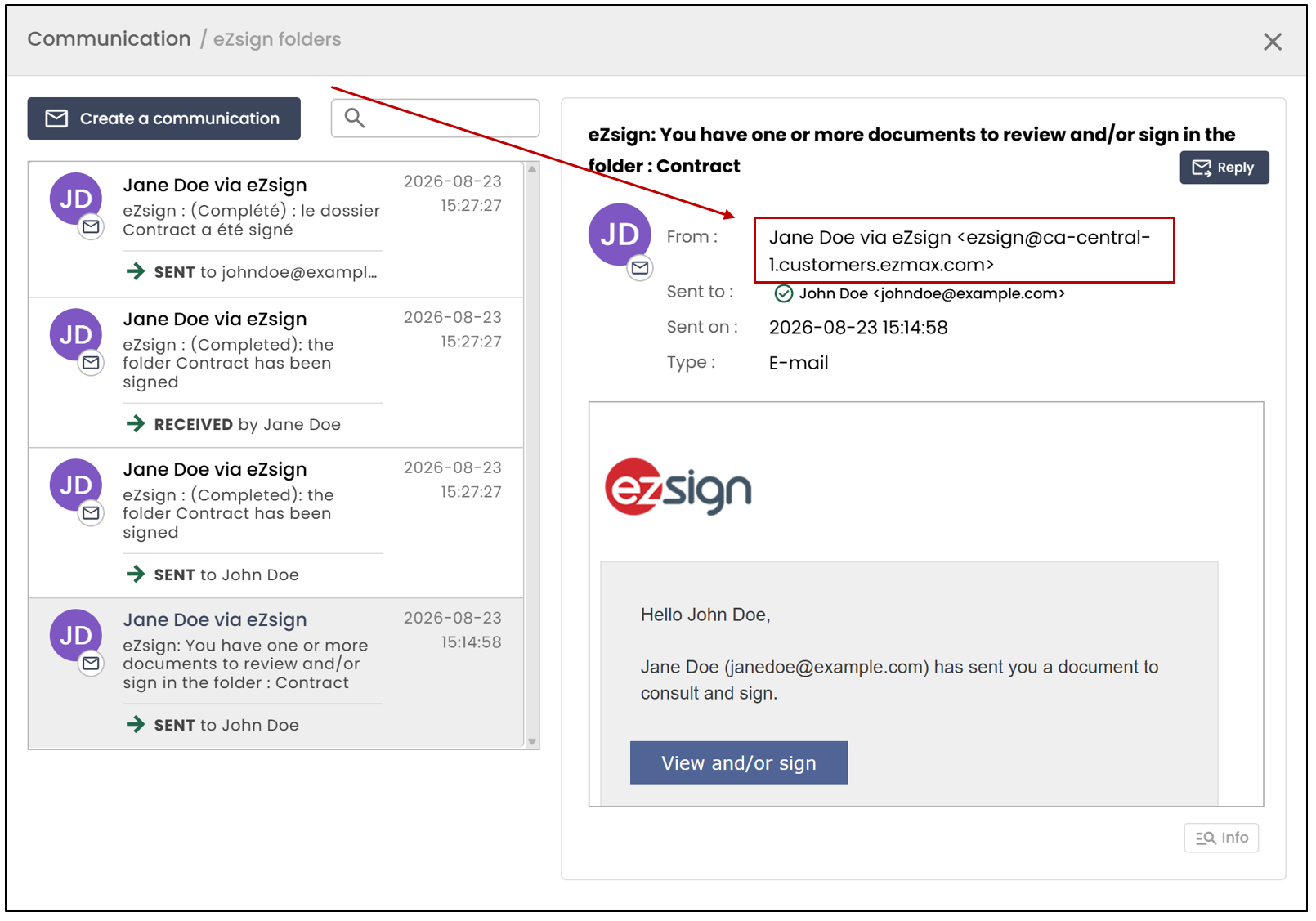
When sending a communication as part of a signature request, if a custom domain is configured , the email will be sent from an address associated with that domain rather than from a generic system email address.