English
Deals Report - FINTRAC
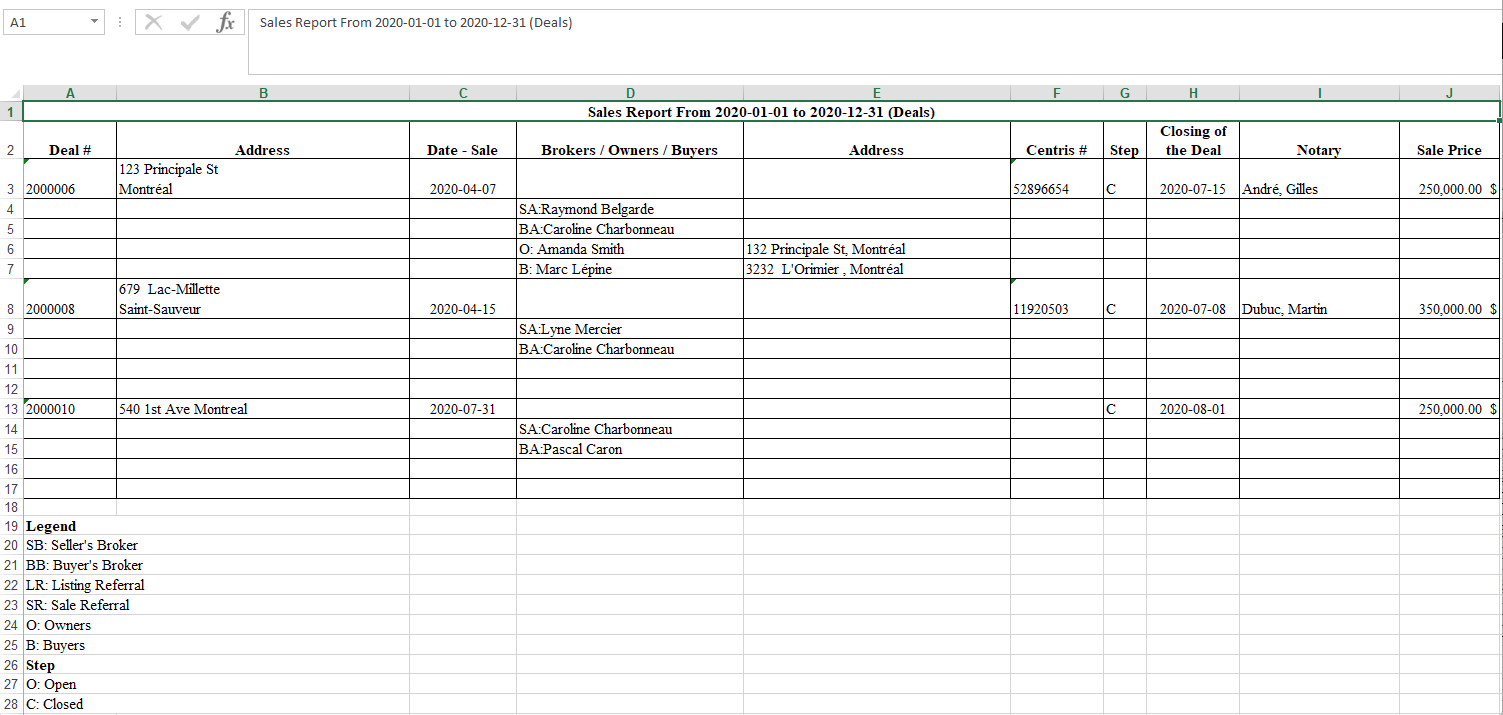
It is possible to produce a report for FINTRAC to display all the deals that have been created into the system during a desired date range.
- From Main menu >> Real Estate >> FINTRAC >> Deals Report.
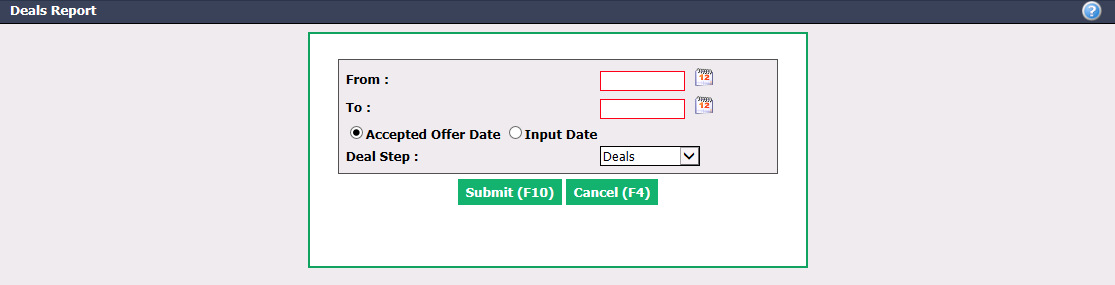
Enter the desired dates in the From and To fields.
Deals can be filtered by Accepted Offer Date or Input Date.
Select the Deal Step : "Deal" or "Closed Deals".
Click on Submit.