English
Adding/Editing an Other Income
Other income includes everything that is not a deal, a rental or a deal referral, such as consultations, assessments, mortgage referrals and mortgage commissions.
Adding an Other Income
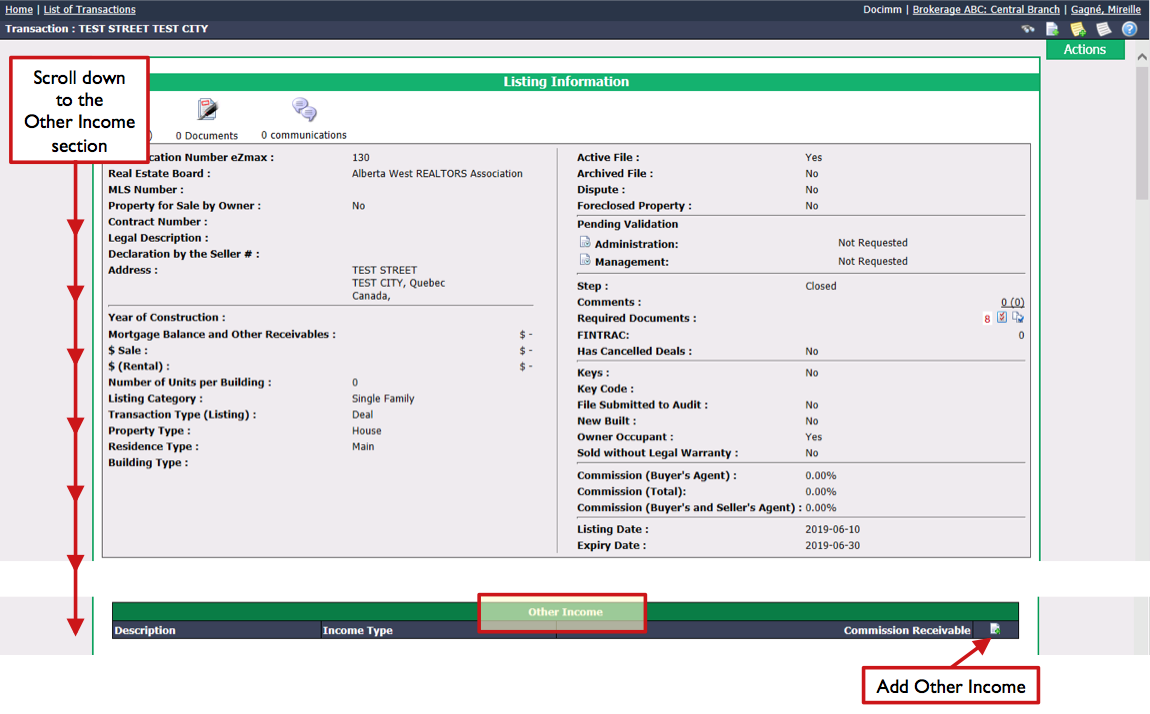
From Main menu >> Real Estate >> List of Other Income.
Click on Actions >> New Income.
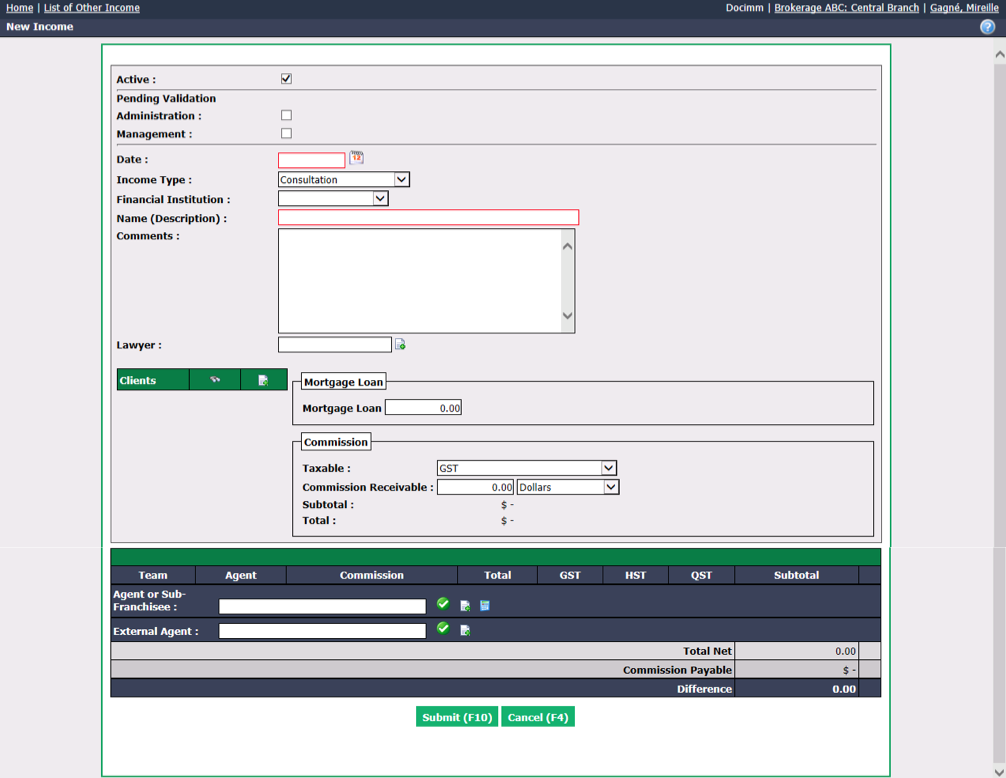
Active will be checked when the income is active. To inactivate an income, uncheck this box.
Pending Validation : If the income needs to be validated, indicate whether this will be done by the Administration and/or by the Management.
Enter the Date this income was received.
Select the appropriate I****ncome Type and Financial Institution.
Warning
For a real estate referral, if the address and the name of the agents are known, it should not be included in other income but rather create a deal. The only case where a real estate referral can be entered into other income is when the address and the name of the agents are not known.
Enter a Name (Description) to easily find this income in the system.
Explain this income in the Comments field.
If there is a notary involved, start typing the name in the Notary field and select it from the list or click on the Sheet with a + icon to add one.
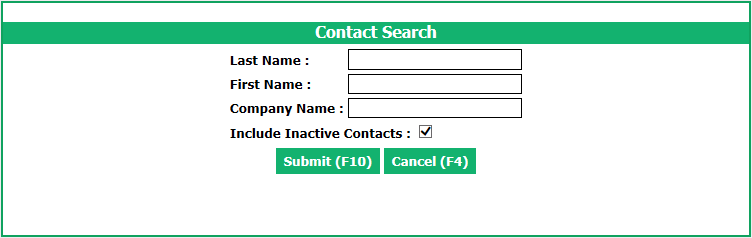
Clients : If the clients already exist in the system, you can use the Contact Search tool by clicking on the Binoculars icon.
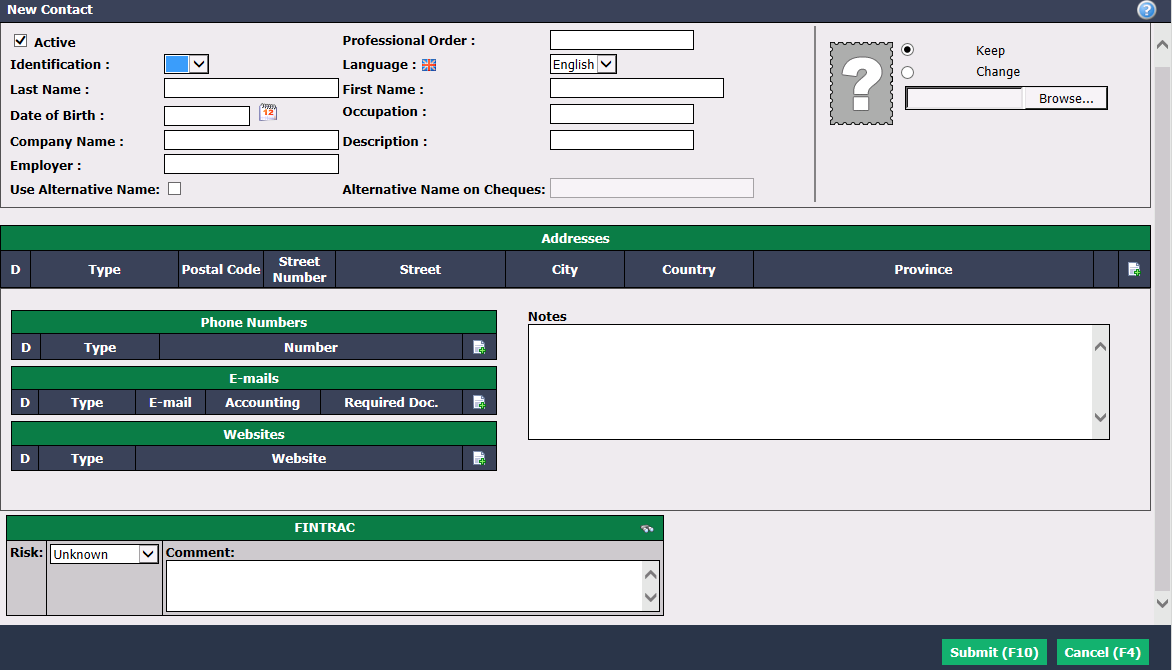
- Clients : Alternatively, you can click on the Sheet with a + icon (New Contact) and enter the desired information (Last Name, First Name, Address, E-mail, etc.) to add the clients in the system.
If applicable, enter the amount of the Mortgage Loan and the information of the Commission.
Start typing the name of the agent in the Agent or Sub-Franchisee field and select it from the list. Press TAB key on your keyboard or click on the Check Mark button.
NOTE: You can view the total amount of mortgage loan by clicking on the Calculator icon to the right of the agent/sub-franchisee.
Click on Submit and the other income will be added in the system.
In the "Files" section of the other income, you can edit the debtor, produce a transaction report, send the transaction report by e-mail and send an invoice or a memo by clicking on the appropriate icon.

Editing an Other Income
To modify an existing other income, select it from the List of Other Income and click on Actions >> Edit Other Income.
Make the desired changes and click on Submit to save them.
NOTE: In the case of a mortgage referral associated with a deal, it is better to go into the transaction, in the "Deals"/"Other Income" section to create the other income by clicking on the Sheet with a + icon. You will then be redirected to the "New Income" page and the Name (Description) , Clients and Agent or Sub-franchisee fields will be automatically filled. If you have already created the other income and you realize that there is a deal associated with it, you can associate it with the deal from the Actions menu >> Associate with a Deal.