

English
Correct Cents in Subledger Accounts Report
At the end of each month, it is important to verify the subledger accounts report to determine the transactions for which the amount does not balance. It is possible to correct these amounts that do not balance by making a deposit at $0.00.
1- Produce Subledger Accounts Report
- From Main menu >> **General Ledger >> **Subledger Accounts Report.
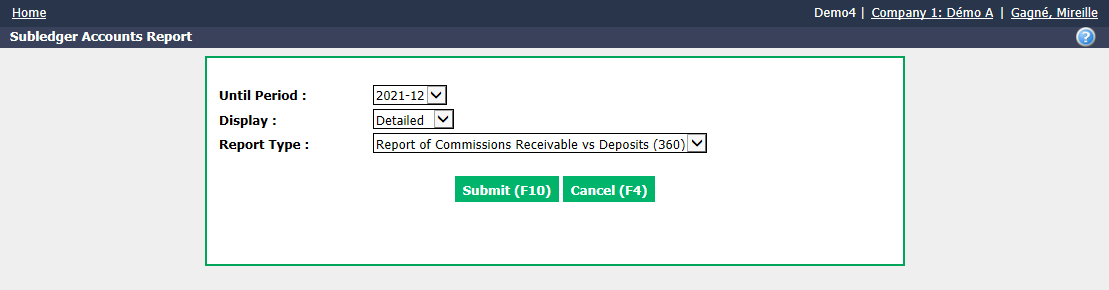
Select Until Period you want to see the report and the "Detailed" Display.
For Report Type , select "Report of Commissions Receivable vs Deposits (360)".
Click on Submit.
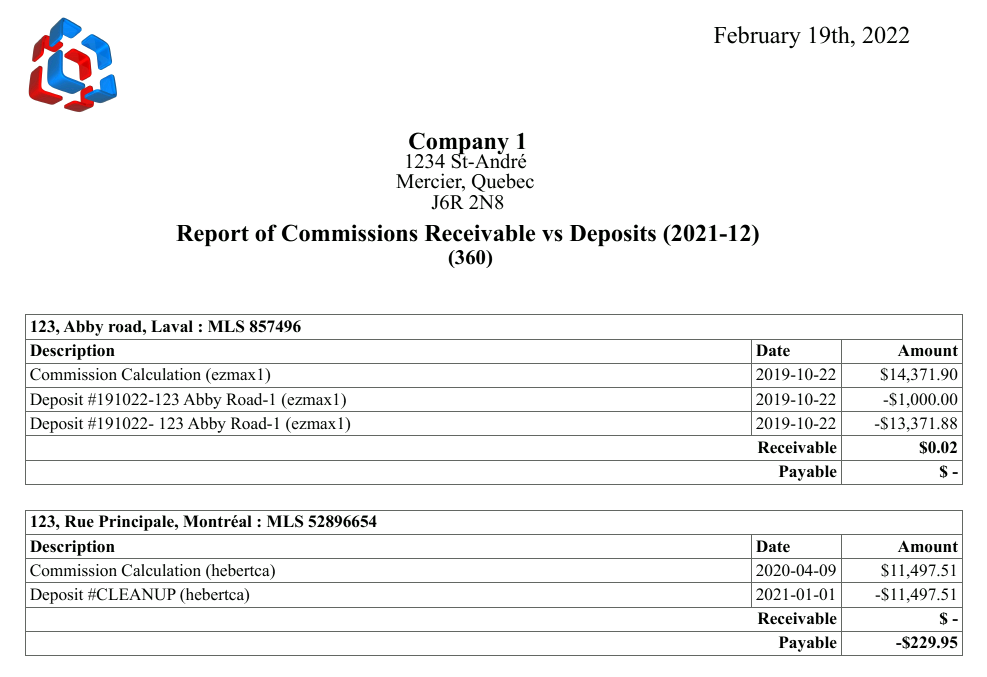
- Note transactions for which there is an amount to receive or pay of a few cents (below $1.00).
2- Make a Deposit at $0.00
- From Main menu, click on the Cash Register icon (New Deposit).
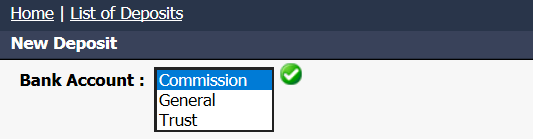
- From the drop-down list, select the desired Bank Account and click on the Check Mark button.
NOTE: For agencies that have 3 bank accounts (commission, general and trust), select "Commission". For agencies that have 2 bank accounts (trust and general), select "General".

Deposit Number : We suggest that you enter the date of the last day of the month to be verified as well as the abbreviation of subledger: YYYYMMDDSUB.
Deposit Date : Enter the last day of the month to be verified.
Warning
Please make sure that the deposit date entered is the same as the selected accounting period.
- In the Address field, enter the MLS number or transaction address, select it from the drop-down list and press the TAB key on your keyboard.

To correct amounts less than $0.05
- In the Amount field, enter "0.00" and press the Enter key on your keyboard.
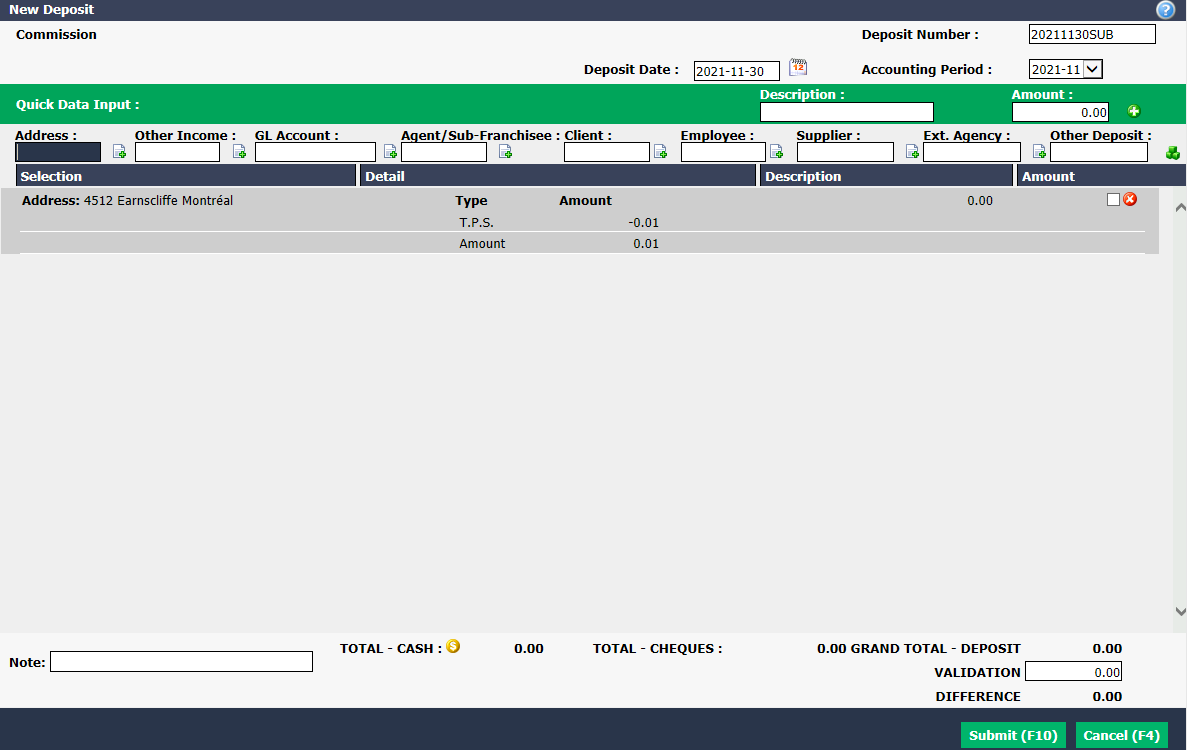
To correct amounts over $0.05
- In the Amount field, enter "0.00" and check the Taxes ? box.

- Enter the desired amount of cents in one of the tax fields and press the Enter key on your keyboard.
NOTE: The amount to enter in taxes must be positive if the amount in the subledger accounts report is to be received and negative if it is to be paid.
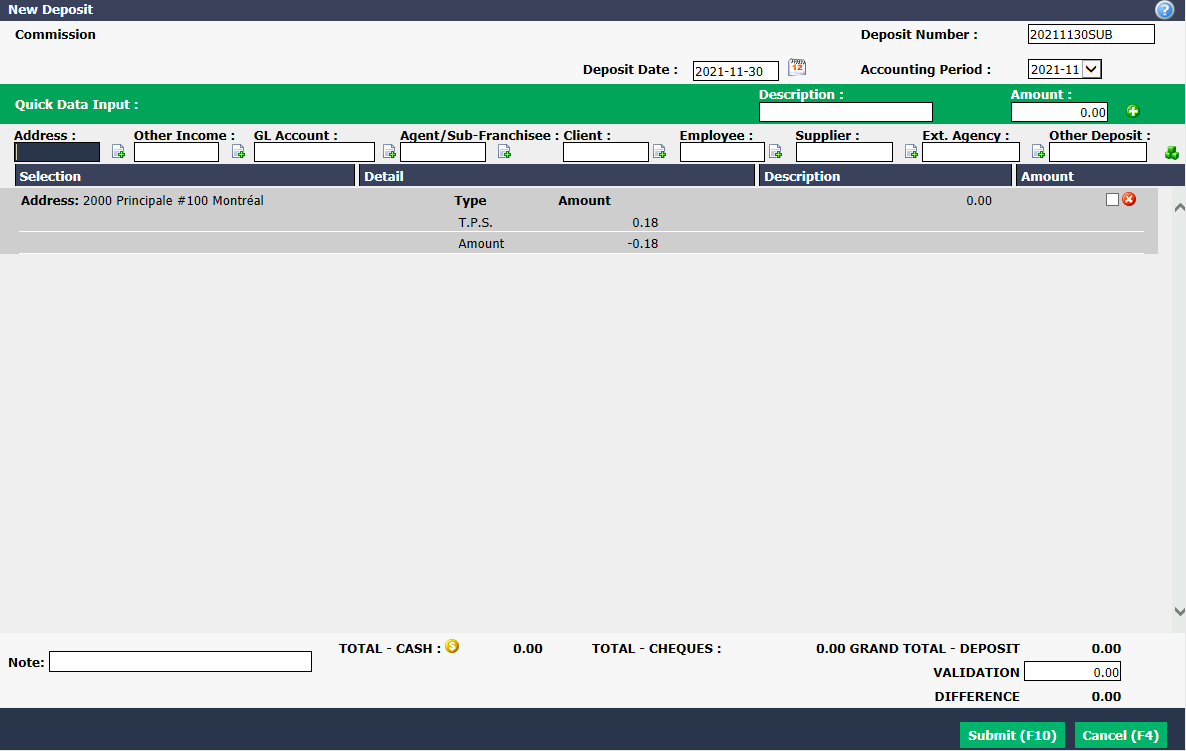
- For both correction methods, repeat the same steps in the same deposit for each of the transactions for which there are cents to correct.
Warning
The Grand****Total - Deposit must be $0.00.
Click on Submit.
Transactions for which you have made a deposit at $0.00 will no longer be present in the subledger accounts report "Report of Commissions Receivable vs Deposits (360)".